
Healthcare and Medical Fleet Graphics
Healthcare organizations use vehicles for transport, outreach, deliveries and operational support. Plan a clear approved identity for the actual role of each unit, with readable wording, careful review ownership and layouts that work with passenger windows, doors and equipment.
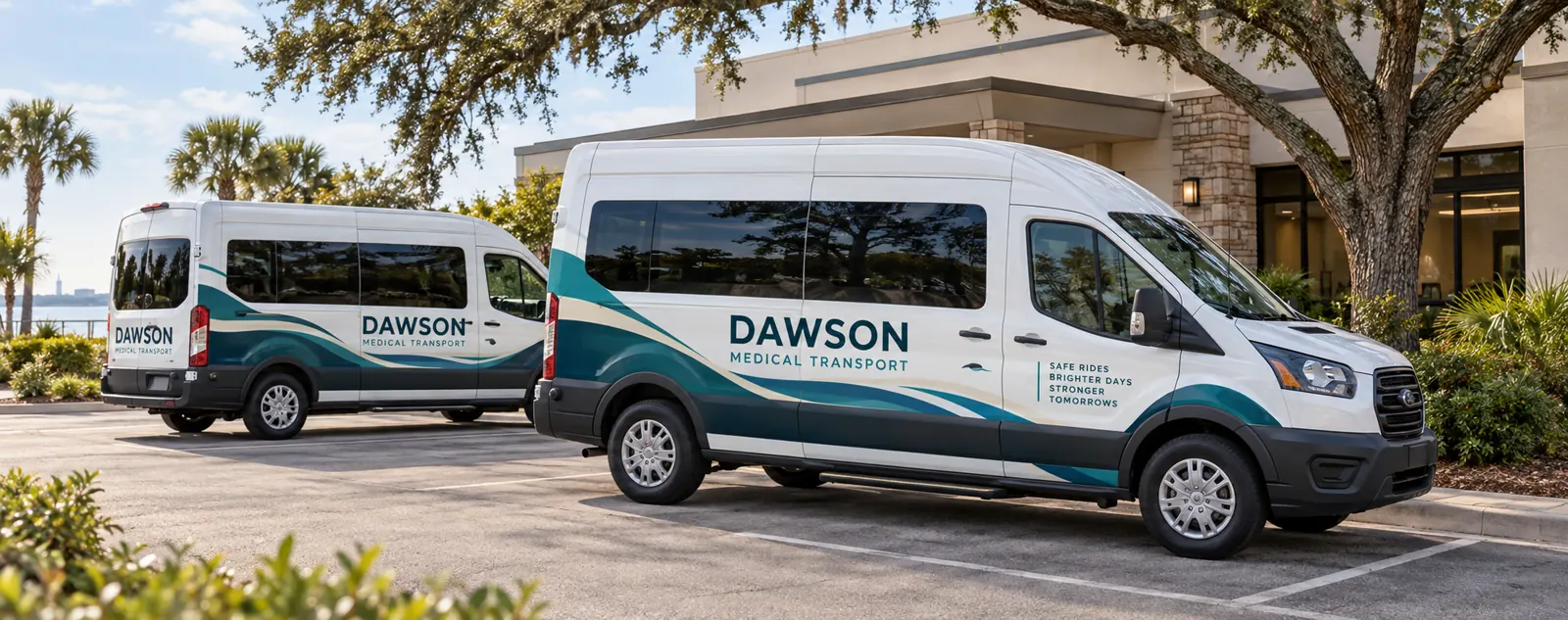
Fictional commercial wrap design concept; not a completed customer installation.
Define the organization and the vehicle's role
Start with the organization name and the work the vehicle actually performs. Patient transport, community outreach, supply delivery and administrative support are different communication needs. A clear role description helps a viewer understand the operator without relying on a medical symbol alone. Keep the essential identity easy to recognize.
Use approved current wording and choose the contact route appropriate to that role. A business enquiry number, transport booking route and general organization website may serve different purposes. Have the responsible organization confirm what belongs on the vehicle. The graphic layout should not introduce an unsupported qualification, affiliation or health-outcome claim.
For a mixed organization, note which vehicles need a transport-booking message and which simply identify facilities or supply staff. Keep that choice linked to the vehicle list. This prevents a support unit from inheriting wording intended for a different role and gives the approval team a concrete reason for each variant in the fleet.
Organize approved brands and review responsibilities
Gather the authorized logo sources, colors, naming conventions and any existing vehicle standards. Identify who approves corporate identity and who reviews transport or operational information. If partner assets are requested, supply the approval relevant to their use. An unrelated vehicle photograph should not replace the organization’s current source package.
Choose one coordinator to consolidate feedback while retaining the required reviewers. Keep each proof clearly dated. This gives the project a usable approval reference instead of several conflicting messages. Record which vehicle version, wording and contact details are approved before production is authorized.
Inventory transport vans and operational support vehicles
List the actual configurations and quantities, including passenger windows, roof heights, wheelbases and fitted equipment where relevant. Send current side and rear photographs, plus close views of access areas and hardware. A passenger van and a cargo support van may share a model name while providing different graphic surfaces.
Use the van page, bus and shuttle route and commercial SUV page for body-specific planning. A shared visual system can connect the fleet while the placement adapts to each unit’s real proportions and function.
Review readability around windows, doors and access
Passenger glazing and door hardware can divide the side view. Review essential wording against current photographs rather than assuming a blank cargo-van template describes the available area. The rear also needs its own composition around windows, hinges, latches and the center split. Keep the main identity understandable from each intended view.
Identify existing information, equipment labels and access areas that must remain visible and usable. Any proposed glass treatment should be raised explicitly for separate review rather than assumed to be part of painted-body graphics. The scope should state included surfaces and exclusions before the layout is approved.
Choose coverage and preserve a consistent organization identity
Lettering can provide a restrained identity while leaving original paint visible. Partial graphics can introduce a recognizable color area, while fuller coverage offers another visual direction. Compare defined options using the same approved wording and actual vehicle photos. The coverage label alone does not define the panel list or work included.
Keep colors, logo treatment and hierarchy consistent across the fleet, with unit or division identifiers in a defined role. Retain proofs linked to the vehicle configurations and identifiers. The graphics management route connects future additions and replacements with that maintained record.
Plan condition review and fleet availability
Disclose old graphics, residue, body repairs, peeling finishes and other surface concerns with close photographs. Graphics should not be treated as a repair for an underlying condition problem. Removal and preparation need to be explicit in the agreed scope. A previous approved identity does not establish the condition of a vehicle being added now.
Identify priority units and release windows, then clarify delivery, access and collection against the confirmed project arrangement. Plan operating coverage around that schedule rather than a generic installation-duration statement. The inventory worksheet helps connect the units, photo references, condition questions and availability before approval.
Prepare a healthcare fleet graphics brief
Send the vehicle list, quantities, current photos, authorized brand files and essential wording. Include the approval chain, coverage preferences, existing information to preserve and timing. If the project has specific operational requirements, provide the current written specifications and identify the reviewer responsible for them.
Read the artwork guidelines and submit a healthcare fleet graphics brief. The transport vans shown here use a fictional identity created for this page. They illustrate a possible design direction without presenting a customer relationship, transport qualification, health outcome or operational performance as evidence.
Frequently Asked Questions
Turn Your Vehicle Details Into a Clear Project Brief
Send current photographs, vehicle quantities, logo files, coverage preferences and timing. Identify old graphics and paint concerns so the project review can address the actual equipment.
Explore planning resources or request your commercial wrap quote.
