
Choose Commercial Graphics by Vehicle Type
Start with the equipment your business operates. A pickup, service van, box truck, trailer, bus and specialty unit offer different surfaces and operating constraints. This directory helps you choose the relevant service page, compare coverage and prepare a useful quote brief without treating every commercial vehicle as the same design template.
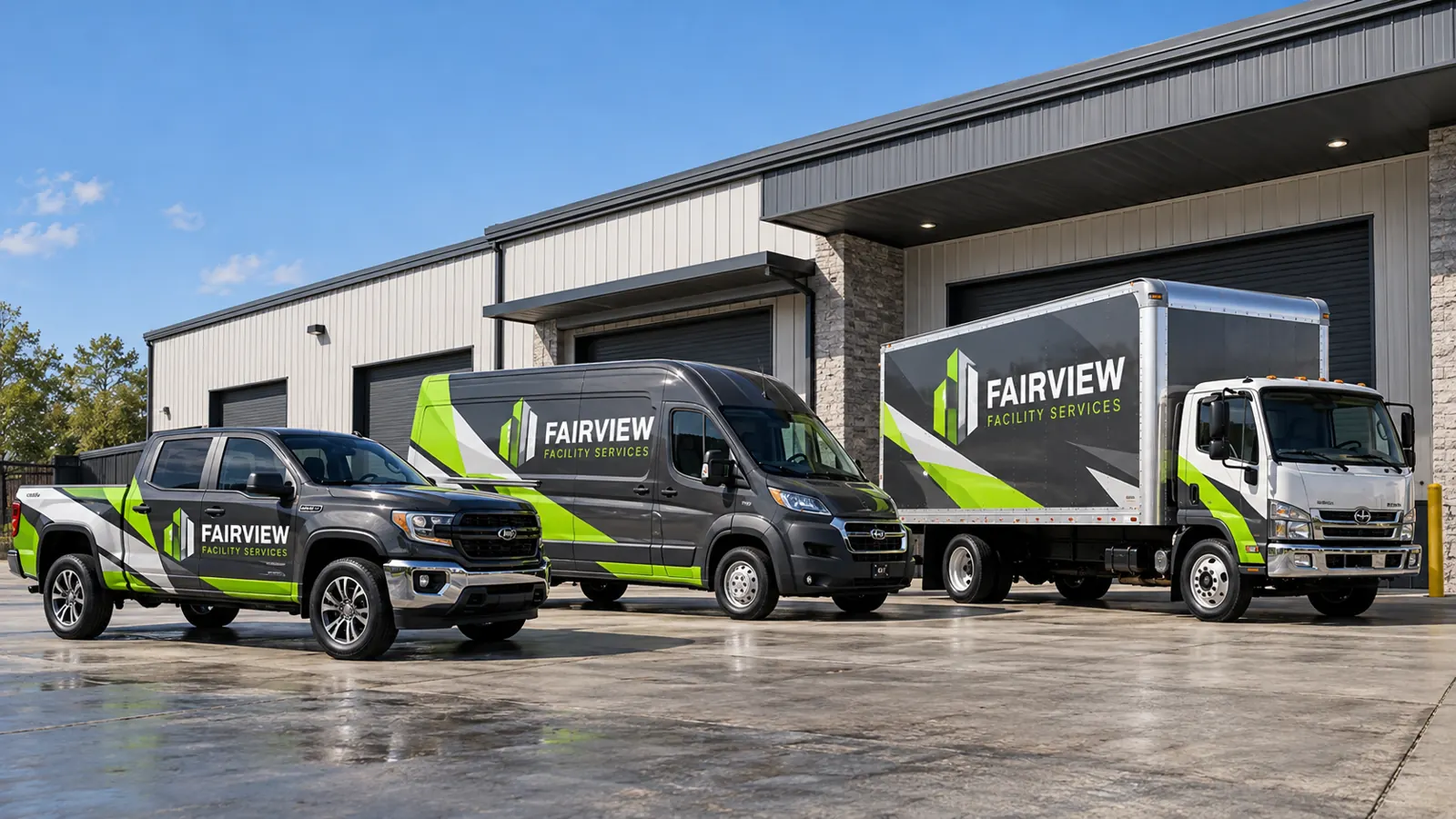
Fictional commercial wrap design concept; not a completed customer installation.
Start with vans, pickups and working service bodies
For a technician fleet, begin with commercial van wraps. The design needs to fit high roofs, sliding doors, rear windows and accessories. The delivery van guide focuses on vehicles used for deliveries, while step vans have a different body and door arrangement.
For smaller working vehicles, compare pickup truck graphics and service-body truck graphics. Photograph tool compartments, bed equipment and racks so the design reflects the actual unit. A compact logo treatment and a broad printed panel are different options; choose them against the space and message available.
Use cargo bodies for a clear large-format identity
The box truck service explains side panels, cab coverage, rear hardware and fleet repetition. If the business uses refrigerated equipment, review refrigerated truck graphics and identify the equipment and access areas that change the available layout. A chassis name does not identify every cargo-body variation.
For larger combinations, use semi-truck and tractor-trailer graphics. The tractor and trailer need coordinated identities and separate physical layouts. Commercial trailer fleet graphics addresses the trailer program itself. Give both sides and the rear deliberate messages instead of treating every surface as one uninterrupted billboard.
Choose the trailer or mobile-business application
Start with trailer wraps for enclosed equipment carriers, contractor trailers and other commercial bodies. The mobile service trailer guide helps identify working doors and equipment access. Photograph the unit in both travel and operating positions if opening it changes what customers can see.
For a serving business, see food truck graphics. Menus, windows and ventilation need a different plan from a closed delivery body. Decide what belongs in permanent branding and what changes more often. The commercial goal and normal use should guide the layout before a full or partial coverage label is chosen.
Account for passengers, equipment and specialty bodies
The bus and shuttle service addresses passenger windows, exits, access and body proportions. For other working equipment, compare utility truck graphics, dump trucks, tankers and waste and refuse vehicles. Each body introduces specific interruptions and working surfaces.
For emergency or response equipment, have the responsible operator supply its approved markings and requirements. Commercial SUVs need their own layout review too. This directory helps select a graphics discussion; it does not determine the operator’s safety or compliance requirements.
Compare coverage after choosing the relevant equipment
Full wraps, partial wraps and lettering and decals are coverage approaches that can apply to different vehicle types. Use the full-versus-partial guide to compare them against existing paint, desired appearance and future fleet additions.
Color-change work is a separate supporting application; the color-change page explains that route. For broader commercial planning, use commercial vehicle wrap services. Keep the business identity and practical scope in view rather than assuming that the largest coverage area automatically creates the most useful message.
Bring mixed equipment together as a fleet program
If the project involves several body types, the next step is a common fleet standard. Define the company name, approved colors, service wording and message hierarchy, then adapt the layout to each vehicle. A pickup and a box truck can look like one business without using identical print files.
Use Fleet Solutions to choose a rollout, rebrand, ongoing management or repair route. Inventory the units and flag old graphics, paint concerns and different locations. That brief helps the review distinguish repeat work from new design adaptations and allows operating availability to be discussed before the vehicles are scheduled.
Request the right project review
Choose the most relevant vehicle page, then send quantities, current photographs, logo files, desired coverage and timing through the quote form. If you do not know the exact body or dimensions, say so. Include photographs of hardware and questionable surfaces so the remaining inspection and measurement needs can be identified.
Pelican Wraps is based in Harvey. Confirm access and delivery arrangements for the actual vehicle or combination before traveling. A buying guide can answer a general question, while a scoped project review addresses the equipment you actually own. Use the service page to clarify the options, then move to the quote brief when you are ready to define the work.
Frequently Asked Questions
Turn Your Vehicle Details Into a Clear Project Brief
Send current photographs, vehicle quantities, logo files, coverage preferences and timing. Identify old graphics and paint concerns so the project review can address the actual equipment.
Explore planning resources or request your commercial wrap quote.
Explore Related Project Guides
- Crew Cab Pickup Door Graphics Layout
- Dually Pickup Bed Graphics Planning
- Flatbed Headboard Graphics Planning
- High Roof Van Graphics Sightline Planning
- Truck Service Crane Graphics Planning
- Truck Stake Body Graphics Planning
- Truck Toolbox Graphics Clearance Guide
- Van Sliding Door Graphics Alignment Guide
- Vehicle Ladder Rack Graphics Visibility Guide
- Vehicle Sensor and Camera Graphics Exclusion Map
