
Commercial Wrap Projects & Capabilities
Explore the applications Pelican Wraps is building around: fleet and box truck wraps, marine graphics, tankers, facilities, signs and specialty commercial equipment.
Fleet & Box Trucks
Repeatable graphics systems for vans, service vehicles, box trucks, trailers and multi-unit fleet programs.
Marine & Industrial
Large-format wraps and identification graphics for boats, offshore vessels, tankers and industrial equipment.
Facilities & Specialty
Wall and window graphics, flat signs, displays and vending machine wraps produced as one coordinated brand system.
How to Use These Wrap Ideas
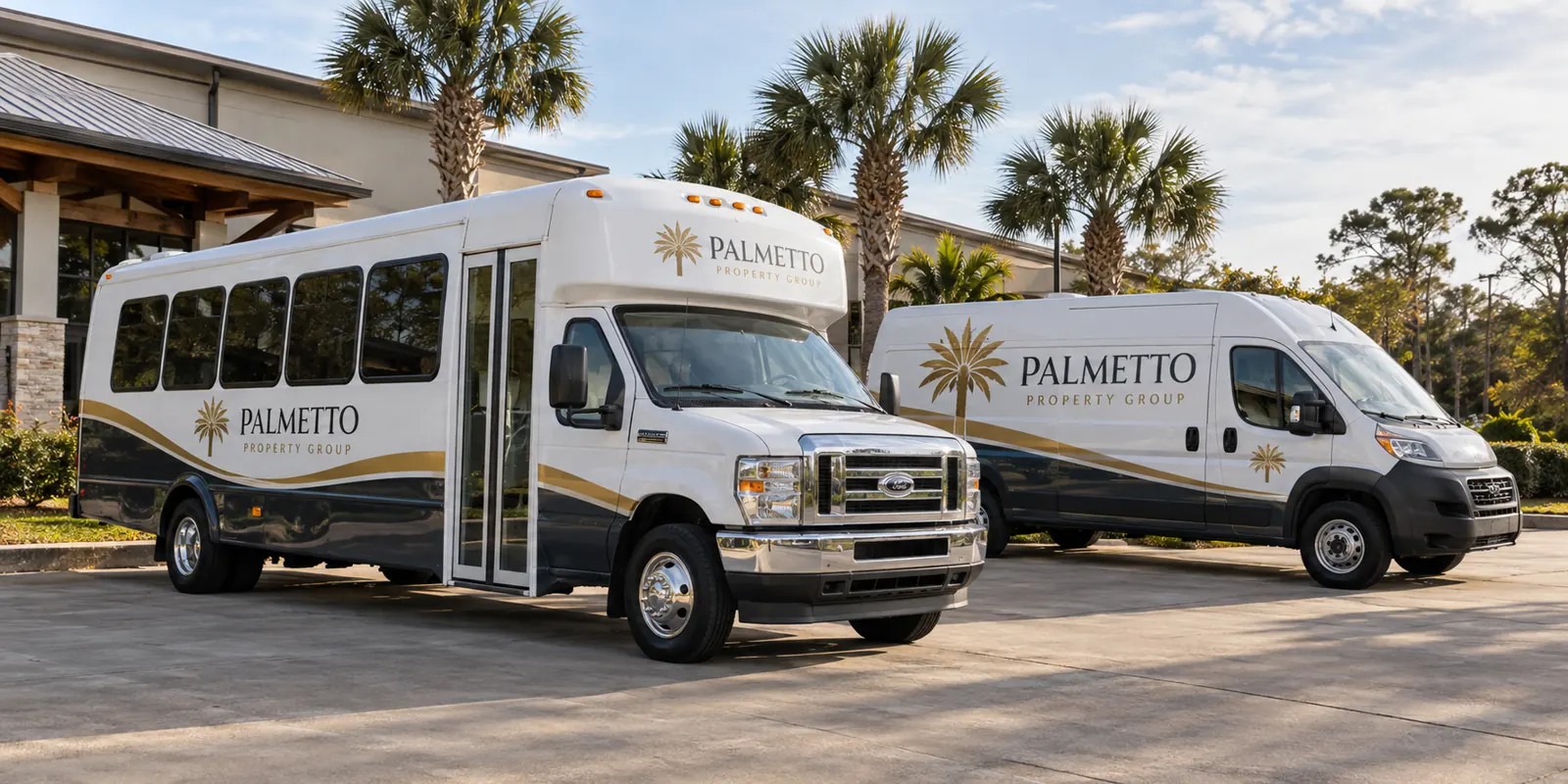
Fictional illustrative commercial wrap concept; not a completed customer installation.
From a Weathered Box Truck to a Clear Business Identity
Move the slider to compare the same box truck with an illustrative new wrap design.
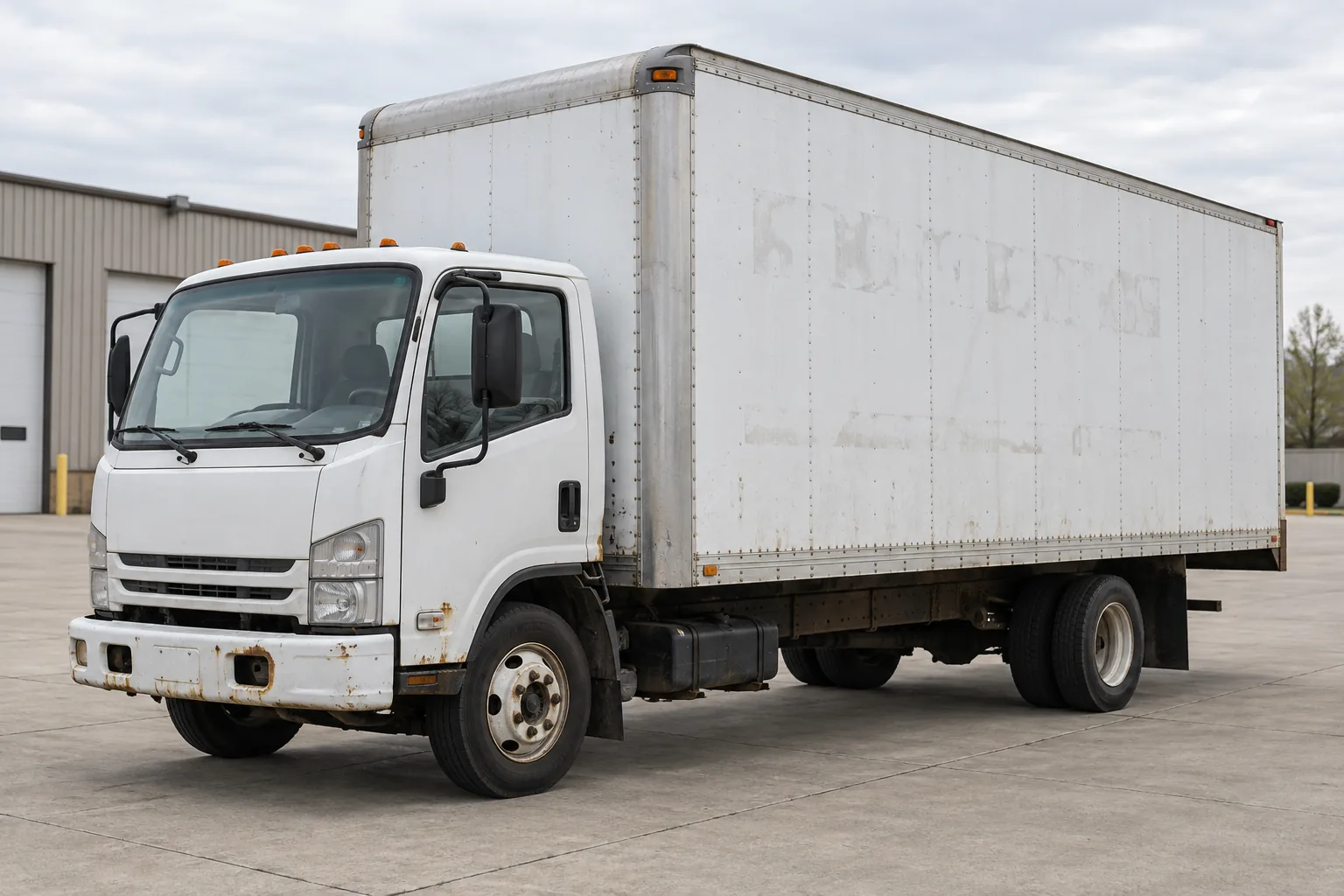
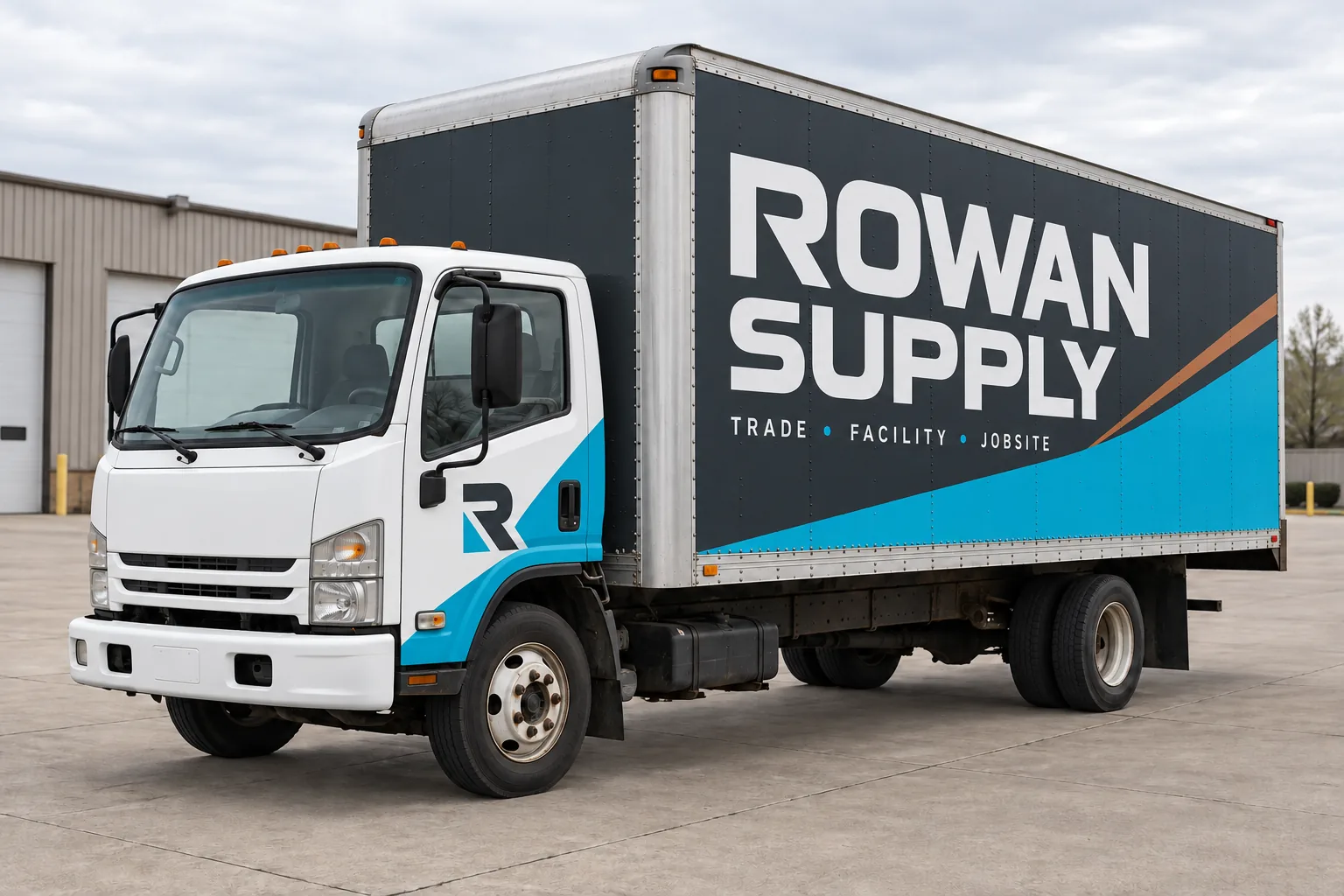
Illustrative rebrand concept with a fictional business; not a customer installation. The after-view assumes a sound, properly prepared surface. Rust, failed paint and damaged panels need assessment and appropriate repair before graphics.
A Fresh Identity for an Older Shuttle
Move the slider to compare the same shuttle bus with an illustrative new wrap design.
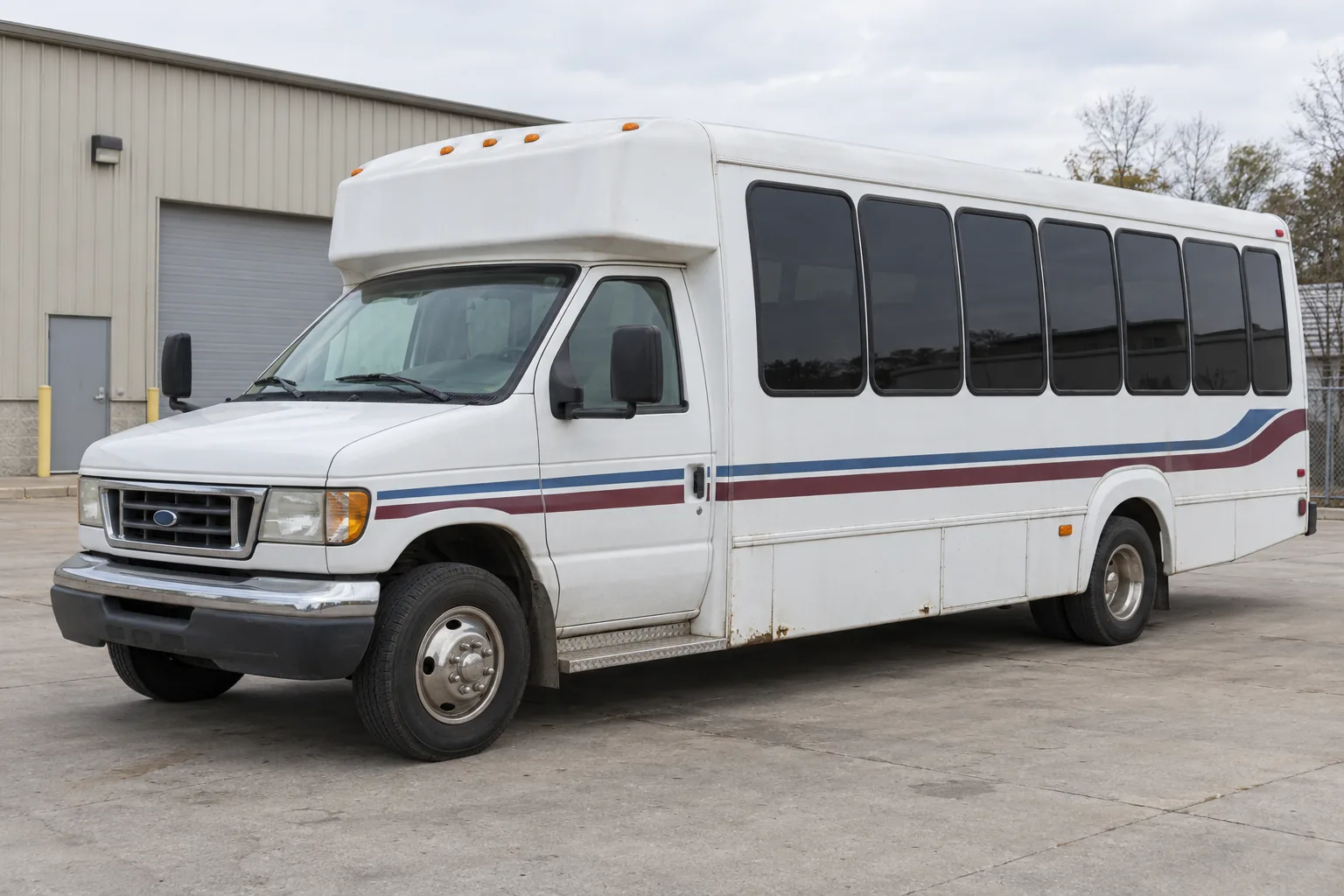
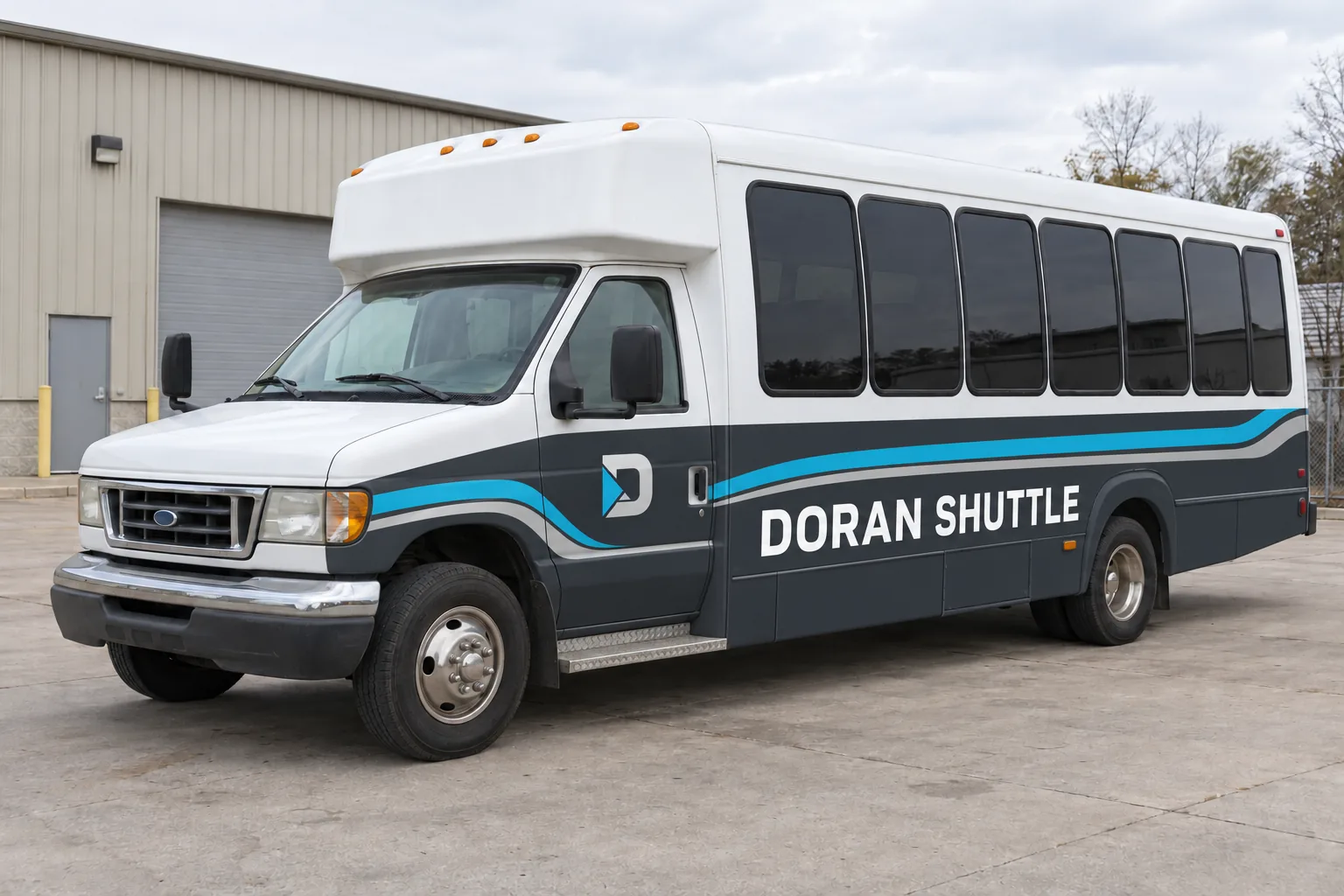
Illustrative rebrand concept with a fictional business; not a customer installation. The after-view assumes a sound, properly prepared surface. Rust, failed paint and damaged panels need assessment and appropriate repair before graphics.
Use the gallery to identify a design direction
Begin with the business message rather than trying to reproduce every detail of an illustration. Notice which name is easiest to recognize, how the trade is explained and where the eye finds the next piece of information. A useful reference can demonstrate contrast, coverage or a coordinated identity across different vehicle bodies. It does not need to be copied literally to inform your project.
Tell Pelican Wraps what you like about a concept and why it fits the business. Identify any elements that would not work on your equipment, such as a panel occupied by a rack, service window or liftgate. Bring the actual vehicle photographs into the discussion early. This turns visual preference into a practical brief and gives the designer a clear purpose for adapting the layout.
Distinguish an illustration from installation evidence
Images labeled as fictional concepts illustrate possible commercial graphics approaches. They are not completed customer installations, testimonials or measured marketing results. Use them to compare a visual direction and the way an identity might be organized. A photographic appearance does not establish the material, preparation, installation method or operating history of a real vehicle.
When reviewing genuine project evidence, ask for information relevant to your equipment and scope. Useful documentation can identify the body type, included surfaces and the actual finished views. Keep the source and context clear rather than treating an unrelated image as a promise about your project. This distinction helps the visual conversation stay useful while the vehicle assessment and proposal establish what will actually be supplied.
Translate a preferred look onto your vehicle
A logo arrangement on a large box body may need a different hierarchy on a van or shuttle. Keep the recognizable identity, then check the shape of the usable surfaces and the working hardware. Review both sides and the rear, including equipment positions and normal door-open conditions. The final layout should respond to the body that will arrive for installation.
Provide the approved business wording and contact route rather than asking the designer to infer them from a reference. Compare coverage options with the same message, and identify whether a rebrand or an existing identity is being used. The box truck design guide and coverage comparison help turn a visual preference into decisions that can be reviewed on the actual equipment.
Prepare a project review with the right next step
Use the relevant vehicle service or industry route to identify the practical questions behind the image. A contractor fleet, delivery body, passenger shuttle and charter vessel do not all need the same information or scope. List the equipment, quantities, current condition, artwork availability and target timing. Explain whether the main need is recognition, a new identity, fleet consistency or a replacement graphic.
Request a project review with those details and the aspects of the concept that interest you. The next step is to define coverage, preparation, artwork work and installation arrangements, then review a project-specific proposal and proof. Retain the final records for later additions. The useful outcome of browsing is a clearer brief and a direct route to an informed purchasing decision.
Review a proof as a complete vehicle, not one attractive angle
A three-quarter illustration can make a concept easy to understand, but final approval needs the relevant sides and the rear. Check the position of the logo, service description and contact details on each view. Confirm whether doors, ladders, equipment or removable bodies change what is visible during the working day. Ask which surfaces are included and whether a particular detail is illustrative or part of the quoted installation scope.
For a mixed fleet, compare the adaptations together. The identity should remain recognizable without requiring every body to use the same arrangement. Mark the correct unit or model group on the approved proof and retain that revision with the vehicle record. If the business later changes a phone number, service line or operating name, use that record to identify which units need review. The design direction begins the conversation; controlled approval connects it to the actual fleet and supports consistent future work.
Need a Project Plan for the Idea You Like?
Use the fleet project planning examples for configuration, release, condition and approval decisions. This gallery helps compare visual applications; the scenarios explain the records and handoffs behind a defined project. Both use labeled fictional concepts rather than claim completed customer work.
