
Plan a Fleet Wrap Program Before Vehicles Leave Service
A fleet graphics program connects business decisions, vehicle details, artwork and operating availability. Organizing those inputs before production helps the team see what is approved and what remains uncertain. This guide explains the sequence from the first inventory to future additions, so your quote request describes an actual program rather than an unsupported vehicle count.
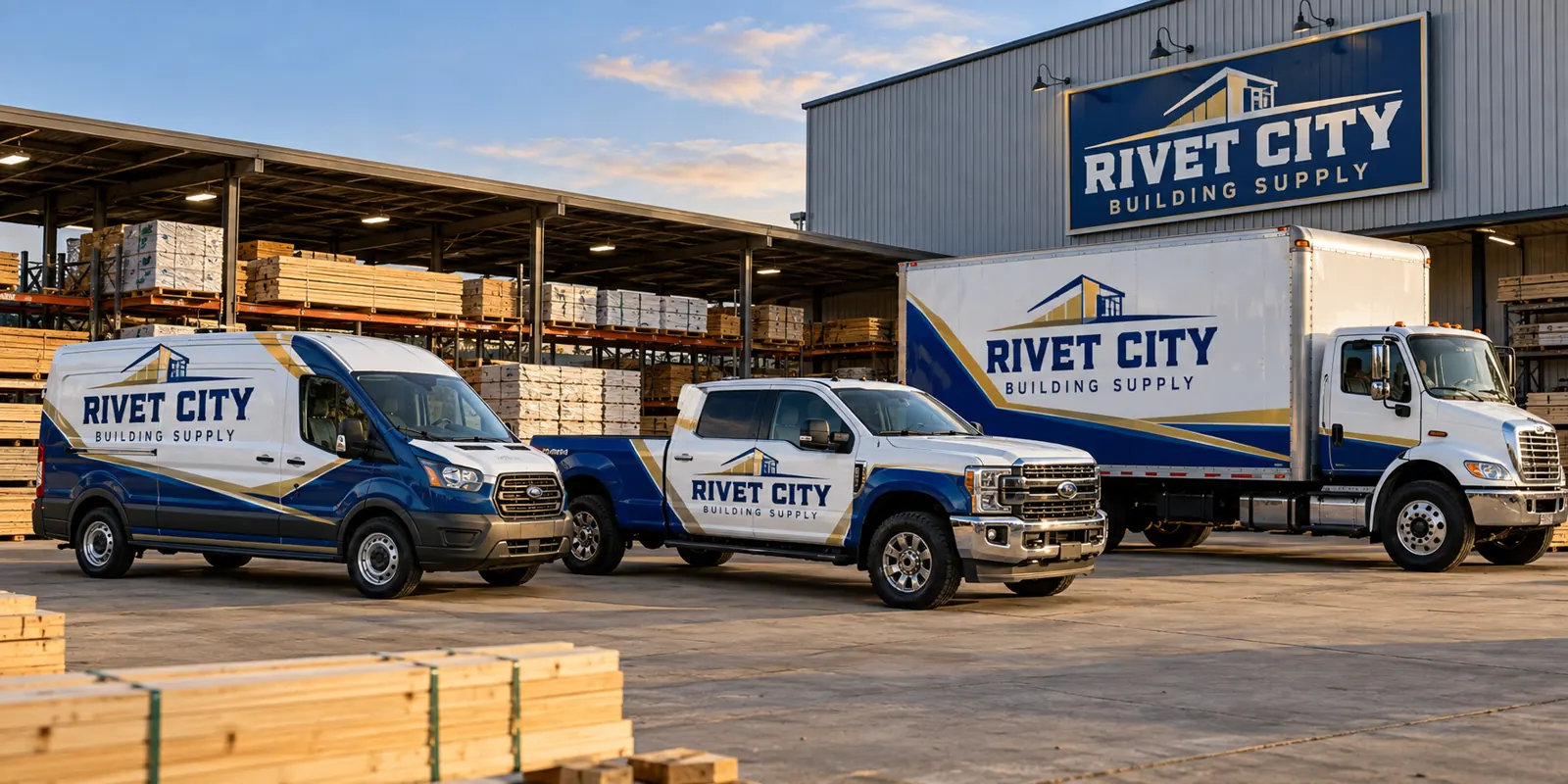
Fictional commercial wrap design concept; not a completed customer installation.
Define the business outcome and decision makers
Begin with the reason for the program: a first branded fleet, an identity change, newly purchased units or inconsistent graphics that need a common standard. Identify the work or audience the vehicles should support. A clear business goal gives the design team a basis for editing the message and choosing practical coverage.
Name the people who approve business wording, appearance, purchasing and equipment availability. Those may be different people, but the approval path should be explicit. Decide who gathers corrections and who can resolve a scope change. Avoid releasing production files while several departments assume another person has checked the final details.
Build an inventory that distinguishes actual body versions
List each unit by internal identifier, vehicle type, model, body version and location. Add approximate dimensions and current photographs. Group units that truly match, and flag vehicles with different doors, accessories, repairs or original paint colors. A fleet of ten vans may contain several distinct production layouts.
Record existing graphics and known paint concerns. Identify vehicles likely to be replaced soon so the program can account for turnover. The inventory does not need to hide unknown measurements; mark them for verification. Its value is in making the equipment and exceptions visible before someone prices or schedules an assumed standard unit.
Collect artwork and approved business wording
Gather original logo files, brand references, approved colors, the main service message and exact contact details. Identify photographs or third-party marks the company wants to use and confirm commercial-use permission. Explain whether usable production files exist from a previous provider and which equipment they were created for.
Keep branch or division variations in the brief. A shared identity may still require different booking numbers, service wording or unit information. Resolve those differences before producing several nearly identical files. If an asset is unavailable, disclose that fact so any recreation, licensing or new design work can be included in the scope.
Choose coverage as a fleet standard
Compare full wraps, partial coverage and lettering against the actual paint colors and business goal. Decide which identity elements remain fixed and which placements can change to suit a body. A mixed fleet can look consistent without every vehicle carrying an identical artwork rectangle.
Document included surfaces and exclusions for each version. Cab graphics, rear doors, windows and accessories should have an agreed role. Ask for representative proofs that show the range of equipment. Keep the coverage decision separate from decorative detail so the team understands both the intended appearance and the work that must be produced.
Separate proof approval, production and installation
A complete program has several releases. The business wording and design need approval, the actual body information needs verification, and production must use the intended version. Installation also depends on preparation and the equipment the operator can make available. Treating these as separate decisions makes unresolved work easier to spot.
For larger or mixed programs, consider a representative pilot unit before releasing the remainder. Review it against the approved proof, note any physical differences and record the accepted changes. The pilot is a practical check of the standard, not permission to proceed with unrelated bodies that have not been measured or reviewed.
Plan exceptions and future ownership of the standard
Ask how removal, questionable paint, replacement panels and other exceptions will be evaluated. Define the contact who can approve additional work and the process for recording a revised scope. A plan that assumes every unit is in identical condition can fail even when the artwork is well organized.
After installation, retain the unit record, approved proof, material references, coverage notes and care instructions. Agree on the production-file arrangement. Those records support later additions, transfers and damage reviews, and help distinguish an exact repeat from a body adaptation or a broader change to the company’s identity.
Send the program brief to the right next step
Combine the business objective, unit inventory, photographs, artwork, desired coverage and operating constraints. State whether you want one initial unit, a pilot or a phased rollout. Identify missing information honestly so the project review can establish what must be confirmed before a proposal or installation appointment is finalized.
Use the inventory worksheet for unit details and the scheduling guide for availability. Compare the actual fleet wrap service when you are ready to define the work. Pelican Wraps is based in Harvey; discuss delivery and any wider installation arrangement as part of the actual program scope.
Use the Interactive Worksheet
Open the fleet inventory worksheet. Record unit references, body configurations, photo locations and release windows in a downloadable vehicle list.
Frequently Asked Questions
Turn Your Vehicle Details Into a Clear Project Brief
Send current photographs, vehicle quantities, logo files, coverage preferences and timing. Identify old graphics and paint concerns so the project review can address the actual equipment.
Explore planning resources or request your commercial wrap quote.
