
Nonprofit and Community Organization Vehicle Graphics
A nonprofit fleet can bring one recognizable identity to outreach vans, passenger shuttles and support vehicles. Plan the message around the organization's actual role, approved assets and intended contact route, with layouts that adapt to the vehicles used by staff and volunteers.
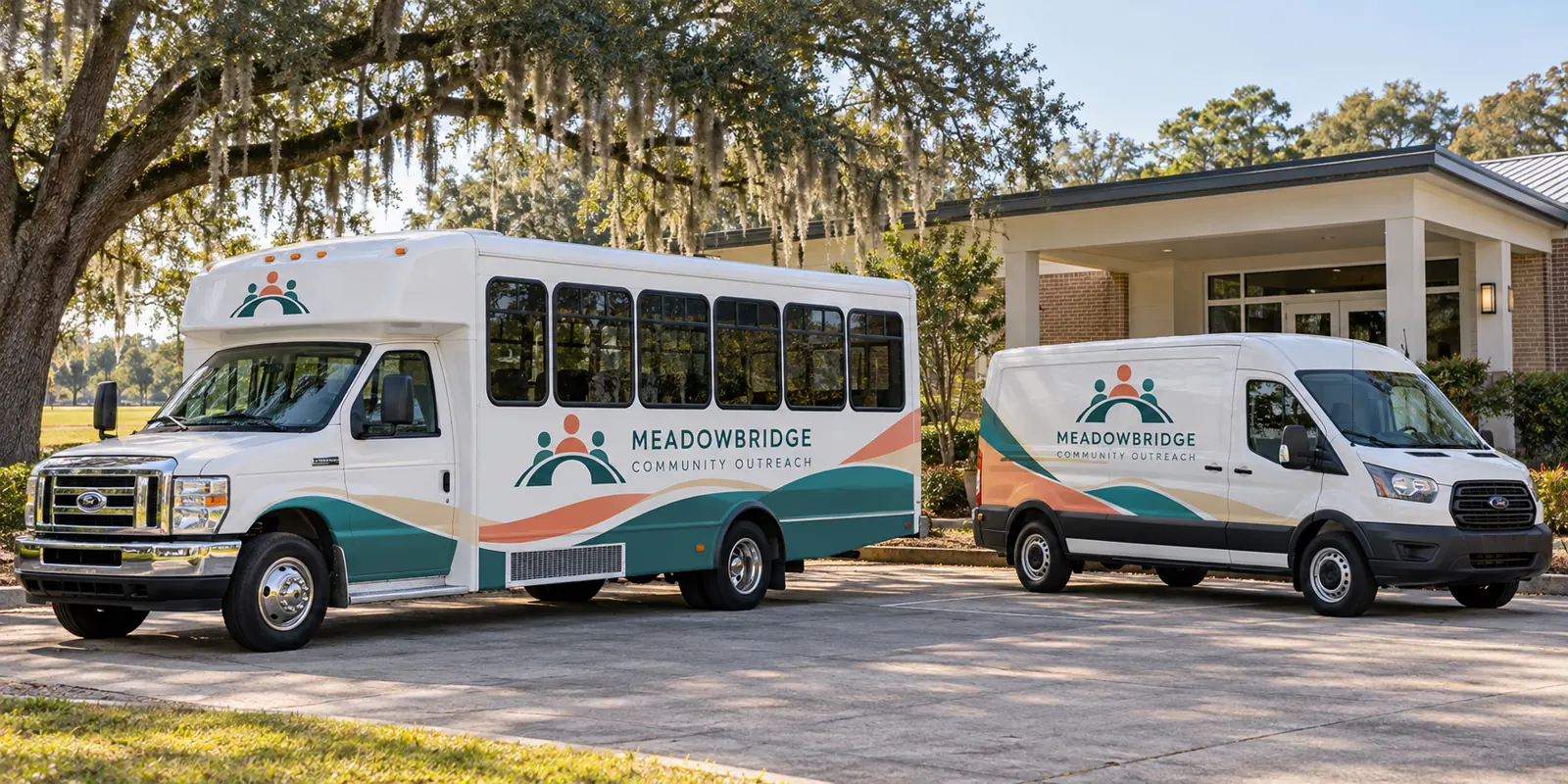
Fictional commercial wrap design concept; not a completed customer installation.
Make the organization and its purpose understandable
Start with the organization name and a concise description of the work the vehicle represents. Outreach, passenger transport, supply delivery and volunteer support can have different communication needs. A nearby viewer should be able to recognize the operator without interpreting a complicated emblem or reading a long mission statement.
Choose a primary contact route with a clear purpose. Program enquiries, volunteering and general information may serve different audiences. Have the organization decide which route belongs on the vehicle rather than giving several unexplained options equal prominence. The website can provide the fuller story after the fleet has made the organization recognizable.
Use approved program, donor and partner identities
Supply the current authorized logos, colors, naming conventions and essential wording. If donor, sponsor or partner assets are requested, identify the permission and review process relevant to their use. A concept image or an earlier vehicle should not establish an endorsement or relationship for the current project.
Separate the stable organization identity from program or campaign content that may change. Record which wording is approved and who can authorize an update. Avoid adding a tax status, accreditation, funding claim or result that has not been established by the organization’s actual information. A clear identity does not need invented credentials to communicate its purpose.
Inventory outreach and passenger vehicles separately
List configurations and quantities with current side and rear photographs. Passenger shuttles, cargo vans, pickups and other support vehicles have different proportions and hardware. Include windows, doors, racks and fitted equipment. A familiar model name should not be assumed to describe the usable graphic area of every unit.
Use the bus and shuttle page, van route and vehicle directory for body-specific planning. The inventory worksheet can connect unit references, photographs and availability without pretending the whole fleet uses one standard layout.
Review the message around windows and working access
Passenger glazing, sliding doors, rear splits and handles can interrupt important wording. Review side and rear views separately against current photographs. A simpler selected-panel layout may communicate the organization more clearly than a continuous image that crosses every obstruction or depends on details too small to recognize from nearby.
Identify existing information, equipment labels and access areas that must remain visible and usable. Any proposed glass treatment should be raised explicitly rather than assumed to be included with painted-body graphics. If the project has particular transport or other specifications, supply the current written requirements and identify their responsible reviewer.
Compare coverage and keep a repeatable identity
Lettering can provide a restrained identity while original paint remains visible. Partial graphics can establish a recognizable color system across different bodies. Fuller coverage offers another direction where the message and surfaces support it. Compare defined options using the same approved wording and actual vehicle photos.
Keep logo treatment, colors and hierarchy consistent while placement adapts to the body. Retain dated proofs linked to unit identifiers and configurations. The graphics management route connects future additions, program updates and repairs with that maintained record instead of relying on an older file whose vehicle or campaign reference has become unclear.
Plan review ownership and vehicle availability
Choose a coordinator who can consolidate feedback and identify the people responsible for identity, program wording and any required specifications. Keep the response tied to one dated proof. Staff or volunteer changes should not make it uncertain which version is approved or where the final vehicle reference is stored.
Identify release windows, priority units and transport responsibilities against the confirmed project arrangement. Disclose old vinyl, repairs, residue and damaged finishes with close photos. Removal, preparation and suitability need review; graphics should not be treated as a repair for an underlying surface problem. Make the operating plan depend on agreed scope and timing rather than assumptions.
Prepare an organization fleet brief
Send the equipment list, quantities, current photos, authorized artwork sources, essential message and timing. Identify coverage preferences, review ownership, partner assets and existing information to preserve. Make unknown details visible before approval instead of guessing a body configuration or program requirement.
Review the commercial cost guide and submit a nonprofit fleet graphics brief. The outreach shuttle and van shown here use a fictional organization identity. They illustrate a possible coordinated direction without presenting customer work, charitable status, funding relationships, accreditation or program outcomes as evidence.
Frequently Asked Questions
Turn Your Vehicle Details Into a Clear Project Brief
Send current photographs, vehicle quantities, logo files, coverage preferences and timing. Identify old graphics and paint concerns so the project review can address the actual equipment.
Explore planning resources or request your commercial wrap quote.
