
Fleet Graphics Out of Service Contingency Plan
A fleet graphics out-of-service contingency plan records how the business will cover its own work while a particular unit is unavailable for the planned graphics project. Here, unavailable describes the business scheduling question; the worksheet does not determine a vehicle's mechanical or operating status. It connects actual unit availability, affected business tasks, selected alternatives and decision owners. Use it alongside the provider's current arrangement so a delay or changed unit creates a clear operations question rather than an assumed promise of a replacement vehicle.
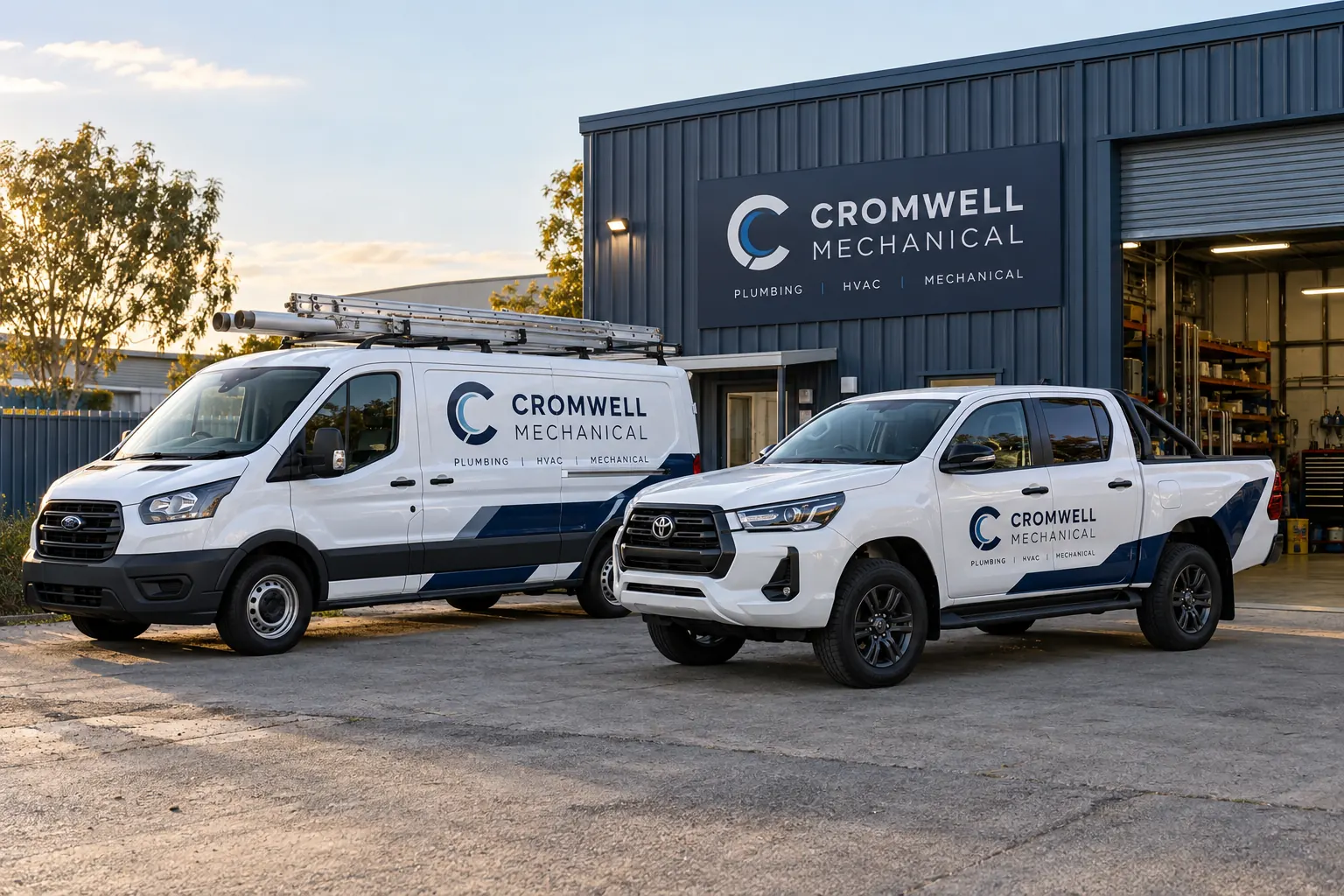
Original fictional commercial planning concept; not a completed customer installation.
Define the actual unit availability question
Record the fleet identifier, graphics project and current appointment or work-stage reference. Ask the provider for the actual status and coordination information it can supply for that stage. Keep business targets and provider confirmations distinguishable. A desired return time is useful planning information while retaining its actual status in the record.
Identify the business coordinator who owns vehicle availability. State what event would prompt a coverage decision, using the actual project and business process. An illustrative trigger could be the coordinator receiving a changed availability update for unit D27. That example supplies a record structure, not an estimate of job duration. Your plan should use the actual source and current information rather than assign a universal downtime allowance to every graphics treatment.
Map the business tasks affected by that unit
Have the operating team identify the actual tasks that depend on the vehicle during the relevant period. Use the business’s own task references and owners. Keep the unit’s selected graphics work separate from the customer work the business needs to cover. A broad phrase such as keep the fleet moving can conceal the particular task that has no assigned alternative.
An illustrative row might identify unit D27, scheduled business task A, operations owner and coverage decision pending. Replace those values with the real records appropriate to your business. Include the information the coordinator needs to ask a specific question. Keep unnecessary customer details in the business’s appropriate process rather than duplicating sensitive records in a widely shared graphics worksheet.
Identify real alternatives through the operating owner
Ask the business’s responsible operations contact which actual alternatives can be considered for the affected task. Record each option and its current confirmation status. A different fleet unit, a changed internal assignment or another business-selected arrangement needs its own actual source and decision. The graphics provider should not be expected to invent the customer’s operating cover.
Keep a possible substitute separate from a confirmed available vehicle. A matching company identity or a similar equipment description does not establish that a unit can perform the business task or is available at the relevant time. Those decisions remain with the responsible business sources. The contingency record makes the selected option findable without making an operating suitability judgment from a fleet photograph.
Assign the decision and notification roles
Name who selects the actual coverage arrangement, who updates the affected business schedule and who communicates relevant project questions to the graphics provider. Keep those actions linked to the actual unit and task reference. One coordinator can fill several roles when that is the real arrangement, but the responsibilities should be stated.
Record the actual decision point or update source the business uses. If information is still pending, identify the next owner rather than treat a provisional option as active. A useful plan lets the operating team make its own decision while the project coordinator maintains a clear contact with the provider. It should not create a second unofficial dispatch process or leave staff assuming the provider has arranged a loaner.
Check whether the graphics request itself changes
If the business proposes a different unit for the graphics work, identify that as a project change and provide current evidence. Ask the provider which assessment, proof or scope references need review. A substitute used only for business coverage is a different decision from substituting the vehicle receiving graphics.
Keep those two mappings separate in the record. For example, unit S12 might be an operations option while D27 remains the actual graphics project unit. Those example values do not establish an available substitute. Your record should show the business’s actual selected arrangement and the provider question, if any. Use the reschedule checklist when the confirmed appointment changes rather than silently rewriting the project unit inside a contingency note.
Maintain the current status during the affected period
Use the actual provider update and business coverage decisions to keep the plan current. Record which tasks have an active selected arrangement and which remain open. Keep requested timing, current work status and later collection confirmation identifiable. A useful update explains the next action rather than promise the vehicle will be available before the parties have confirmed that stage.
When the business has the actual unit availability information needed to end the coverage arrangement, have the responsible owner reconcile its internal task and vehicle records. Retain useful history and unresolved questions factually. Work completion, collection and return to a business assignment can have different evidence. The plan should show the business event it actually records rather than use a single completed flag for every stage.
Send the provider a defined availability question
The local worksheet captures the actual unit, project status source, affected business tasks, alternatives, decisions and communication owner. Retain real operating records and private details through the business’s normal process. The Cromwell Mechanical image is a fictional fleet-options concept; it establishes no available substitute or provider loaner service.
For Pelican Wraps, provide the actual graphics units, requested scope, current views and files, availability constraints and coordinating contact. Explain the timing question you need answered for business planning. Ask for the next actual project status or arrangement decision. Use the scheduling and reschedule guides for their respective records. A useful inquiry gives the provider a clear project while the business retains a practical plan for its own work during the unit’s confirmed unavailability.
Draft and Download Your Working Record
Draft your entry, then download a copy before leaving. Send any project decision through the communication process agreed with your supplier.
Frequently Asked Questions
Take the Next Step with a Clear Project Brief
Continue with the resource that matches your next decision:
- Fleet Wrap Installation Scheduling Guide
- Fleet Graphics Installation Reschedule Checklist
- Fleet Installation Driver Assignment Sheet
- Fleet Graphics Management
- Request a Quote
Send the actual vehicle or surface photographs, quantities, approved brand files, requested coverage and timing constraints. Identify open questions so the project review can address your equipment and business needs.
