
Multi-Building Graphics Naming Standards
Multi-building graphics naming standards keep visible destination names connected to one current business source. The task is to define exact labels, their scope, approved alternatives and the owner of changes before several suppliers or departments create inconsistent versions. This record organizes naming for the graphics program. It does not assign legal addresses or determine premises requirements. Use the responsible facility team’s actual sources for those questions and connect them to the request.
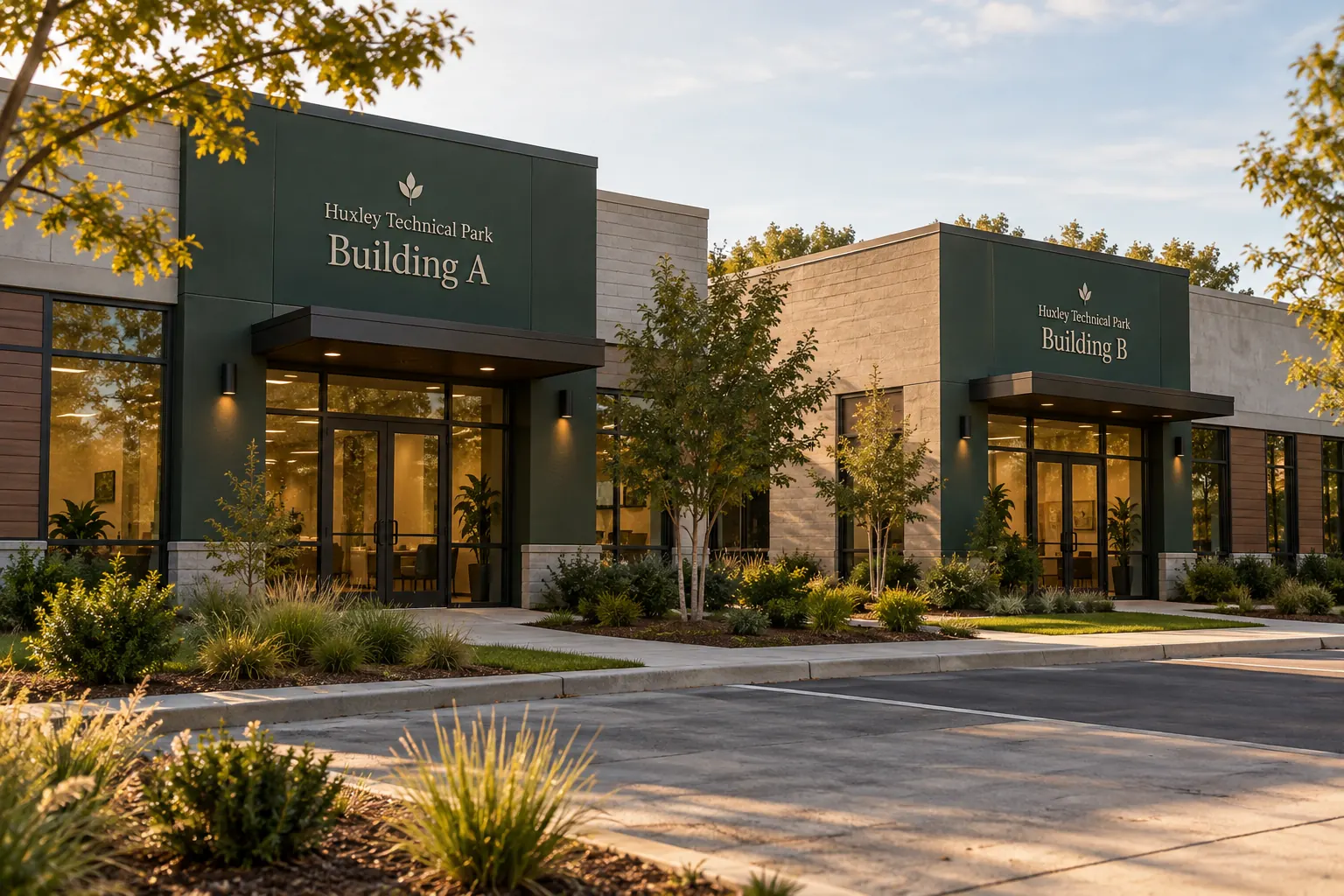
Original fictional commercial planning concept; not a completed customer installation.
Collect the actual building-name sources
List the records currently used for destination names, such as the facility master, arrival instructions and existing graphics inventory. Identify their owners and versions. Record conflicts without immediately choosing a winner. A name familiar to one team can differ from the current wording another team gives visitors.
Ask the responsible business owner which source should govern the graphics program. Keep proposed renames and historical labels distinguishable. The provider should not determine the naming standard by selecting whichever file looks newest. The useful first result is one identifiable current source and a clear action for any unresolved conflict, with other records linked through the business’s normal process.
Map visible names to actual buildings and destinations
Give each real building an internal reference in the record and connect its selected visible name with current context photographs. Keep names, location references and relevant address sources accurately described. Do not turn a graphics label into a legal-address decision or infer actual scope from a site concept.
An illustrative row can identify internal reference West Site Building, selected visible name Building A, source facility naming master and views west-building-approach and west-entry-current. These are example fields. Actual values come from the responsible owner. This mapping helps buyers and designers refer to the same physical destination even when several buildings share similar architecture or an older nickname remains familiar.
Define wording conventions people can apply
Record the actual selected pattern for building labels and any approved context needed to distinguish them. Use the business’s current names rather than impose a decorative numbering system. State how the visible label relates to rooms, departments or tenant identities where the project needs that distinction.
Keep the standard simple enough for the next addition. If abbreviations are approved, identify their exact use and limits. A short label on one graphic should not silently become the full name everywhere else. The goal is a coherent naming instruction that people can reproduce, with explicit variants rather than several plausible versions left to individual preference.
Keep aliases and joint references under control
Record historical names as history and identify any actual approved alternative used for a defined audience or context. Explain its relationship to the current master. If two terms refer to one destination, make that relationship findable without treating both as freely interchangeable on new artwork.
For a proposed rename, identify which current graphics, arrival instructions, visitor-route records and other business sources need review. Name their owners. A new building label should not be changed in isolation while all other current sources still use the previous name. Keep the change decision separate from the physical work and record what each participant needs to update.
Connect the naming source with actual signage requirements
Retain relevant premises or signage information supplied by the responsible project team and identify its reviewer. Keep the naming choice and physical specification as connected sources rather than assuming one settles the other. A chosen visible label still needs the relevant actual product, location and work assessment.
Ask the provider what references and survey are needed for the proposed graphics scope. Keep fabrication, existing surfaces, mounting and installation arrangements explicit where relevant. The Huxley Technical Park illustration is a fictional identity concept. Your actual request should use real buildings, selected names and current sources instead of treating a coordinated photograph as a complete multi-building signage specification.
Review the label set and cross-references together
Compare every proposed name with the master and actual building map. Check any approved context and variants. Then compare the relevant entrance and visitor-route references so the program does not introduce a different destination name at the next communication point. Record the current proof version and decision owner.
If a discrepancy is found, identify its exact source and action. Avoid correcting only the most visible graphic while leaving the master uncertain. Keep old proofs as labeled history and maintain one current reference. A usable standard should help a colleague order a replacement or brief a new supplier without reconstructing years of naming discussions from photographs and emails.
Prepare a maintainable multi-building naming brief
Use the local worksheet below to retain the governing source, building map, selected labels, variants, requirements and change owners. Record actual decisions and pending actions. Review the affected set when the business adds a building, changes a destination name or alters a relevant source, instead of allowing each new request to invent a fresh convention.
For Pelican Wraps, send the current naming master, actual building and entrance views, selected identity files, requested instances and supplied premises information. Identify scope, access, timing and open decisions. Ask for the appropriate assessment and proposal. Use commercial signs for the buying discussion. A useful standard keeps the cold visitor’s destination understandable while giving the graphics program one current naming source and a practical update route.
Draft and Download Your Working Record
Draft your entry, then download a copy before leaving. Send any project decision through the communication process agreed with your supplier.
Frequently Asked Questions
Take the Next Step with a Clear Project Brief
Continue with the resource that matches your next decision:
- Signs & Graphics
- Commercial Signs
- Commercial Entrance Wayfinding Graphics
- Facility Visitor Route Graphics Planning
- Request a Quote
Send the actual vehicle or surface photographs, quantities, approved brand files, requested coverage and timing constraints. Identify open questions so the project review can address your equipment and business needs.
