
Van Sliding Door Graphics Alignment Guide
Van sliding door graphics alignment planning is about keeping the intended message coherent across the actual door and fixed body. Begin by identifying the essential words and the real panel divisions. Then use current closed views and any relevant safely obtained operating-state references to ask specific layout questions. This guide prepares a buyer’s review; it does not prescribe installation seams, trimming methods or universal alignment tolerances.
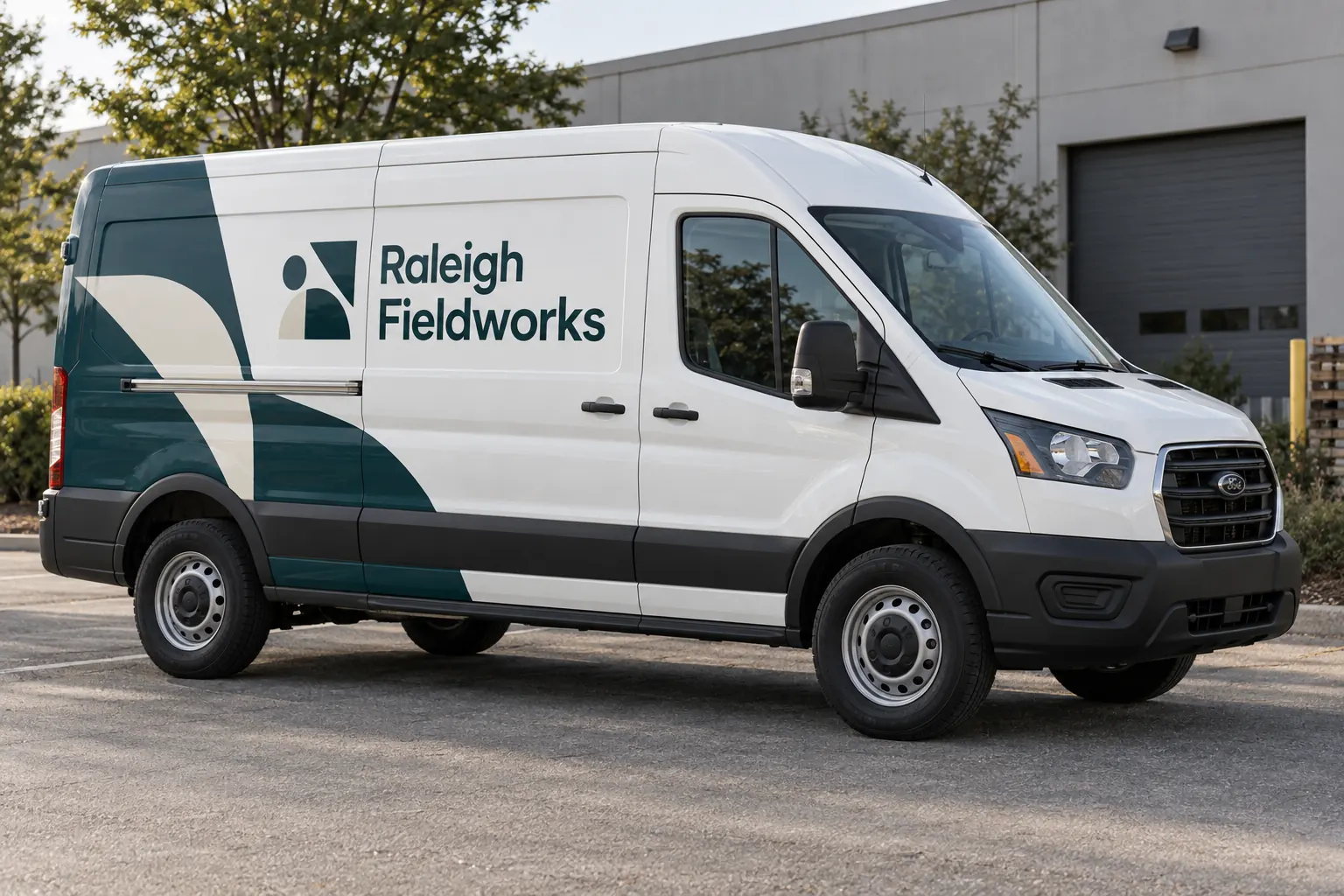
Original fictional commercial planning concept; not a completed customer installation.
Record the exact sliding-door configuration
Identify the unit, actual body and whether the relevant door arrangement differs across the fleet. Provide current photographs of both sides and the rear, plus details of handles, tracks, trim and existing graphics. A similar van or broad model description can provide context without establishing the current unit’s actual panels and condition.
Mark planned equipment or body changes and label provisional references. If an image shows a different door arrangement, explain that difference rather than leaving the reviewer to infer it. The first useful alignment decision depends on a reliable body reference. Do not treat an uninterrupted stock silhouette as proof that the name and visual elements can follow the same arrangement on the real van.
Separate message continuity from decorative continuity
List the business name, descriptor and contact action, then identify any supporting stripes, patterns or symbols. Decide which elements need to remain together to communicate the intended meaning. A decorative element crossing a panel boundary raises a different question from an essential word split in a confusing place. Keep those purposes visible in the brief.
For fictional Raleigh Fieldworks, the concept uses a restrained teal identity across a closed sliding-door body. It is a visual planning example, not a measured alignment reference or completed installation. Your actual layout should follow the approved identity and vehicle evidence rather than trying to reproduce every proportion and line shown in the illustration.
Use the closed view for the defined composition question
Compare the proposed layout with the actual closed-door photograph. Identify where the name, descriptor and contact line meet door boundaries, handles or track areas. Describe a concern precisely, such as an essential word being divided at a specific location. Avoid asking for a generic improvement without explaining which message component is affected.
Keep any production details for the provider’s actual assessment. The buyer’s proof review can identify a visual objective without deciding where a material seam belongs or how the installation should be trimmed. Do not turn a flat design file into an unreviewed work instruction. Record the relevant technical or scope question separately when the layout depends on it.
Add relevant parked door-state evidence
If the business wants to understand the message with the sliding door in an ordinary parked open state, obtain suitable references through its authorized safe process. Identify the view and unit. Ask what becomes hidden or changes position and whether that affects the selected communication goal. The review should answer a real operating-view question rather than demand an identical appearance in every possible position.
Keep this ongoing layout guide distinct from a one-time proof walkthrough. The standing record identifies the applicable body, message rules and evidence. A particular review can then use those references to assess the actual proof. Retain the result with its limits so a later fleet addition does not treat one van’s door-state decision as universal.
Write a short alignment issue log
Use one entry per concern with the unit, photograph, proof version, message component and observed effect. Assign the next action to the relevant person. A factual wording error goes to the approved content source; a layout concern goes to the design review; an uncertain surface or installation detail goes to the appropriate project assessment.
When a revision is proposed, compare it with the same actual references and check the current public wording. Record the exact version reviewed. Avoid approving only the most attractive view while leaving the original issue unresolved. The log should make it clear whether the concern was addressed, needs more evidence or requires a separate business decision.
Control the version across different vans
Identify which body group and door arrangement the approved layout covers. Keep current photographs and relevant equipment details with the artwork reference. If another van has different windows, door positions or accessories, review the affected assumptions before reuse. A shared company name does not establish identical body geometry or a direct transfer of every alignment decision.
Keep retired versions separate from current reorder files. When a contact line or service descriptor changes, review its placement as well as its content. New wording can create a different relationship to a panel break. Ask for the actual revised layout and scope to be assessed rather than assuming an older file can accept any text change without further review.
Prepare a usable sliding-door layout brief
Use the downloadable record to collect the actual body, message hierarchy, photograph set, issue entries, decision owners and current version. Save the text and retain supporting files through your normal process. The record helps organize the conversation; it does not calculate tolerances or establish the installation method for a particular door, track or panel.
For Pelican Wraps, provide current vehicle photographs, approved brand files, desired coverage, quantities and the specific alignment concerns. Identify any relevant parked-state evidence and open equipment questions. Use the broader van, survey and fleet standards resources for the overall program while keeping this request focused on the real sliding-door composition and its approved message.
Draft and Download Your Working Record
Draft your entry, then download a copy before leaving. Send any project decision through the communication process agreed with your supplier.
Frequently Asked Questions
Take the Next Step with a Clear Project Brief
Continue with the resource that matches your next decision:
- Van Wraps
- Fleet Wrap Design Standards
- Commercial Vehicle Photo & Measurement Guide
- Request a Quote
- Vehicle Wraps
Send the actual vehicle or surface photographs, quantities, approved brand files, requested coverage and timing constraints. Identify open questions so the project review can address your equipment and business needs.
