
Semi-Truck & Tractor-Trailer Graphics
A tractor and trailer need a shared identity, but they do not need identical artwork. Pelican Wraps plans commercial graphics around the cab, trailer body, working hardware and operating schedule. Bring your actual equipment list so a single truck or a mixed freight fleet can be scoped accurately from the start.
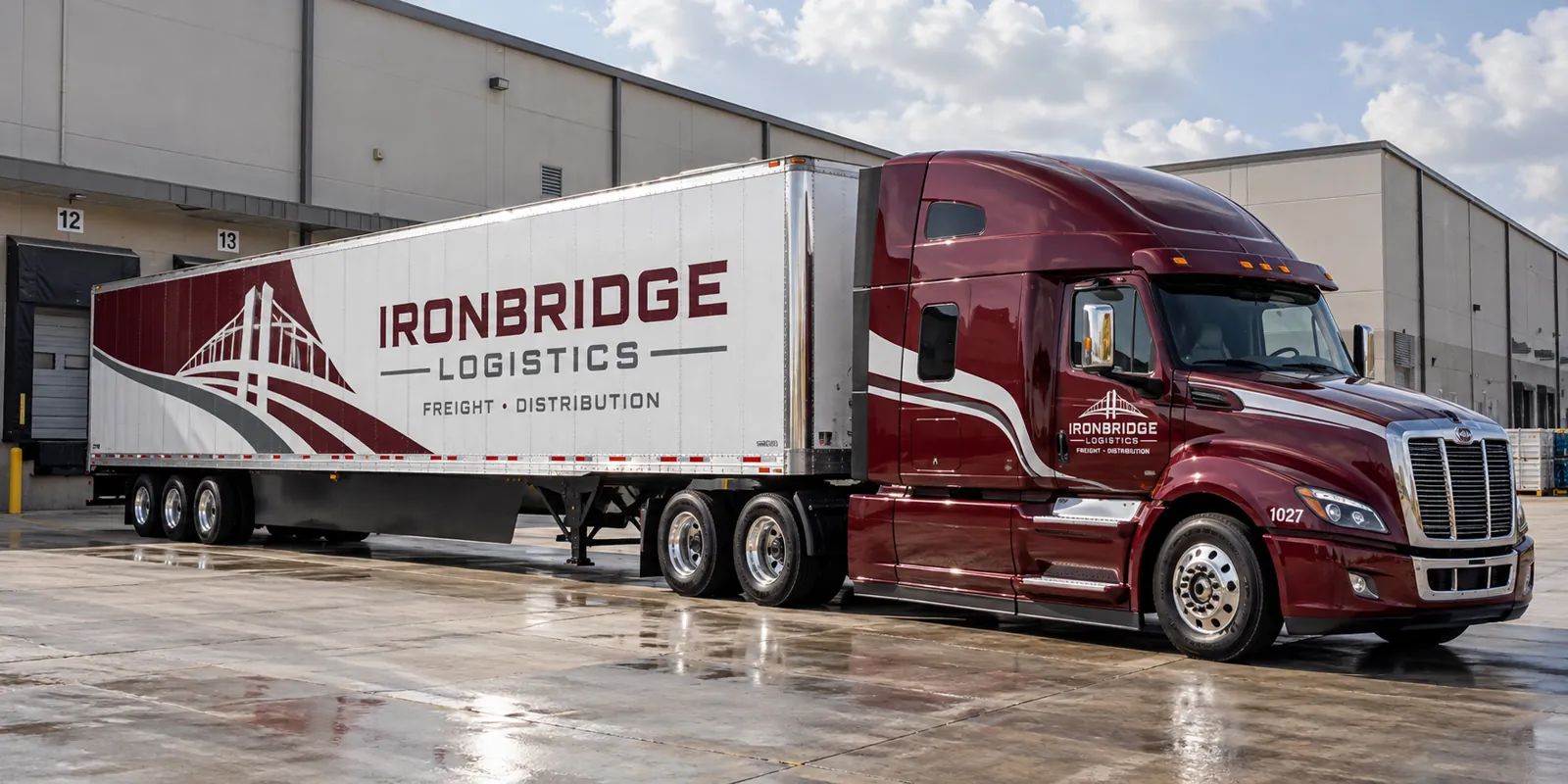
Fictional commercial wrap design concept; not a completed customer installation.
Give the tractor and trailer different jobs
The cab establishes the operator’s identity at close range and when the tractor runs without a trailer. The trailer offers a much larger surface for a clear brand message. Start by deciding what each part must communicate. A company name, recognizable color system and one strong service message usually provide a clearer starting point than trying to repeat a complete brochure on both.
Ask whether tractors and trailers are permanently paired or regularly exchanged. A fleet that mixes equipment needs each unit to remain recognizable independently. Use the same design hierarchy while adapting its proportions to day cabs, sleepers, trailer sides and rear doors.
Build the equipment inventory before measuring artwork
Record unit numbers, vehicle make and model, body manufacturer where known, overall dimensions, and photographs of each version. Include fairings, side extenders, storage boxes, refrigeration equipment and any older graphics. Identify which vehicles share a body and which only look similar from a distance.
A purchased template can help organize design, but it does not replace checking the actual equipment. Trailer repairs, replacement doors and different hardware packages may change usable space. Mark those exceptions in the inventory so the designer does not discover them after the production file has been approved.
Use trailer sides for readable commercial branding
Long side panels create room for a strong logo and service identity. That space should still be edited carefully. Review the name and main message at a reduced viewing size before judging decorative detail. Keep contrast strong enough for the lettering to remain distinct from the graphic background.
Decide which information deserves a second glance. A web address, recruiting message or service region may fit the project, but competing calls to action can dilute the main identity. Assign a clear priority and check whether seams, rivets or side skirts interrupt the words people need to remember.
Treat rear doors as their own design surface
Rear doors have separate reading conditions and physical constraints. Hinges, locking bars, lift equipment and required markings can divide a layout that looked simple on a side elevation. Provide straight-on photographs with the doors closed and identify any equipment that moves across the surface.
Keep essential lettering clear of high-interruption areas where practical. If the rear carries a contact route or recruiting message, show that version in the proof rather than assuming the side design can be reduced and pasted onto it. Review both door leaves and the arrangement of operating hardware.
Preserve operator-required identification
Include the placement of unit numbers, existing reflective markings, identification labels and other operator-required information in the brief. The responsible fleet or compliance contact should confirm what must remain visible and which wording is approved. Graphics approval should not silently become approval of the operator’s compliance requirements.
Where an existing marking must be replaced or moved, identify that work separately in the scope. Keep a photograph of the approved arrangement with the unit record. This page is a graphics-planning resource; the vehicle operator remains responsible for confirming its applicable requirements.
Coordinate installation with equipment availability
List the units that can be released together, where they will arrive and whether tractors and trailers will be delivered as a pair. Identify removal work, surface concerns and the contact authorized to approve a scope change. A planned handover is easier to manage than an open-ended promise that every vehicle will be available whenever production finishes.
For a phased program, choose a representative pilot unit before releasing the rest of the fleet. Use that installation to confirm the proof, equipment differences and handover record. Set later appointments around confirmed production and actual operating availability rather than a date on an unapproved concept.
Keep the next unit and the next repair in mind
Store the approved artwork version, dimensions, material references and coverage notes against each equipment type. When a trailer panel is damaged, photograph the whole side and the affected area. A later repair may need a new match review because the existing graphics have aged or the underlying body has changed.
Start a quote with the equipment list, photographs, coverage preference and scheduling constraints. For broader program planning, see fleet wraps. For dry vans and other trailer bodies, compare commercial trailer graphics. For an industry brief, continue to logistics and delivery fleet graphics.
Frequently Asked Questions
Turn Your Vehicle Details Into a Clear Project Brief
Send current photographs, vehicle quantities, logo files, coverage preferences and timing. Identify old graphics and paint concerns so the project review can address the actual equipment.
Explore planning resources or request your commercial wrap quote.
Related Planning Guide
Continue with Keeping semi-truck and trailer graphics consistent for additional questions to organize before the project review.
