
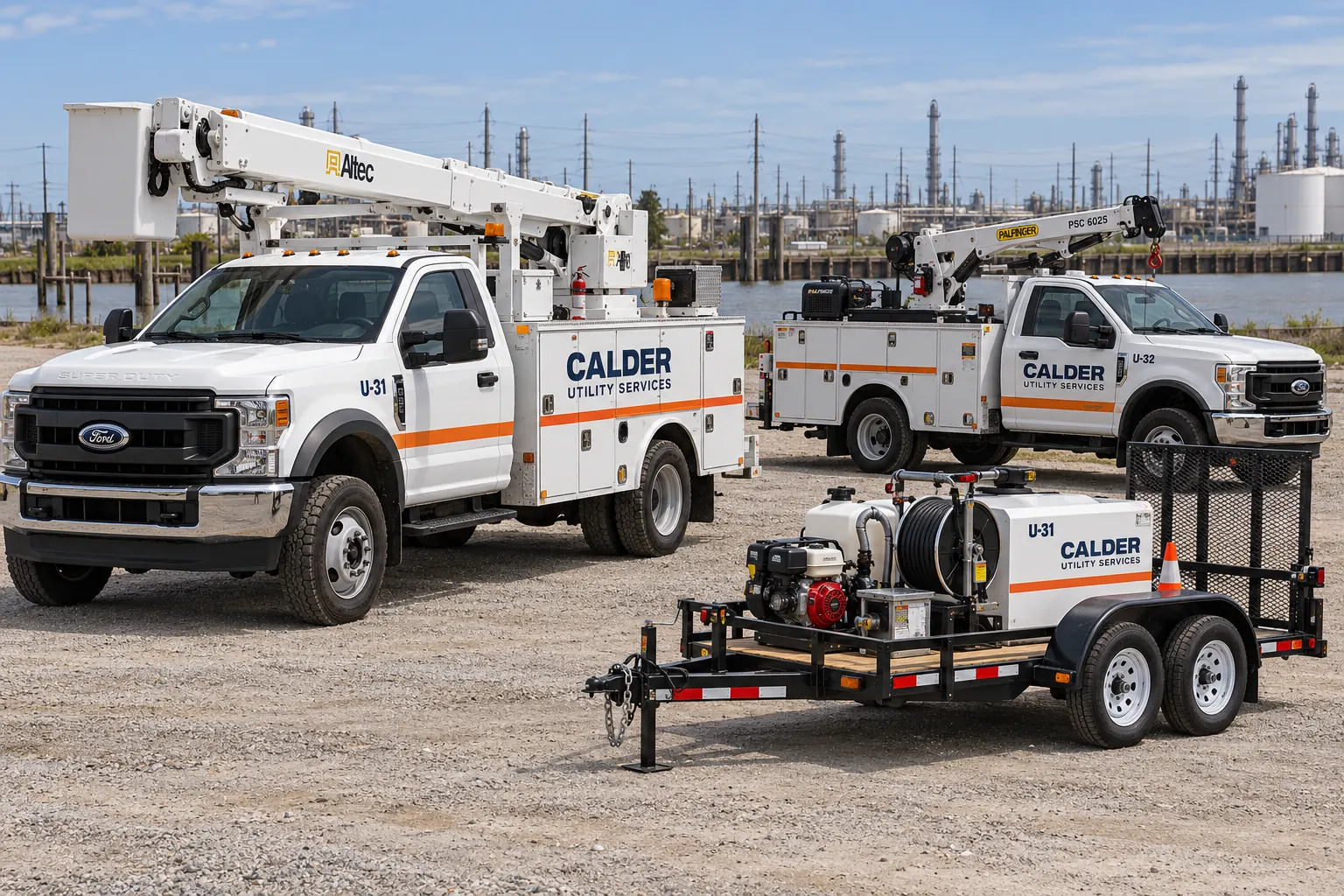
Fictional commercial graphics design concept; not a completed customer installation.
Define the identification hierarchy before the decal list
Identify the operator first, then decide how unit numbers and department or functional references should appear. Keep the hierarchy practical for the people who need to recognize the asset. A visually large decorative stripe should not make the operational identifier difficult to find or force it into an inconsistent location.
Document the information fields and who controls them. Company identity, department names and asset IDs may come from different records, so choose a single accepted dataset for production. Distinguish stable information from details likely to change during reassignment. This gives the graphics system a repeatable structure and prevents a one-time order from becoming a collection of individually improvised labels.
Build the asset register around actual configurations
Record the unit ID, vehicle year, make, model, body type, operating location and configuration-specific equipment. Include trailers and machinery that need to share the identity system. Match each asset to a labeled photograph set and identify which units genuinely share a placement layout.
A common cab model does not mean two service bodies have the same usable panels. Compartments, booms, outriggers, racks and repaired areas can change where graphics fit. Use the fleet inventory worksheet to organize the initial record, then add the utility-specific configuration and marking details. Resolve uncertain unit IDs before artwork production rather than allowing a temporary spreadsheet entry to become a printed asset number.
Protect working hardware and original information
Map compartments, handles, hinges, lighting, reflectors, controls, service points and original warning labels. Mark clear areas on the placement sheet and have the responsible fleet contact review them. Consider relevant working positions using the owner-approved process; the parked appearance alone may not show how equipment changes the visible panel area.
Brand decals and unit identifiers do not replace manufacturer instructions, required labels or regulated markings. Identify those requirements separately and supply the governing specification through the responsible operational contact. Avoid inferring compliance from an attractive layout. The project should be clear about what is a business identity item, what is an asset identifier and what is a specifically required operational marking.
Use master rules with configuration-specific placement sheets
A master standard can define the approved logo, palette, identifier format and relationship between the main elements. Configuration sheets then show the actual placement on each truck body, trailer or equipment class. Keep the sheets tied to the photographic survey and verified dimensions.
Record exceptions explicitly rather than allowing an installer or later designer to guess. If the preferred number location is obstructed on one body, show the accepted alternative and the affected units. Coordinate with fleet graphics management so future additions use the current standard. A consistent fleet is maintained through clear rules and records, not by pretending every working asset has the same shape.
Specify reflective or other special marking needs separately
If the owner requires reflective identity or particular safety markings, include the product or performance specification, placement requirements and approval contact. Review the proposed construction against the actual application. A general request for reflective decals does not define a complete marking package or confirm that every product serves the same purpose.
Use reflective graphics planning for that part of the scope and keep it connected to the unit register. The owner-supplied requirements should remain visible in the final approval record. Do not add agency seals, emergency styling or qualifications that the actual operator is not authorized to use. The identity must accurately represent the organization responsible for the equipment.
Control the batch through artwork and data approvals
Review the graphic hierarchy and configuration layout, then check the unit-number dataset as a separate approval. Name the person responsible for brand identity and the person responsible for operational information. Use one accepted file version and keep a dated record of the approved asset list.
For installation, define how the decals or job records will be sorted by unit and how mismatched or changed equipment will be handled. A representative first configuration can help resolve placement questions before repetition. Record access, vehicle release windows, existing-graphic removal and preparation requirements. A correct batch should be traceable from the accepted register to the actual asset rather than dependent on verbal instructions at the yard.
Make additions and damage replacements traceable
Keep the approved artwork, material reference, dimensions, configuration sheet and installed photographs with each unit record. When a damaged decal needs replacement, provide the unit ID and a current image of the affected area. If the body has been repaired or equipment changed, update the placement review before reusing the old file.
For new models, create a configuration sheet under the existing master standard instead of stretching another truck template. Review transfers and retirements so obsolete identifiers do not remain in the ordering list. To begin, send a utility fleet marking brief with the current asset register, photographs, required specifications and schedule. Related equipment graphics can be included as distinct asset classes within that same managed system.
Frequently Asked Questions
Turn Your Project Details Into a Clear Brief
Send current photographs, quantities, logo files, dimensions and timing. Identify existing graphics, required specifications and surface concerns so the review can address the actual equipment or site.
Explore planning resources or request your commercial graphics quote.
