
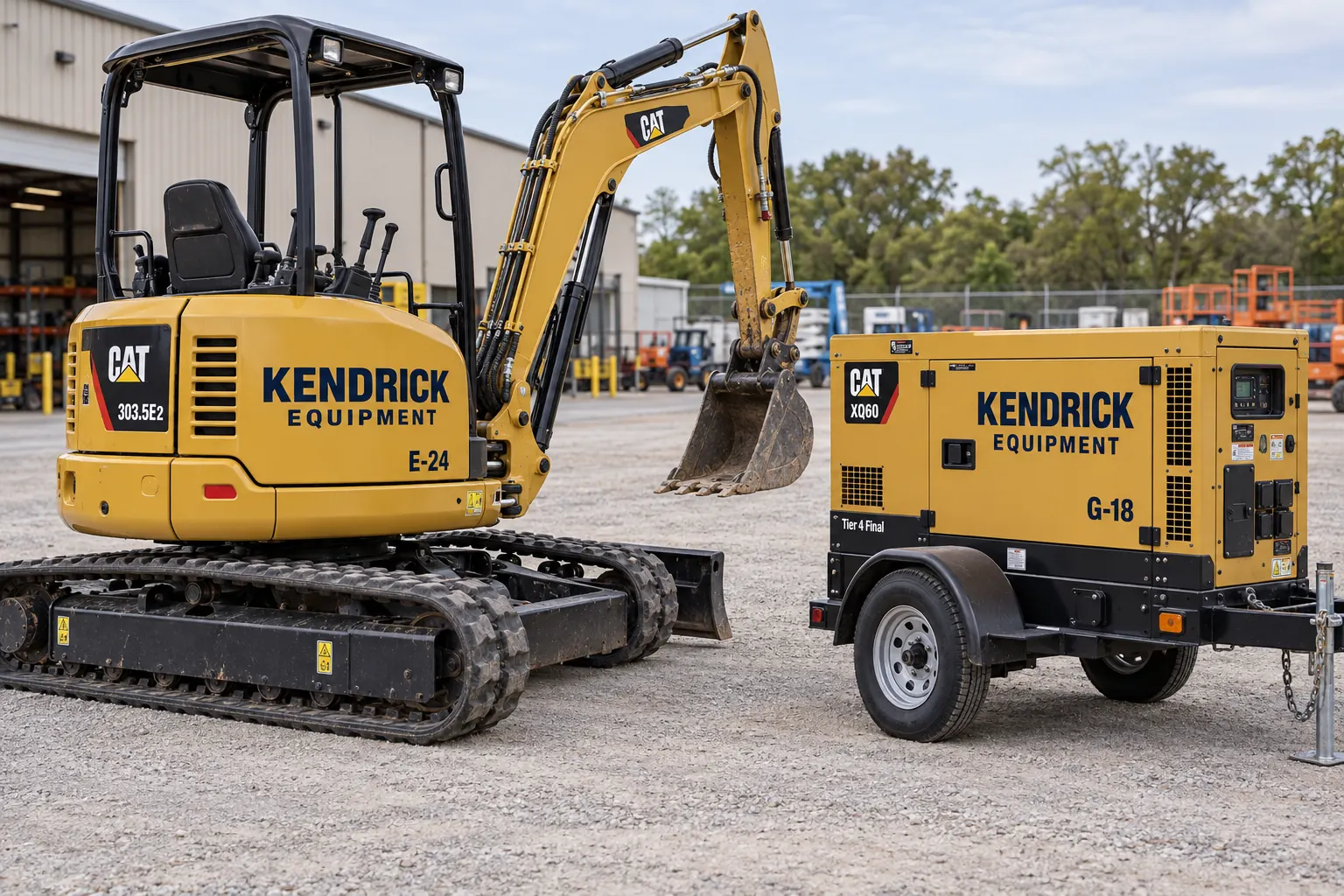
Fictional commercial graphics design concept; not a completed customer installation.
Organize the identity around the asset register
Start with an accurate list of the assets included in the project. Record equipment type, manufacturer, model, asset ID and operating location. Identify ownership or rental status and whether the equipment already has a standardized identifier. A clear register prevents duplicate numbers and makes it possible to match the right graphic to the right machine.
Decide what the graphic should help someone recognize: the operator, the unit, a contact route or a defined service role. Keep those functions distinct in the layout. A large brand name may support recognition while a smaller asset number serves the maintenance team. Do not let a decorative treatment obscure the practical identifier the business needs to track the equipment.
Survey the machine in its actual working configuration
Photograph the asset from all relevant sides and show panels, guards, doors and service openings. Record the normal operating configuration where it changes the visible graphic area, using safe existing access and the responsible operator process. Include close images of the proposed surface and any texture, contamination, dents or damaged coating.
Equipment with the same model name can still carry different accessories, repaired panels or protective structures. Review those differences before reusing a layout. A broad generator enclosure and an excavator body are different application surfaces even if they belong to the same fleet. Use the actual measurements and selected product guidance to assess suitable areas rather than treating every painted panel as equivalent.
Keep controls and original equipment information visible
Identify warning labels, operating instructions, serial plates, service points, ventilation, lighting and moving interfaces before artwork begins. Mark the areas that must remain clear on the placement proof. Have the responsible equipment contact review the proposed locations against the actual machine and its use.
Brand graphics are separate from manufacturer-required labels and other operational information. Do not reproduce, replace or cover those items without an appropriate authorized specification and review. A missing warning label is not solved by installing a decorative company decal. Keep the scope clear about whether the project covers operator identity, asset IDs or another specifically approved marking task.
Build a consistent system across unlike equipment
Use the approved logo, palette and identifier style as the common elements. Let the composition adapt to the usable surface on each equipment class. A compact lift may need a simpler identity arrangement than a broad generator enclosure; consistency comes from the design rules rather than forcing identical coverage onto every machine.
Define the approved identifier format and its relationship to the asset register. If branch or department information is included, establish which data is stable enough to print and which may change during reassignment. Coordinate with fleet graphics management when equipment and road vehicles share one operator identity. Keep records of configuration exceptions so a later order does not accidentally use the wrong template.
Choose the scope around surface and service conditions
Explain where the equipment operates, how it is cleaned and whether fuel, grease, abrasion or frequent handling affects the proposed area. Provide any known paint or coating records and note recent repairs. The selected graphic system should be reviewed against those conditions; no single durability claim describes every machine and operating environment.
Separate old-graphic removal, preparation, manufacture and installation in the enquiry where they apply. If the equipment cannot leave the site, describe the available access and work conditions for review. Do not assume a photograph confirms that installation can occur anywhere. Equipment availability, readiness and the agreed work area can all become scheduling dependencies that should be resolved before a final appointment.
Approve each equipment class and identifier batch
Review a placement proof for each meaningful configuration, then check the identifier list separately for accuracy. The correct company logo on the wrong asset number creates an operational problem even when the design looks consistent. Name one person who can approve the brand and the responsible person who can confirm asset data and clear areas.
Keep the accepted proof version with the asset list and identify how decals will be sorted or supplied for installation. For a larger batch, a representative first configuration can help resolve placement questions before repetition. Use the resource hub to organize supporting inventory and preparation records. Keep those records with the approved equipment list so later additions have a clear starting point and the team can distinguish a new configuration from a repeat order.
Make future replacement an organized request
Retain the approved artwork, dimensions, asset identifier, product information and installed photographs. When a panel is repaired or a decal is damaged, provide the updated surface photograph and current asset reference. The retained record helps define the request, but the actual condition and proposed replacement still need review.
Record asset transfers, repainting and ownership changes so the graphic record does not drift away from the equipment register. For a new project, send an equipment graphics brief with the asset list, photographs, usable areas and operating conditions. Related unit-marking planning can help organize identifiers when machinery and utility vehicles are managed within one system.
Frequently Asked Questions
Turn Your Project Details Into a Clear Brief
Send current photographs, quantities, logo files, dimensions and timing. Identify existing graphics, required specifications and surface concerns so the review can address the actual equipment or site.
Explore planning resources or request your commercial graphics quote.
Explore Related Project Guides
- Equipment Brand Plate Preservation Guide
- Equipment Decal Replacement Photo Record
- Equipment Graphics Decommissioning Checklist
- Equipment Owner vs Operator Branding Checklist
- Equipment Service Contact Decal Planning
- Generator Enclosure Graphics Planning
- Mobile Office Trailer Identification Graphics
- Portable Storage Container Graphics
- Rental Equipment Unit Number Decals
- Water Tank Equipment Identification Decals
