
Fleet Graphics Font Licensing Handoff
A fleet graphics font licensing handoff records which typefaces the artwork uses, who can access them and what the actual delivery instructions allow. It should distinguish finished artwork from editable font access. Start with the fonts in the real project and their sources, then identify the files the supplier needs for the agreed work. This is a practical handoff record, not a universal interpretation of every font license.
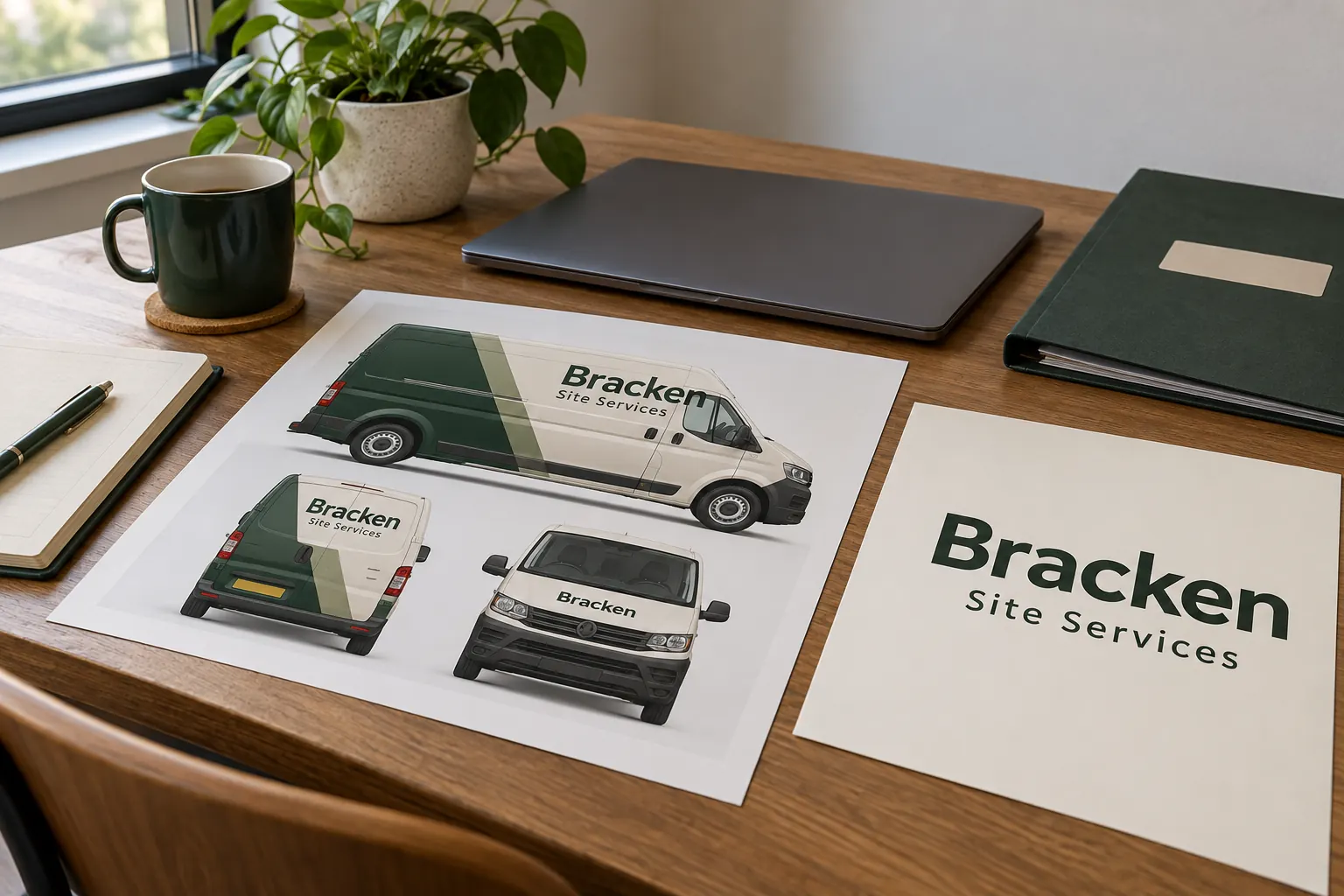
Original fictional commercial planning concept; not a completed customer installation.
Inventory the actual type used in the project
Ask the artwork owner to list the family and style used in each relevant text element. Include the company identity, service descriptor and other editable text where applicable. Record the actual file or project version and source contact. A visual resemblance or a font name guessed from a photograph should remain a pending identification rather than a confirmed production source.
For fictional Bracken Site Services, a wordmark may be delivered as finished artwork while a service line remains editable in the current project file. Record those states separately. The concept image illustrates a typography handoff, not a real license or a promise that the displayed type is available for your use. Your inventory needs the actual project information and responsible source.
Distinguish access needs from appearance review
Identify what each collaborator actually needs to do. Reviewing a finished proof, changing a live text line and receiving font software are different requests. Ask the provider to assess the intended artwork work and required deliverables. Do not assume that every recipient needs the complete editable design environment or that a viewable preview answers every preparation question.
Adobe’s current Fonts FAQ distinguishes delivery of artwork with rasterized or properly embedded font data from a client needing direct access to edit with the fonts. It also says its FAQ does not govern unrelated fonts installed under their own agreements. Use that as a reason to identify the actual source and access need rather than apply one subscription rule to every font in the company archive.
Primary reference: Adobe Fonts licensing FAQ.
Record the actual licensing source and question owner
Retain the source or purchase reference and identify the business contact responsible for clarifying permitted use and delivery. Keep credentials and unnecessary account information out of the handoff. A reference should help the right person find the terms without exposing access to the entire account. Mark an unclear source as pending and assign the next action.
Do not treat a font name or a designer’s general reassurance as a complete record of the actual instruction. If the question concerns a particular license, route it to the responsible source or appropriate adviser. The graphics supplier should receive a coherent package, not be asked to infer contractual permission from a font file someone placed in a shared folder.
Avoid packaging font software by habit
Ask whether the actual license allows the proposed delivery before copying font software into a package. Adobe’s packaging guidance explains that permissions vary with the relevant agreement; its Adobe Fonts terms do not allow copying or moving those files. A collaborator needing the fonts should follow the access route permitted for the actual source rather than assume the package feature resolves permission.
Keep finished artwork delivery and any proposed font access as separate entries. If a different form of artwork is supplied, identify its purpose and ask the provider to assess suitability for the intended project. Do not present outlining, embedding or another preparation step as a universal way to bypass a license question. The actual source instructions and work requirements still need to be clear.
Primary reference: Adobe guidance on packaging font files. Review the terms for the actual source.
Plan editable changes before they become urgent
List text that may change later, such as branch contact information or a service descriptor, and identify who maintains the relevant source file. Record how the business will request that change and which collaborator can prepare the new artwork. A finished appearance reference can remain useful without supplying the means or authorization for every future edit.
Use clear project labels such as “Bracken service line, current source r3” with the actual file and owner recorded beside them. Avoid replacing a missing font with an unapproved substitute merely to make a file open. If a change is proposed, identify it and obtain the relevant content and design decision before treating the revised text appearance as the active fleet standard.
Check the received package against the intended task
Have the receiving project contact confirm which items are present and which access or preparation questions remain. Compare the visible wording with the approved source and retain the exact proof reference. A file opening successfully does not establish that the business intended a different type style, while a missing dependency needs a clear next action rather than an unexplained emergency.
Record supplied limitations without overstating them as a complete legal conclusion. Keep historic font and artwork references as labeled history where needed. When a project changes supplier, give the new contact the current inventory and actual delivery instructions. Do not assume that a prior collaborator’s environment or access remains available to everyone who receives the files later.
Save a usable font handoff record
Use the working record below for the actual fonts, text elements, project version, source references, access needs and open decisions. Save the text and retain the actual source instructions through the normal project process. The checklist does not grant a license, supply font software or establish that every proposed artwork transformation is permitted or suitable.
For Pelican Wraps, provide the approved brand assets, current project files available for review and the intended artwork task. Identify live-text dependencies and the responsible source contact. Use the artwork readiness and brand handoff resources for the broader package. A clear record helps the project progress without substituting a guessed typeface or treating file delivery as automatic permission to copy every dependency.
Draft and Download Your Working Record
Draft your entry, then download a copy before leaving. Send any project decision through the communication process agreed with your supplier.
Frequently Asked Questions
Take the Next Step with a Clear Project Brief
Continue with the resource that matches your next decision:
- Artwork Guidelines
- Vehicle Wrap Artwork Preflight Checklist
- Fleet Brand File Handoff Checklist
- Request a Quote
Send the actual vehicle or surface photographs, quantities, approved brand files, requested coverage and timing constraints. Identify open questions so the project review can address your equipment and business needs.
