
Fleet Brand File Handoff Checklist
A fleet brand file handoff checklist tells the next designer or production contact which assets are approved, what each file is for and who can authorize changes. Use it when starting a graphics program, changing suppliers or transferring responsibility to another employee. The output is a concise asset manifest and decision-owner record, linked to the actual files. It does not turn an unverified image into production artwork or establish rights that the business has not confirmed.
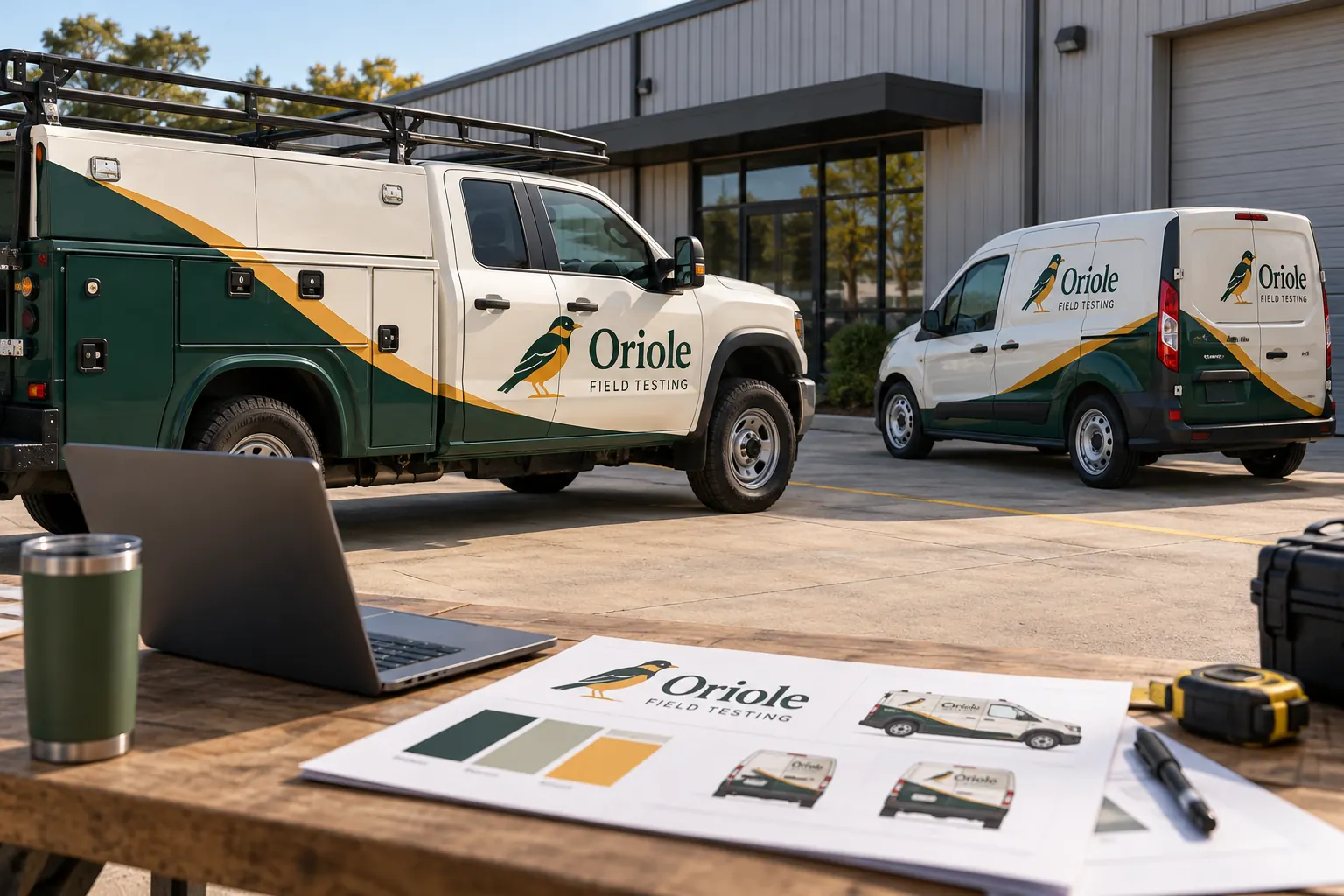
Original fictional commercial planning concept; not a completed customer installation.
Start with the current identity, not the largest folder
Ask the brand owner to identify the current business name, logo family and contact wording. Gather the actual files that support that identity. A large archive of every logo ever used can slow a handoff when none of the files is marked current. Put the selected assets in a controlled project area and retain older versions in a clearly labeled archive.
Record the date of the selection and the person who confirmed it. If two branches use different names or telephone numbers, identify those variations explicitly. Do not ask a supplier to infer the current identity from a website screenshot, an old vehicle photograph and a file called “new logo final” without a decision owner.
Create an asset manifest that explains each file
List the filename, file purpose, approval status, version or date and source owner. Identify the primary logo, alternate orientation, approved color references, typography information, photography and body-specific artwork when those assets exist. Mark missing or uncertain files so the handoff does not falsely appear production-ready.
The manifest can be a simple table or the downloadable working record below. Use a file location that the intended recipient can access through your approved sharing process. A path that works only on one employee’s desktop is not a usable external handoff, even when the filename and version are correct.
Separate source artwork, references and finished proofs
Identify what the business has available rather than guessing from a file extension. Ask the supplier to assess whether the supplied artwork is suitable for the intended production use. Keep editable source files, exported reference views and approved vehicle proofs in distinct categories so their roles are clear.
A flat image of a logo may help identify the visual direction but may still need additional artwork work for the actual project. Conversely, a source file can contain outdated wording or linked assets that need review. File availability, identity approval and production suitability are separate checks; record all three rather than treating one as proof of the others.
Record colors and type without inventing specifications
Supply the color references your business actually uses and identify who approved them. If a physical sample or other agreed reference will be used, record that arrangement. Do not invent a precise print specification from how a logo appears on one screen or assume that every output device will reproduce the same appearance without review.
Provide the typography information and supporting assets your organization is authorized to share. If a font or image permission is uncertain, ask the responsible owner to resolve it before the supplier relies on it. This checklist organizes that question; it does not provide a legal opinion about a license or transfer rights that have not been established.
Explain the permitted business and vehicle variations
List the approved branch names, service descriptions, phone numbers, web addresses and co-branding variations that apply to the fleet. Connect each variation to the relevant unit or body group. A designer should not have to decide which local telephone number belongs on a truck merely because several contact sheets were included.
In a fictional Oriole Field Testing handoff, the main identity is shared across a service truck and a van, but the unit identifiers and body layouts differ. The manifest points to the approved logo and contact sheet while keeping the two vehicle proofs separate. The example demonstrates file organization, not a real customer relationship or completed fleet installation.
Check access and completeness with the recipient
Before calling the handoff complete, ask the intended recipient to confirm it can open the shared material and identify the current assets. Record missing links, unavailable files or questions about the source. Keep unrelated company and personal material outside the project share.
Assign one person to answer asset questions and one person to approve identity changes if those roles differ. State what remains pending. A useful handoff can honestly contain an unresolved item, provided the recipient knows it must be addressed before release rather than assuming the file package is final.
Keep a clear boundary between archive and live production
Mark superseded assets so they are not selected for a new vehicle or replacement panel by mistake. Retain the approved project record according to your company’s normal policy. When a new logo, number or service description is introduced, record the effective decision and identify the files and vehicle versions affected.
Do not silently replace a shared master file while a supplier is working from an approved proof. Notify the project contact, identify the change and ask how the current release is affected. A controlled handoff makes later changes visible instead of relying on everyone noticing that one file in a folder has changed.
Turn the handoff into a quote-ready brief
Attach the manifest to the actual vehicle inventory, current photographs and coverage request. Identify whether artwork adaptation, new design or source-file recovery may be needed. Ask the supplier to distinguish the files it can use immediately from items requiring further review or additional scope.
For Pelican Wraps, include the decision owner, available brand material, vehicle types, quantities and timing constraints with your inquiry. A clear brand package helps the review become specific, but the actual equipment and installation arrangement still need to be confirmed. Download your working record and retain it with the files so the next person can understand the same handoff.
Draft and Download Your Working Record
Draft your entry, then download a copy before leaving. Send any project decision through the communication process agreed with your supplier.
Frequently Asked Questions
Take the Next Step with a Clear Project Brief
Continue with the resource that matches your next decision:
- Artwork Guidelines
- Fleet Wrap Design Standards
- Vehicle Wrap Artwork Preflight Checklist
- Request a Quote
- Fleet Graphics Management
Send the actual vehicle or surface photographs, quantities, approved brand files, requested coverage and timing constraints. Identify open questions so the project review can address your equipment and business needs.
