
Storefront Hours and Contact Decal Brief
Hours and contact decals should communicate the business’s exact public information, not an attractive placeholder copied from a concept. This brief controls the wording, source owner, requested door or pane and future update route. Use it for a new decal or a defined information change. Keep the business’s operating decision separate from the provider’s assessment of the actual glass, layout and work needed.
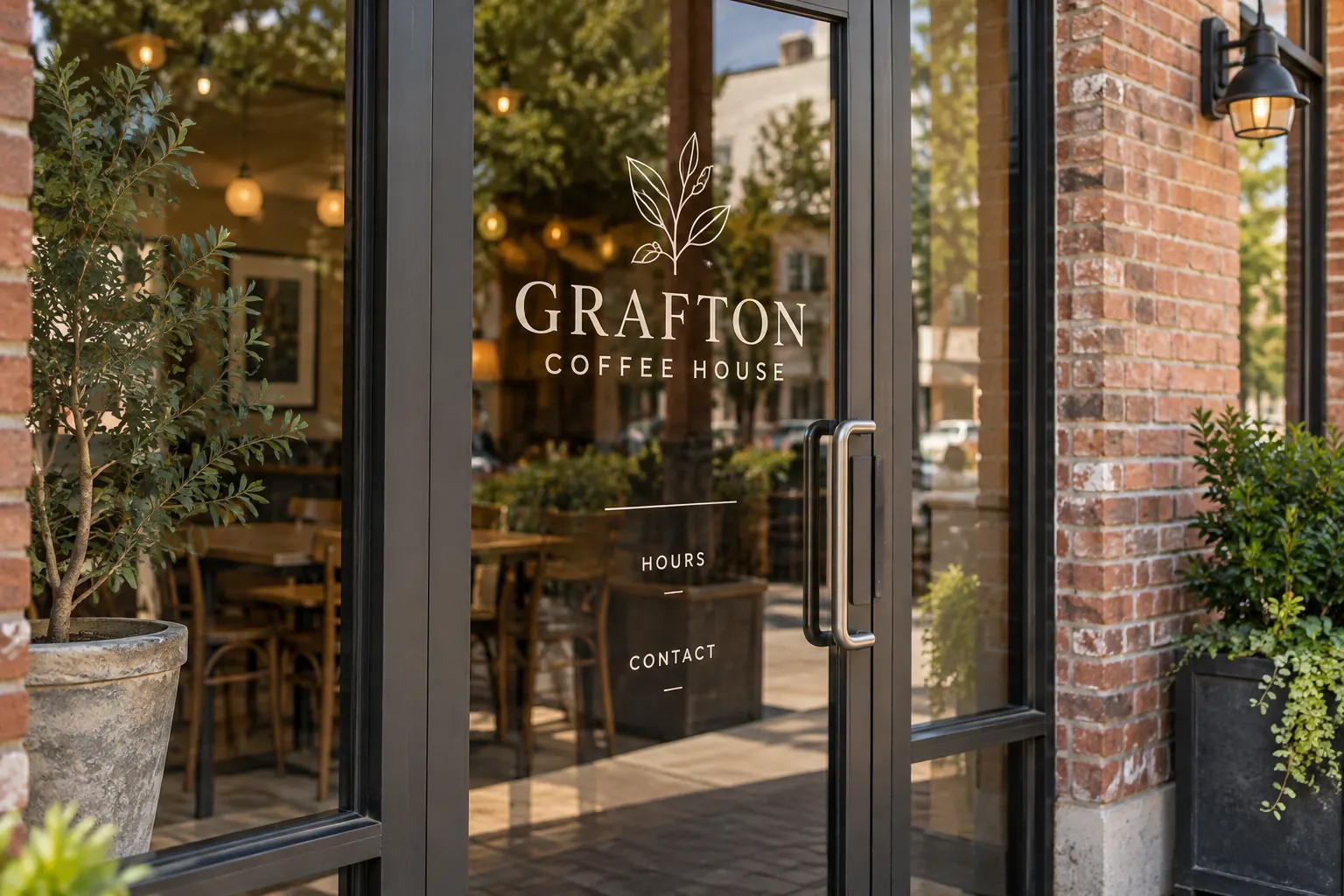
Original fictional commercial planning concept; not a completed customer installation.
Create one exact public-copy source
Ask the business owner to supply the current public name, hours and intended contact route in editable text. Identify who confirms each item. Keep wording ready for use distinguishable from a suggestion still under review. Do not ask the designer to reconstruct the schedule from a social post, a handwritten photograph and an older door decal that disagree.
Use the business’s chosen clear day and time wording consistently. Preserve the exact selected format in the source and proof. If the business uses different hours for different activities, identify which public schedule the proposed decal should communicate. Customer visiting hours, staff access and delivery arrangements can be different information; the artwork should follow the deliberate business decision rather than combine them accidentally.
Resolve exceptions before they become permanent copy
Ask how the business wants to handle actual recurring closures, appointment-only periods or other relevant variations. Record the approved public wording and owner. Keep one-off changes separate where the business’s process requires a temporary message. The brief should state the intended information role rather than automatically add every possible exception to a small decal.
If a seasonal or future schedule is not yet settled, keep it pending. Ask whether the current request should concern the stable identity, a confirmed schedule or a separately defined temporary update. Do not print an estimated opening time merely to finish the layout. A short unresolved-copy action is easier to manage than a permanent-looking public instruction that the business never actually selected.
Choose the contact action the visitor should take
Define whether the decal directs someone to call, visit a public web destination or take another supported step. Verify the exact route with its responsible business owner. Keep the primary action clear and avoid adding private staff details because they appeared in an internal coordination message. The customer needs a usable next step that the business maintains.
Record the purpose of the contact line, such as a general inquiry rather than an internal delivery instruction. If a QR code is proposed, use the separate code and destination review process for that item. The hours brief supplies the intended customer task and exact copy; it should not treat a decorative symbol or untested address as evidence that the visitor can complete the action.
Identify the actual door or pane
Supply current overall and detail photographs with a plain area reference. Show relevant handles, frames, existing graphics and surrounding context. Explain where the business wants the information considered without inventing final placement measurements. Ask the provider what additional assessment is needed for the actual surface and proposed treatment.
The Grafton Coffee House concept uses small Hours and Contact labels without an actual schedule or destination. It illustrates hierarchy, not usable public copy for your business. Your brief needs the exact selected information and real area evidence. Keep any supplied premises instructions connected to the request, including items the responsible contact says must remain visible or outside the proposed work.
Review content and layout as separate questions
Compare the current proof with the exact public-copy source line by line. Check days, times, punctuation, name and contact characters. Then review the proposed hierarchy and relation to the actual door or pane. A clear arrangement can still contain the wrong schedule, and correct words still need to be considered in their real project context.
Record the proof version, reviewer and exact decision. Consolidate corrections so the designer receives one current instruction. If the business changes the schedule during review, update the source first and identify the affected proof. Avoid leaving an older text file marked current while a newer email supplies different hours. The handoff should make it easy for another colleague to reproduce the intended information.
Assign the update owner and change trigger
Name who reports an actual schedule or public contact change and who coordinates the graphics inquiry. Keep the current copy reference with the unit or storefront record. The business’s opening-hours decision may change independently of a wider redesign, so it needs a findable owner rather than relying on the person who happened to request the first decal.
When a change is proposed, identify the affected areas and current photographs, then ask for the actual scope to be assessed. Do not assume an existing treatment can be edited or removed in a particular way. Retain superseded copy as labeled history where useful, while keeping the active public instruction clearly identifiable. This supports future updates without reopening unrelated identity decisions.
Send a defined hours-decal request
Provide Pelican Wraps the exact current copy, decision owner, area references, photographs, approved identity files and requested change. State which existing information should remain and what is pending. Explain access and desired timing, and ask for the actual proposed work and any additional information needed.
Use the window graphics service for the commercial assessment and the hardware or sightline records when those questions apply. The local brief below captures the public-copy source, schedule variations, contact task, area and review status. A useful result is a visitor-facing message supported by one current business instruction and a practical update route, giving the provider a clear starting point for layout and scope instead of a request to guess the right hours.
Draft and Download Your Working Record
Draft your entry, then download a copy before leaving. Send any project decision through the communication process agreed with your supplier.
Frequently Asked Questions
Take the Next Step with a Clear Project Brief
Continue with the resource that matches your next decision:
- Window Graphics
- Retail & Storefront Graphics
- Vehicle Graphics QR Code Proof Test
- Artwork Guidelines
- Request a Quote
Send the actual vehicle or surface photographs, quantities, approved brand files, requested coverage and timing constraints. Identify open questions so the project review can address your equipment and business needs.
