
Glass Door Graphics Hardware Clearance
A glass-door graphics brief should show the real handle, frame and other relevant features before a layout is treated as complete. This record connects those observations to the proposed message and provider questions. It does not prescribe a universal hardware gap or a cutting template. Use actual door evidence and the applicable supplied instructions so placement can be assessed for the real project rather than copied from a convenient blank-door illustration.
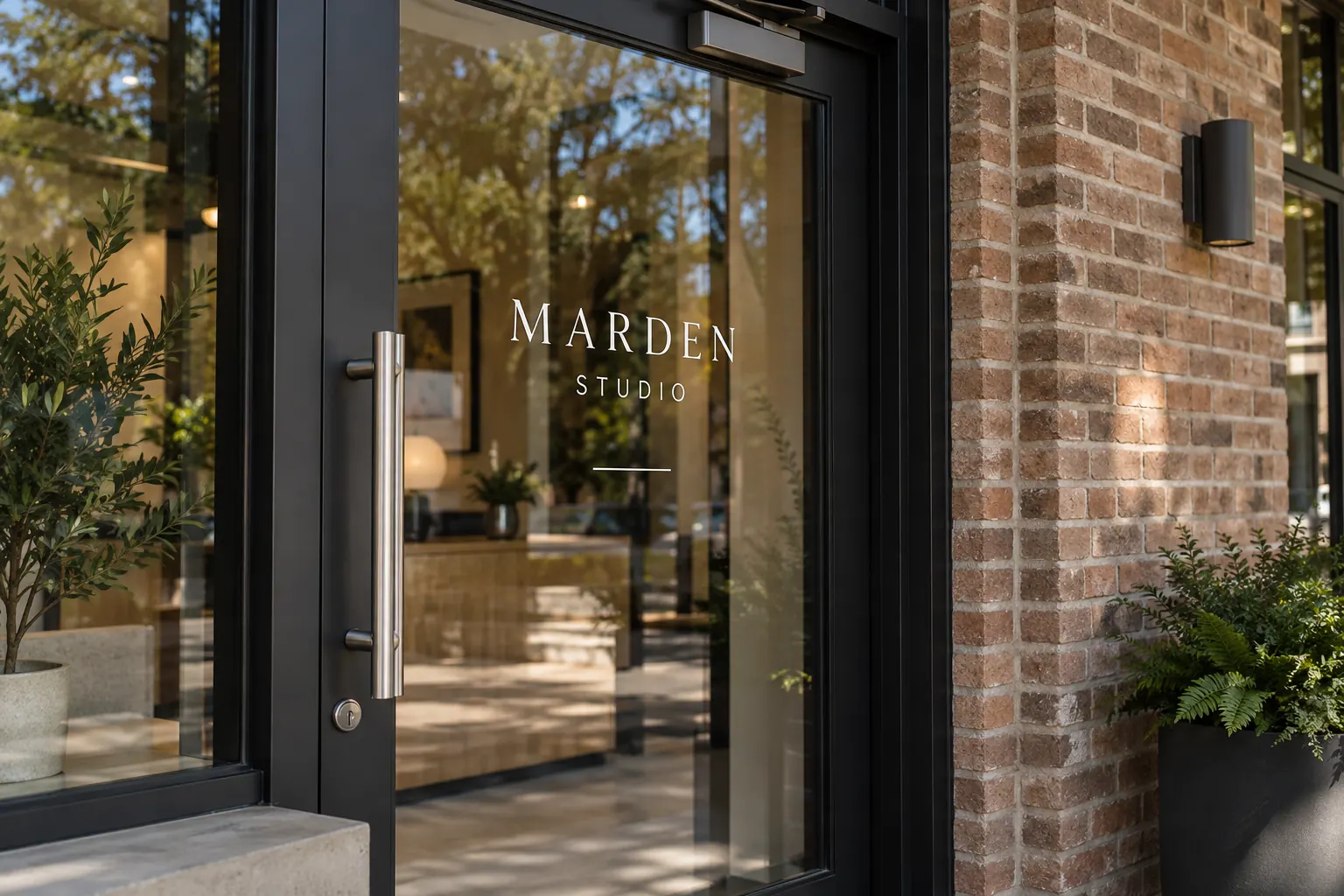
Original fictional commercial planning concept; not a completed customer installation.
Identify the actual door and proposed message
Give the door a plain reference within the storefront area list and describe what the graphics should communicate. Supply current identity and exact public copy. Keep the entry door distinguishable from adjacent fixed glazing. A proposal for a display window should not automatically become the layout instruction for a working door whose features differ.
Record whether the request concerns a new identity, hours/contact update or another defined treatment. Identify the business copy owner and premises contact. This makes the scope question understandable before hardware details are considered. The provider needs to know which message the business intends and which actual door is involved, not simply that someone wants lettering like the concept image.
Capture overall context and useful hardware details
Provide an overall photograph of the door within the frontage and closer views of the relevant handle, frame, hinges, closer or other features. Keep the relationship between details and the named door visible. A close handle image without the surrounding glass can conceal where the proposed message is meant to sit.
Include relevant views supplied through the premises contact’s normal project process when door state affects the layout discussion. Keep observations factual and identify any unavailable reference. The Marden Studio concept illustrates restrained identity near real-looking hardware, but it is not a measured clearance example. Use photographs of the actual door and ask what further information the provider needs for assessment.
List the features and supplied instructions
Create a feature list with a photograph reference and question where needed. Record actual premises, hardware or glazing information supplied by the responsible source. Identify items the contact says must remain clear or visible, retaining the source rather than presenting a buyer annotation as a universal rule.
Keep unknowns explicit. The buyer may know where a closer is visible without knowing what technical information matters to the proposed treatment. Ask the provider which details require further review. The record should make features findable and responsibilities clear; it should not turn an observation into an invented exclusion dimension or make the designer responsible for interpreting unresolved property or hardware instructions.
Mark the proposed message area as provisional
Use a separate annotated reference to explain where the business wants the message considered. Preserve the original photograph. Label the note as a planning direction and identify its source. Do not draw a precise production boundary unless it comes from the responsible project process and is identified as such.
Ask for the proposed layout to be reviewed against the actual door, hardware evidence and supplied instructions. Keep public-copy accuracy separate from placement. A correct number or schedule can still require a different arrangement, while an attractive position can still contain obsolete copy. Recording both questions lets each reach the appropriate owner without allowing one positive comment to imply that the complete project has been settled.
Request a specific response to the hardware question
Describe the actual feature and the proposed layout issue in plain language. For example, identify that a contact line is shown near the handle in the current proof and ask how the proposed treatment should be assessed for the real door. Supply the relevant views instead of asking the provider to guess the geometry from a cropped screenshot.
Do not ask a concept to establish a universal clearance. The useful response is tied to the actual product proposal, door and current scope. If the provider needs further survey or source information, assign the next action and keep the affected decision pending. This makes a physical-detail question actionable without pretending that the buyer’s checklist is an installation method or technical approval.
Review the proof and retain the decision reference
Check the exact message against its current source and compare the proposed area with the named door and relevant feature references. Record questions by proof version. If the layout changes, identify the affected placement and obtain the appropriate review rather than relying on an earlier screenshot that no longer matches.
Keep the final business message decision, relevant provider information and unresolved actions together. When hardware, glazing or the door arrangement changes later, revisit the affected references. A replacement inquiry should use current photographs instead of assuming the old layout applies unchanged. Retain earlier proof and area information as labeled history so the next coordinator can understand the original decision without treating it as a timeless template.
Send a hardware-aware door graphics inquiry
Provide Pelican Wraps the actual door reference, overall and detail photographs, approved copy, identity files and relevant supplied premises information. Explain the proposed area, observed question, current proof and pending facts. Ask what additional assessment or survey is needed for the actual treatment and scope.
The local record below captures the door, message, feature index, supplied instructions, provisional placement and review actions. Use the hours brief for exact schedule and contact control and the window graphics service for commercial work. A useful inquiry keeps the customer message clear while making the real door details visible to the people assessing it. It avoids copying a neat blank-door layout onto a different physical entrance without a traceable project review.
Draft and Download Your Working Record
Draft your entry, then download a copy before leaving. Send any project decision through the communication process agreed with your supplier.
Frequently Asked Questions
Take the Next Step with a Clear Project Brief
Continue with the resource that matches your next decision:
- Window Graphics
- Retail & Storefront Graphics
- Storefront Window Graphics Survey Checklist
- Storefront Hours and Contact Decal Brief
- Request a Quote
Send the actual vehicle or surface photographs, quantities, approved brand files, requested coverage and timing constraints. Identify open questions so the project review can address your equipment and business needs.
