
Public Safety Fleet Identity and Graphics Planning
A public-safety graphics program needs clear ownership of identity, specifications and vehicle records. Organize the approved sources and review chain first, then adapt the fleet system to the actual roles and bodies without treating an illustrative concept as an operational marking standard.
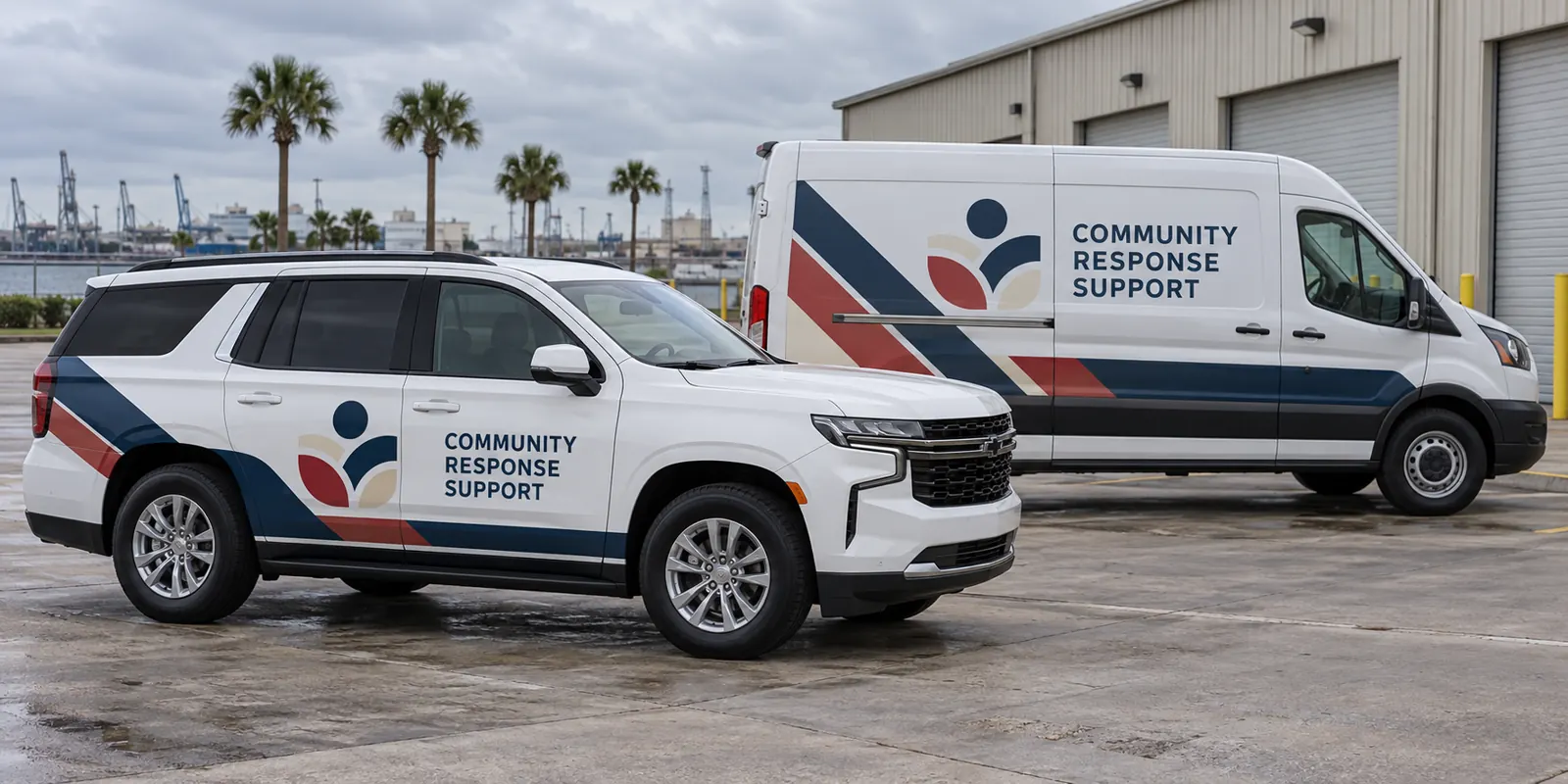
Fictional commercial wrap design concept; not a completed customer installation.
Define the program and the responsible organization
Identify the organization, departments and vehicle roles included in the request. Administrative, equipment-support and other units may have different information needs from operational vehicles. Start with the approved identity and the purpose of each group rather than choosing a generic emergency appearance. Keep the operator and role understandable.
This page focuses on program ownership and coordinated review. The response-vehicle planning page connects the vehicle-specific brief. Neither a general page nor a fictional image establishes an agency relationship, technical specification or approval for a real project; those references need to come from the responsible organization.
Collect the current identity and specification package
Supply authorized source logos, naming conventions, color references and the vehicle standards that actually apply to the request. If prescribed markings, material requirements or other operational conditions are included, provide the current written documents. Identify the reviewer responsible for explaining them and resolving questions.
Keep brand preferences distinct from specifications that require a particular review. Do not infer a requirement from another organization’s vehicle or from the appearance of a material. The project scope should identify the work and the review needed, while the proof provides a visual reference for the actual vehicle version and approved wording.
Build a vehicle record that supports a mixed fleet
List the make, model, body configuration, role and quantity for each version. Photograph the current vehicles from both sides and rear, including windows, racks, access panels and fitted equipment. Separate unusual or modified units from standard configurations so a proposal does not assume all vehicles share the same graphic areas.
Use the vehicle directory to identify body-specific routes and the inventory worksheet to record unit references and photo locations. Link each row to the identity version and specification reference that applies. A familiar model name should not bypass review of changed hardware or a different operational role.
Coordinate reviewers around one dated proof
Name a coordinator who can consolidate feedback while retaining the organization’s required reviewers. Identify ownership of identity, wording, identifiers, equipment access and specifications. Return one coordinated response against a clearly dated proof rather than several conflicting revisions that leave production approval ambiguous.
Review side and rear views separately around handles, door gaps, windows and hardware. Verify contact details and unit identifiers against the organization’s current records. Mark existing information and access areas that must remain visible and usable. A finished-looking layout should not be treated as automatic approval of every requirement in the program.
Preserve version control for later additions and changes
Keep approved proofs linked to vehicle configurations, identifiers and the governing source package. Record which version belongs to each unit and who can authorize an update. A new vehicle, reassignment or equipment change may need adaptation even when the main organization identity remains stable.
Use the graphics management route to connect replacement requests with that record. If a panel is damaged or a contact detail changes, supply current photos and the original reference. Replacement options depend on layout and condition rather than an assumption that a small update always matches older exposed graphics exactly.
Plan condition review and staged availability
Disclose old graphics, residue, corrosion, repairs and damaged finishes with close photographs. Graphics should not be treated as a repair for an underlying surface concern. Removal, preparation and suitability need to be addressed explicitly in the scope. An established artwork standard does not establish the present condition of every vehicle.
Identify priority units, release windows and who authorizes access, transport and collection. Coordinate the operating plan around the confirmed project arrangement. The scheduling guide helps connect approved body versions and availability. A desired date or general installation duration is not a reservation for the program.
Prepare the organization brief for a defined review
Send the equipment list, quantities, current photos, authorized identity sources, essential wording and timing. Include current specifications, verified identifiers and the approval chain. Identify coverage preferences, information to preserve and open questions. Provide actual purchasing instructions separately so the commercial scope can be reviewed within the organization’s process.
Submit a public-safety fleet graphics brief with the relevant references. The image on this page is a fictional support-fleet concept, not an official agency vehicle, customer job, contract record or operational marking specification. Its purpose is to illustrate a coordinated identity while keeping real project requirements with the authorized organization.
Frequently Asked Questions
Turn Your Vehicle Details Into a Clear Project Brief
Send current photographs, vehicle quantities, logo files, coverage preferences and timing. Identify old graphics and paint concerns so the project review can address the actual equipment.
Explore planning resources or request your commercial wrap quote.
