
Retail Window Campaign Changeover Plan
A retail window campaign changeover should replace the intended message while keeping permanent identity and other supplied information under control. This plan connects the current display, proposed campaign, affected panes and actual next actions. Use it before a promotion changes, not after staff have removed something whose role nobody recorded. The plan defines business intent and coordination; the provider still needs to assess the actual glass, existing treatment and proposed work.
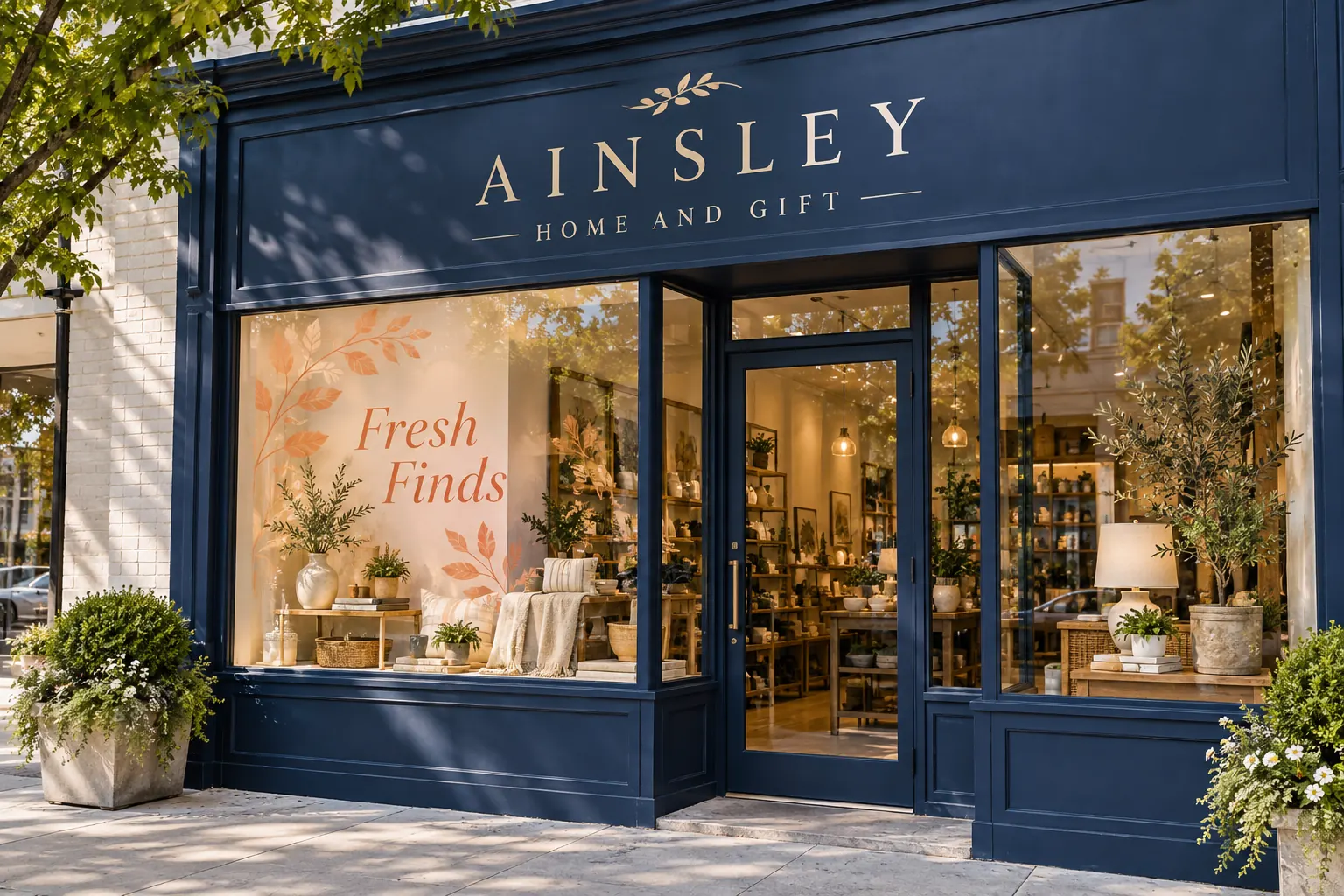
Original fictional commercial planning concept; not a completed customer installation.
Inventory the current window messages by area
List the named panes and doors with current photographs. Identify the visible message on each and distinguish the campaign content from the permanent business identity, hours and public contact information. Record other items the responsible premises contact says must be preserved and retain that instruction source. Do not assume every graphic visible on the frontage belongs to the same campaign.
Give uncertain items an owner and question. A prior promotion, an old tenant reference and a current service message can look similarly familiar to a staff member preparing the changeover. The inventory should explain which information the business actually intends to replace. Keep it tied to real area references so the provider can discuss a defined request instead of a general instruction to refresh all the windows.
Define the next campaign and the customer action
Obtain the exact selected campaign wording, identity sources and intended next step from the responsible business owner. State what the visitor should understand or do. Keep promotional claims and public details at their actual review status. A campaign concept is easier to assess when it has one clear purpose rather than a growing collection of messages from several departments.
The Ainsley Home and Gift illustration separates permanent identity from a fictional Fresh Finds campaign. It is a planning concept, not an actual promotion or completed installation. Your real plan needs current approved sources and a decision owner. Record what makes the new message different from the current one so a later reviewer can understand the change without comparing unrelated screenshots from memory.
Map retain, change and assess actions to panes
Use a simple action list for each area: retain the identified message, request a defined change or ask the provider to assess an uncertain item. Link the current photograph and proposed proof where available. This makes it clear when a campaign change concerns only selected windows and leaves other public information outside the requested work.
Avoid prescribing a removal or replacement method from appearance alone. Provide actual history and ask what assessment is needed. The business can decide the desired message state without determining how an existing graphic should be physically changed. Keep those roles separate so the provider receives an actionable scope question and the buyer can compare proposed work against the correct current evidence.
Identify the actual content and site dependencies
Name the people who supply final copy, relevant property instructions, current glazing information and site coordination. Record the facts still pending. Keep the desired campaign launch separate from proof decisions, actual area readiness and confirmed work arrangements. A calendar target should not make provisional information look complete.
If the new display depends on a fit-out, changed merchandise arrangement or another actual project event, explain its graphics consequence. Assign the next action and source rather than copying the entire retail launch checklist into the request. The useful changeover plan focuses on what affects the message, areas and proposed work, helping the provider assess the project at the stage it has actually reached.
Review the new proof against the retain list
Compare the exact campaign copy with its controlled source and identify the proposed areas. Then check that the request preserves the information named on the retain list. A new proof can look coherent while unintentionally dropping a contact line or extending treatment into a pane that was outside the intended scope.
Record the proof version and business decision, plus relevant open questions. If the campaign wording changes, update its source and identify affected views. If the requested areas change, return to the current evidence and relevant property or scope review. Keep the business message, supplied instructions and commercial proposal connected without allowing a visual revision to silently redefine all three.
Record the actual changeover and intended next state
After the actual work, retain the project reference and current photographs through the normal handoff. Update the area inventory with what is now visible and any remaining actions. Do not mark the whole frontage changed after a single pane is completed or after the new proof is selected. The visible record and artwork decision answer different questions.
Name the person who watches the next campaign review event and what state the business intends afterward. It may be another defined campaign or a return to a separately identified permanent message. Keep the next physical scope subject to actual assessment. A useful lifecycle record prevents a short promotion from remaining on the glass indefinitely because nobody owns its follow-up.
Send a precise campaign changeover inquiry
Provide Pelican Wraps the current area inventory and photographs, selected campaign sources, retain/change/assess list and relevant supplied premises information. Identify pending dependencies, review owners, requested timing and actual access coordination. Ask for a defined proposal and any further assessment needed for the existing treatment and new request.
Use the local record below to keep current and proposed messages, affected panes, dependencies and next-state ownership together. Use storefront and window graphics services for commercial scope. The useful result is a buyer and provider discussing the same intended change, with permanent information visible in the brief and a practical follow-up route. That supports a clear customer message without relying on an improvised removal day or a broad instruction that accidentally changes more than the campaign.
Draft and Download Your Working Record
Draft your entry, then download a copy before leaving. Send any project decision through the communication process agreed with your supplier.
Frequently Asked Questions
Take the Next Step with a Clear Project Brief
Continue with the resource that matches your next decision:
- Retail & Storefront Graphics
- Window Graphics
- Storefront Window Graphics Survey Checklist
- Storefront Hours and Contact Decal Brief
- Request a Quote
Send the actual vehicle or surface photographs, quantities, approved brand files, requested coverage and timing constraints. Identify open questions so the project review can address your equipment and business needs.
