
Fleet Graphics Exception Register
A fleet graphics exception register records a deliberate departure from the approved standard and explains where that departure applies. Use it when body hardware, branch wording, ownership permissions or another real project condition requires a different treatment. The useful result is a controlled exception with evidence, an owner and a defined artwork reference. Keep unresolved concerns visible as pending decisions until the relevant review has actually occurred.
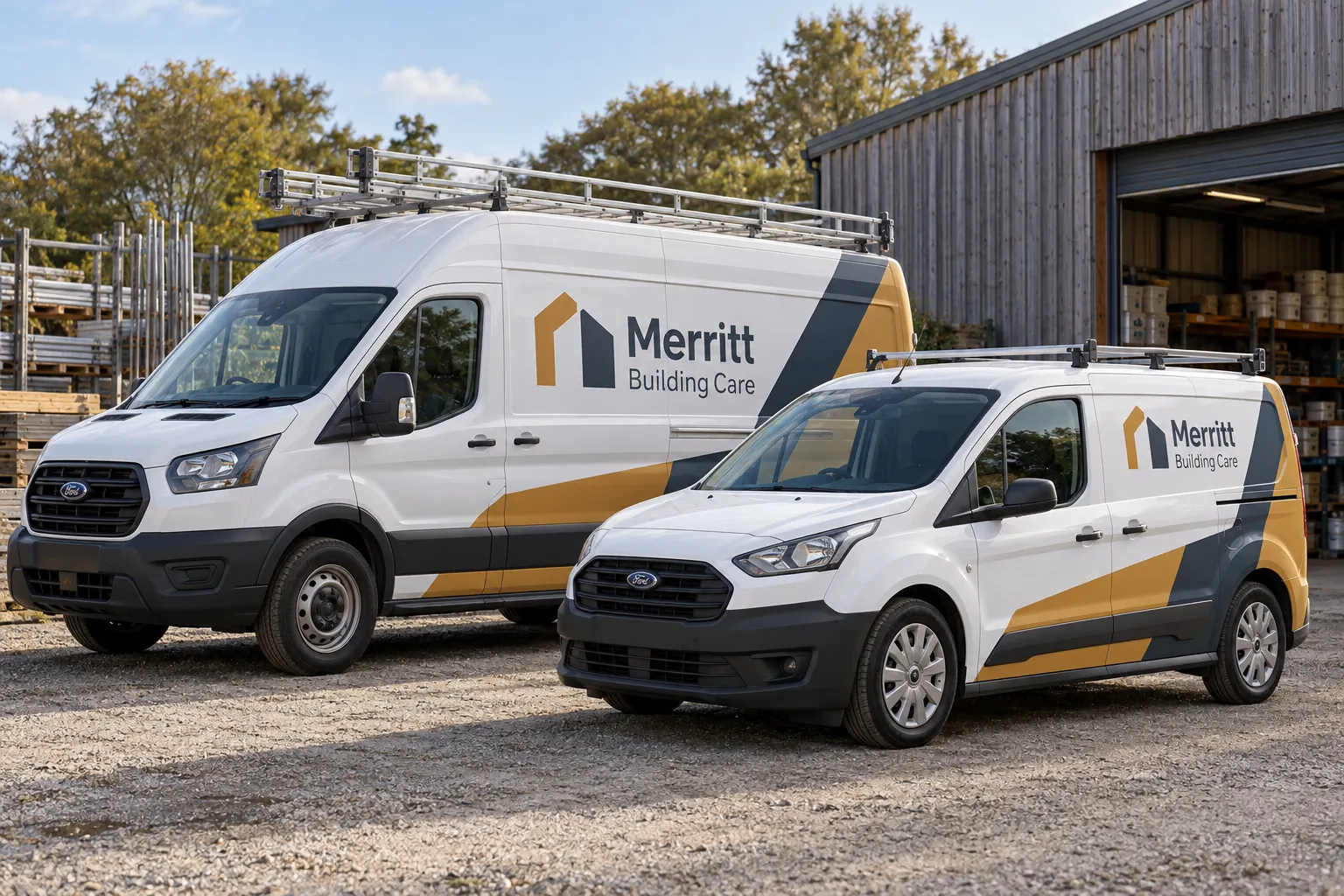
Original fictional commercial planning concept; not a completed customer installation.
Define the standard before describing the exception
Record the current fleet standard or approved artwork reference and identify the feature that cannot be followed on the affected unit. Be specific about the difference: a ladder rack changes the visible upper area, a service body has a different panel arrangement, or a branch needs an approved alternate contact line.
A statement such as “this truck is different” gives the next designer little direction. Link the exception to a current photograph, body description and unit reference. The register should explain which part of the standard remains applicable and which part needs adaptation, so the entire fleet identity does not become uncertain because of one detail.
Classify the reason so the right person reviews it
Identify whether the exception concerns physical equipment, brand wording, local contact information, asset ownership or another defined condition. Send a hardware question to the project contact who can assess the actual body; send a brand variation to the person who controls the identity. Keep purchasing and operational release decisions with their actual owners.
Record the evidence supporting the request. A current photograph can show a rack or toolbox; an approved contact sheet can establish wording. Avoid treating an informal preference as a confirmed physical limitation or describing an unresolved technical concern as an approved exception.
List the affected units and the limits of the decision
State exactly which units or documented body group the exception covers. If the same configuration may appear elsewhere, mark those assets for review rather than automatically extending the decision. A fleet standard can remain consistent while using several controlled adaptations tied to real equipment.
For a fictional Merritt Building Care program, the register could identify one high-roof van and one compact van with different ladder racks. Each receives its own relevant layout reference. The example illustrates a tracking method; it does not establish that either illustrated rack or panel has been assessed for an actual installation.
Record the proposed adaptation and approval route
Describe the requested response in terms another reviewer can verify. Examples include moving a secondary service line to a documented available panel, using an approved shorter contact line or adapting a logo arrangement to the actual body. Ask the supplier to review the proposed artwork against the equipment rather than assuming the buyer’s sketch is production-ready.
Identify who approves the brand result and who confirms the relevant vehicle information. Use a status such as requested, information needed, adaptation under review or approved reference recorded. Include the actual decision date and file reference when the exception is released through the project process.
Keep exceptions separate from condition reports
An observed edge concern, incorrect wording or damage report needs its own factual review against the agreed scope. Do not label it a permanent brand exception merely to close a list. Record the observation, supporting photographs and supplier response through the appropriate installation or replacement process.
Likewise, an approved layout adaptation does not settle unrelated paint, material or access questions. Keep each decision connected to the relevant assessment. This makes the register useful without asking it to replace the technical, commercial and operational records that control other parts of the job.
Make the next reorder follow the right version
Link the approved exception to the unit register and the current artwork archive. When another unit needs graphics, check its actual body before applying the exception. If the special configuration is removed or the vehicle leaves the fleet, update the register’s status while preserving the history according to company policy.
Use a review trigger that fits the reason for the exception. A hardware change, brand update or reassigned branch can make the original decision stale. The register should identify who will revisit it and what event requires that review, rather than allowing temporary wording or a one-unit adaptation to become an accidental new master standard.
Draft a usable exception entry
The working record below collects the standard reference, affected units, evidence, proposed adaptation, approval status and future review trigger. Enter the actual details and download the text before leaving. Retain the supporting photographs and artwork through your normal project file process.
For a Pelican Wraps inquiry, include the actual vehicle list, photographs, available brand files and desired coverage. Flag unusual equipment or approved wording variations early. If the request concerns an active project, provide the project and proof references so the exception can be discussed against the actual defined work.
Draft and Download Your Working Record
Draft your entry, then download a copy before leaving. Send any project decision through the communication process agreed with your supplier.
Frequently Asked Questions
Take the Next Step with a Clear Project Brief
Continue with the resource that matches your next decision:
- Fleet Graphics Management
- Adding New Vehicle Models to a Branded Fleet
- Fleet Wrap Design Standards
- Request a Quote
Send the actual vehicle or surface photographs, quantities, approved brand files, requested coverage and timing constraints. Identify open questions so the project review can address your equipment and business needs.
