
Vehicle Wrap Photo Checklist: Prepare a Useful Project Image Set
Help the project team understand the actual vehicle before discussing coverage, fit and preparation. Collect a labeled set of overall and detail photographs that explains configuration, hardware, old graphics and visible condition without treating photographs as verified measurements.
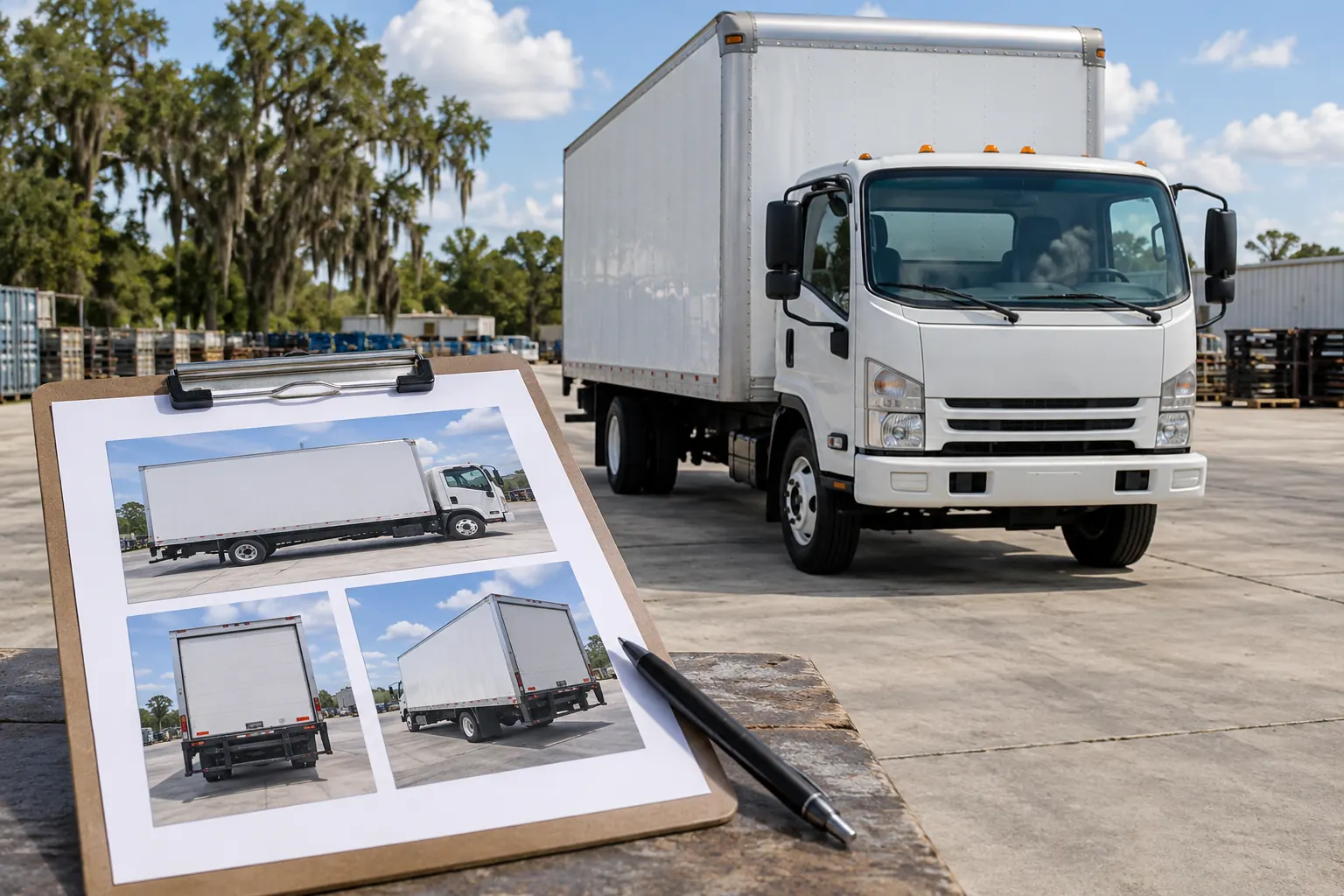
Illustrative planning concept; not customer photography, actual tool output or a verified project record.
Start with a clear asset and configuration reference
Record the unit reference, year, make, model and relevant body details before collecting the images. For vans, include roof and body configuration; for trucks and trailers, identify the actual working body. Use that same reference in the image filenames or a simple accompanying list so the project team can connect the photographs to the correct equipment.
Several white vehicles in one yard can look similar in a folder even when their doors, accessories or condition differ. Keep each asset or representative configuration organized separately and identify exceptions. The inventory worksheet provides a place to connect the asset record with photo filenames and condition questions. A reliable reference system reduces the chance of reviewing one unit while discussing another.
Collect an overall view of every relevant face
Include clear views of both sides, the front and the rear, with the whole relevant face visible. Leave enough surrounding context to show the body outline and major equipment. A close image of a logo does not explain the available side area or the relationship between the cab and an aftermarket body.
Use ordinary even light where practical and check that the body details can be seen rather than hidden by strong reflections, deep shadow or objects in front of the vehicle. Do not crop the image so tightly that the team loses door edges, roof height or rear equipment. Review the photographs before sending them and replace an unclear view while the asset is still available.
Add close views of hardware and configuration differences
Photograph doors, handles, hinges, compartments, rivets, seams, vents, liftgates and other features within the proposed graphic area. Identify racks, ladders, toolboxes or other accessories that change what is visible. Show the relationship between the close detail and the overall body with a matching reference rather than a disconnected collection of hardware images.
Include relevant working positions through the responsible operator and normal site process where they affect the graphic layout. The team needs to understand how the actual equipment differs from a stock outline. Do not assume that the same model name establishes identical panel geometry or that a previously approved fleet layout will fit a modified body without review.
Document existing graphics and visible surface concerns
Provide close photographs of old vinyl, adhesive, lifting, cracking and areas where graphics are already missing. Include visible scratches, dents, rust, repairs or coating concerns and identify any known repainting. Keep a brief note explaining what is known and what remains uncertain beneath existing film.
These photographs support an initial discussion but do not diagnose every hidden condition or confirm surface readiness. The removal planning guide explains why the starting condition matters to scope. If the vehicle is repaired or repainted after the images are taken, provide updated photographs and records. A project should not proceed from an old clean image when the actual asset has changed.
Keep photographs distinct from dimensions and artwork
A photograph explains appearance and configuration; it is not a verified measurement sheet or the original business logo. Provide dimensions separately where available and label estimates. Agree how final fit information will be verified before manufacture instead of assuming perspective in a photograph can establish every panel size.
Send source identity files through the appropriate artwork handoff alongside the photo set. The artwork guide explains that separate package. A photograph of an old printed logo can communicate the current appearance while still leaving the original source file and accurate wording unresolved. Keeping those three records distinct—photographs, measurements and artwork—makes the project review clearer and reduces conflicting assumptions.
Organize the files for a useful handoff
Use simple filenames or an accompanying index that identifies the asset and view, such as unit reference followed by left side, rear or condition detail. Keep the original clear files rather than repeatedly forwarding small screenshots. When several configurations are represented, identify which vehicles share the reference set and which need their own review.
Use the file controls and instructions actually provided on the enquiry route and confirm that the selected files are included before submitting. Do not assume an unsupported file type or a cloud link with restricted access will be usable by the reviewer. If information is missing, explain that in the project details rather than naming an empty folder as though the full survey has been supplied.
Check the set against the question the project must answer
Before sending, ask whether an unfamiliar reviewer can identify the correct asset, understand its configuration, see the intended graphic areas and locate the concerns described in the brief. Add the desired coverage, quantity, source-artwork status and timing so the photographs support a real project question rather than arrive as an unexplained image dump.
Use the project quote route to submit the available details. The image set supports review; it does not book an appointment, approve artwork or prove the vehicle is ready. For more detailed surveying, use the photo and measurement guide. This checklist keeps the initial handoff organized while the later scope and fit review resolve the actual production information.
Frequently Asked Questions
Turn Your Vehicle Details Into a Clear Project Brief
Send current photographs, vehicle quantities, logo files, coverage preferences and timing. Identify old graphics and paint concerns so the project review can address the actual equipment.
Explore planning resources or request your commercial wrap quote.
