
Set Up a Shared Fleet Photo Folder Before Asking for Graphics Quotes
A shared fleet photo folder should let a graphics supplier match every photograph to the right vehicle without a follow-up guessing game. Start with the unit list, give each vehicle one folder, and separate survey photographs from approved artwork and completion records. This walkthrough shows a practical folder structure, naming convention and review routine you can use before requesting quotes. It is for organizing the evidence; the vehicle photo and measurement guide covers what to photograph on the equipment itself.
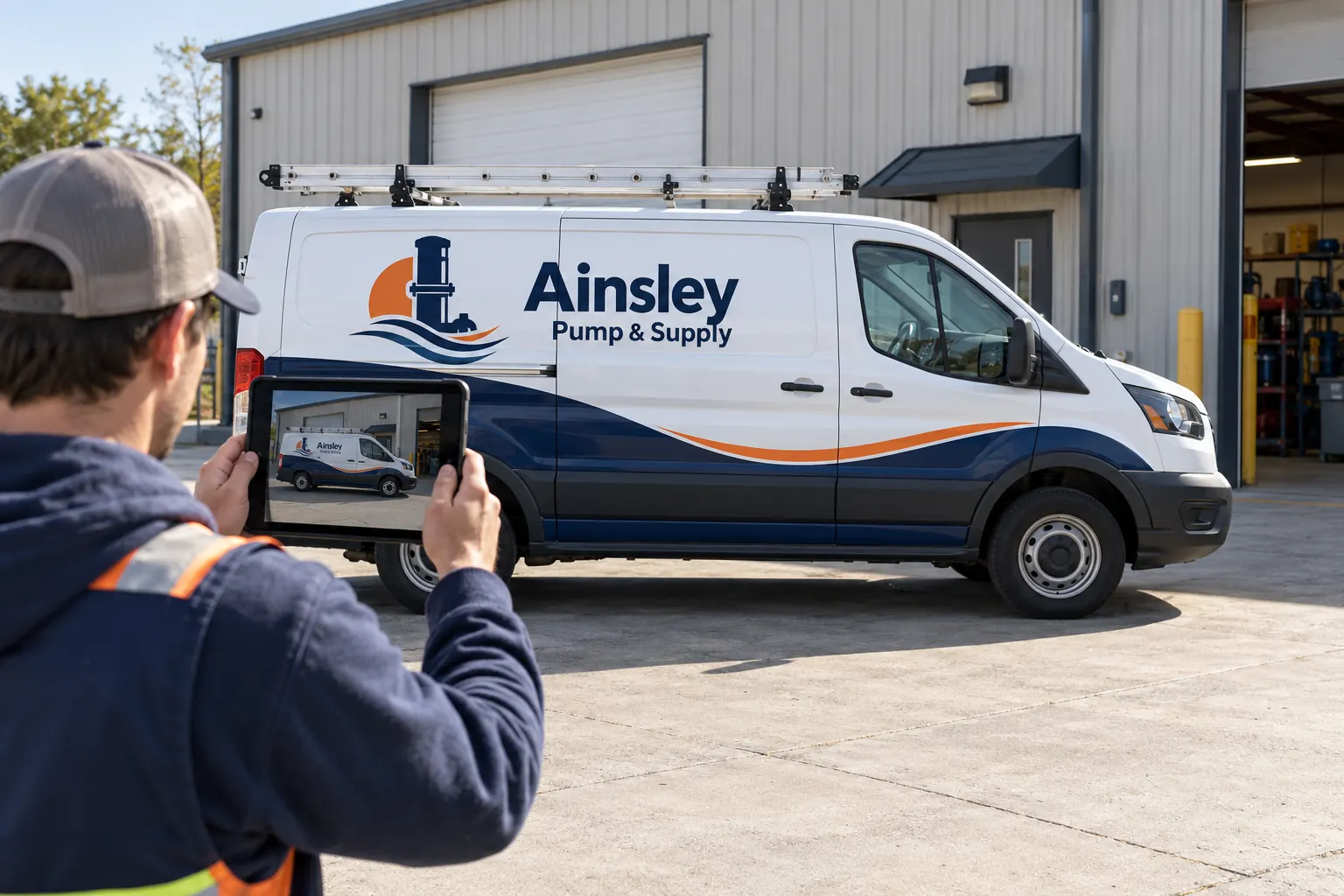
Original fictional commercial planning concept; not a completed customer installation.
Start with a vehicle list, not a pile of uploads
Open your current vehicle inventory and identify the units actually included in the proposed graphics work. Give each a stable internal reference before asking drivers to upload anything. A company unit number works if it is unique. If two branches both call a van “12,” prefix it with the branch code. Keep the reference consistent in the spreadsheet, folder name and quote brief.
Record body type, approximate model description, location and survey status next to that reference. Mark unknown details as unknown. A photograph cannot reliably establish every wheelbase, body alteration or surface condition, so leave a question for the actual survey rather than inventing an answer from appearance.
Use a folder tree that follows the project
Create one project folder with four clearly named areas: Inventory, Vehicle-Surveys, Approved-Brand-Files and Project-Decisions. Inside Vehicle-Surveys, create a folder for each unit reference. Keep a separate folder for images whose unit is not yet known; do not silently assign them.
For a fictional service fleet, a unit folder could be “WEST-214-high-roof-van.” Put all views of that van inside it. Do not create separate unconnected folders called “left sides” and “back doors” for the entire fleet. That structure makes it unnecessarily hard to identify which rear door belongs to which side view.
Name photographs so another person can reconcile them
Use a short pattern such as “WEST-214_2026-10-18_driver-side.jpg.” Other useful view names are passenger-side, front, rear, roof-hardware, old-graphics-detail and paint-concern-detail. Preserve the original image file; rename a working copy if your company needs the untouched camera file for its own records.
Include the capture date when a vehicle may change before installation. A replacement door, added rack or repaired panel can make a previously correct view stale. Keep the older file in a dated archive rather than overwriting it with a new photograph of a different condition. The point is traceability, not an elaborate naming system that drivers cannot follow.
Collect one complete example before involving every driver
Choose one accessible vehicle and build a sample folder yourself. Use the photo checklist to collect the required views, then ask a colleague who did not take the photographs to match them to the inventory. If that person cannot tell which unit is shown, fix the naming and instructions before rolling the request out.
Send drivers a short request containing the unit reference, upload destination, required views and the person to contact with questions. Do not make them interpret the full graphics proposal. Ask for stationary photographs taken from an appropriate, permitted position. Drivers should follow their normal workplace and site rules; collecting a graphics photo is not a reason to enter a restricted area or interrupt a moving operation.
Keep artwork and survey images in different places
A logo downloaded from a website is not the same thing as an approved production file. Put available brand assets in the brand area and label their approval status. Keep screenshots and reference inspiration separate from files the supplier is being asked to use. Identify who can confirm the current logo, colors, service wording, telephone number and web address.
Within vehicle folders, retain ordinary photographs as evidence of the actual equipment. Do not replace them with polished mockups. A mockup may show the intended message while hiding door tracks, handles, repaired surfaces and old graphics that affect the real project. Both records are useful when their roles are clear.
Control access without making the supplier chase permissions
Give the supplier access only to the project material needed for the review. Check the link from an account or view that represents the intended recipient before sending it. Do not assume that a link copied from your own signed-in window will open for somebody else. Keep personal documents and unrelated company files outside the shared project folder.
Choose whether contributors can upload, edit or only view using the controls your organization normally approves. Name a folder owner who will remain available through the quote process. If your company cannot share a folder externally, ask the supplier which approved transfer arrangement to use and preserve the same unit structure in the exported package.
Run a missing-view review before requesting the quote
Compare the folder list against the inventory row by row. Mark each unit as complete, missing views, uncertain identity or needing an in-person survey. A simple status column is more useful than calling the whole folder “done” when one truck is absent. Put specific questions in a short review note linked to the relevant vehicle.
Check that repeated images are not being used to represent different units with different hardware. If several vehicles are believed to match, say that they are believed to match and identify the representative unit. Ask how the remaining units will be verified before production. A tidy folder supports the review; it does not replace a project-specific equipment assessment.
Send a brief that turns the folder into a useful lead
Alongside the link, state how many vehicles are included, which ones need removal, the coverage you want compared and your realistic release constraints. Identify the decision maker and the questions still open. Ask the supplier to distinguish a preliminary review from a confirmed production-ready scope.
After a supplier responds, save the relevant decision and date in Project-Decisions. When an image is updated, tell the supplier which unit changed. For a Pelican Wraps project, send the folder arrangement and actual vehicle details through the quote process. The shop base is in Harvey, Louisiana; confirm the practical survey and installation arrangement for your equipment rather than assuming a remote photo review establishes every installation condition.
Frequently Asked Questions
Take the Next Step with a Clear Project Brief
Continue with the resource that matches your next decision:
- Commercial Vehicle Photo & Measurement Guide
- Fleet Vehicle Inventory Worksheet
- Vehicle Wrap Photo Upload Checklist
- Request a Quote
Send the actual vehicle or surface photographs, quantities, approved brand files, requested coverage and timing constraints. Identify open questions so the project review can address your equipment and business needs.
