
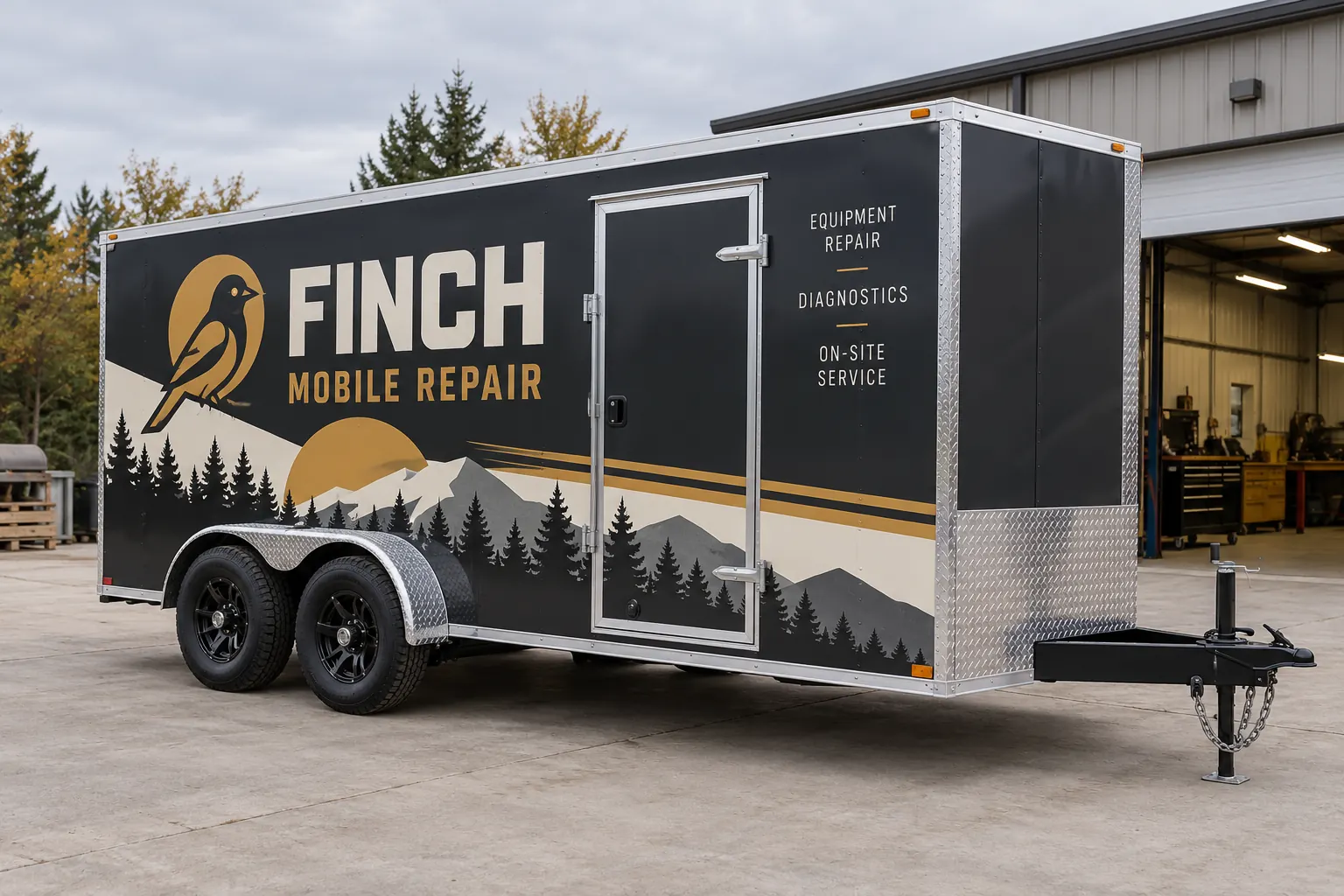
Fictional commercial wrap design concept; not a completed customer installation.
Define what the mobile trailer needs to communicate
Tell us how the trailer supports the business: mobile repair, field service, equipment support or another work function. Start with the business name and the service description a nearby customer should understand. Add a primary contact route, then decide which secondary information is genuinely useful. A long capability list can compete with the identity.
This page focuses on a trailer used as a mobile work base. The general trailer page covers broader trailer branding, while commercial trailer fleet graphics addresses coordinated freight and multi-trailer programs. Choose the route that matches the operating purpose rather than relying only on trailer length.
Record the body, doors and working configuration
Send the trailer length, height, body type and current photographs of both sides, front and rear. Include the side access door, rear ramp or swing doors, hinges, latches, vents and any external equipment. A plain rectangular template can hide the features that divide the real graphic area.
Explain whether the trailer is normally parked with a service door open, an awning extended or equipment outside. Provide the standard closed views and describe the work setup. Those details help evaluate the visible identity without assuming the layout can ignore functional access. Any areas that must remain clear should be marked before the coverage is approved.
Make the trailer recognizable when it stands alone
The tow vehicle may leave while the trailer remains at a job or event. Give the trailer enough identity to make sense independently. Do not rely on the truck’s phone number or a logo that only appears on the hitch-facing end. Review the sides and rear as separate views and identify the message each should carry.
If the tow vehicle also needs graphics, connect them through color, logo treatment and hierarchy rather than copying the same composition. A trailer offers different proportions from a pickup or van. The pickup graphics page helps prepare that vehicle’s details when the combined project needs both units considered.
Choose coverage around readability and the existing body
Lettering can provide a concise business identity on a clean, consistent finish. Partial graphics can create a stronger branded area while leaving some original body color visible. Fuller coverage may support a larger visual direction. Compare the options using the same essential wording and actual trailer photographs.
Ask which panels are included and how the nose, rear hardware, trim and access doors are treated. The partial-wrap guide can help define the boundary. Do not assume that every attached component or functional surface is part of a package. A useful scope explains both the included work and the exclusions.
Review equipment access and supplied business information
Identify vents, control panels, equipment labels and any information that must remain visible or usable. Have the responsible equipment owner review those areas before production. A branding design should work around the agreed functional requirements rather than introduce improvised technical labels or cover access because it looks cleaner in the proof.
Supply accurate business wording and any required identifiers from your own records. Confirm the requirements relevant to your operation through the appropriate authority where needed. Choose one person to verify spelling, phone numbers and domains. Keep a dated proof reference and consolidate revisions so production has a clear approved version.
Plan condition review, delivery and working availability
Photograph old vinyl, residue, dents, corrosion, repairs and peeling finishes. Graphics should not be used as a repair for a surface problem. Identify removal and preparation in the scope where relevant. A trailer that appears similar to another in the fleet may still have different condition concerns or replacement panels.
Explain when the mobile work unit can be released and who is responsible for transport and access. Disclose equipment restrictions before scheduling. Do not remove components based on a guessed installation plan. Coordinate around the confirmed arrangement for the actual scope, including how the business will cover work while the trailer is unavailable.
Prepare the project brief and future graphics record
Send trailer specifications, quantity, current photos, brand files and the essential message. Include coverage preferences, old graphics, condition issues and timing. If the business operates several mobile units, list the different bodies and equipment arrangements separately. A shared identity can be adapted while preserving a correct reference for each configuration.
Review the cost guide, then request a mobile-service trailer quote. Keep the approved proof and vehicle details for future repairs or additions. The page image uses a fictional mobile-repair company to demonstrate a visual direction; it is not a completed customer job or a claim about that business’s capabilities.
Frequently Asked Questions
Turn Your Vehicle Details Into a Clear Project Brief
Send current photographs, vehicle quantities, logo files, coverage preferences and timing. Identify old graphics and paint concerns so the project review can address the actual equipment.
Explore planning resources or request your commercial wrap quote.
