
Fleet Vehicle Release Form for Graphics Work
A fleet vehicle release form for graphics work connects the planned unit, approved project scope and actual delivery arrangement. Use it to organize the buyer’s decision to make equipment available, identify open prerequisites and prevent the wrong vehicle arriving with incomplete information. It is a coordination record. It does not book an appointment, establish driver authority or replace your company’s normal vehicle, purchasing and site procedures.
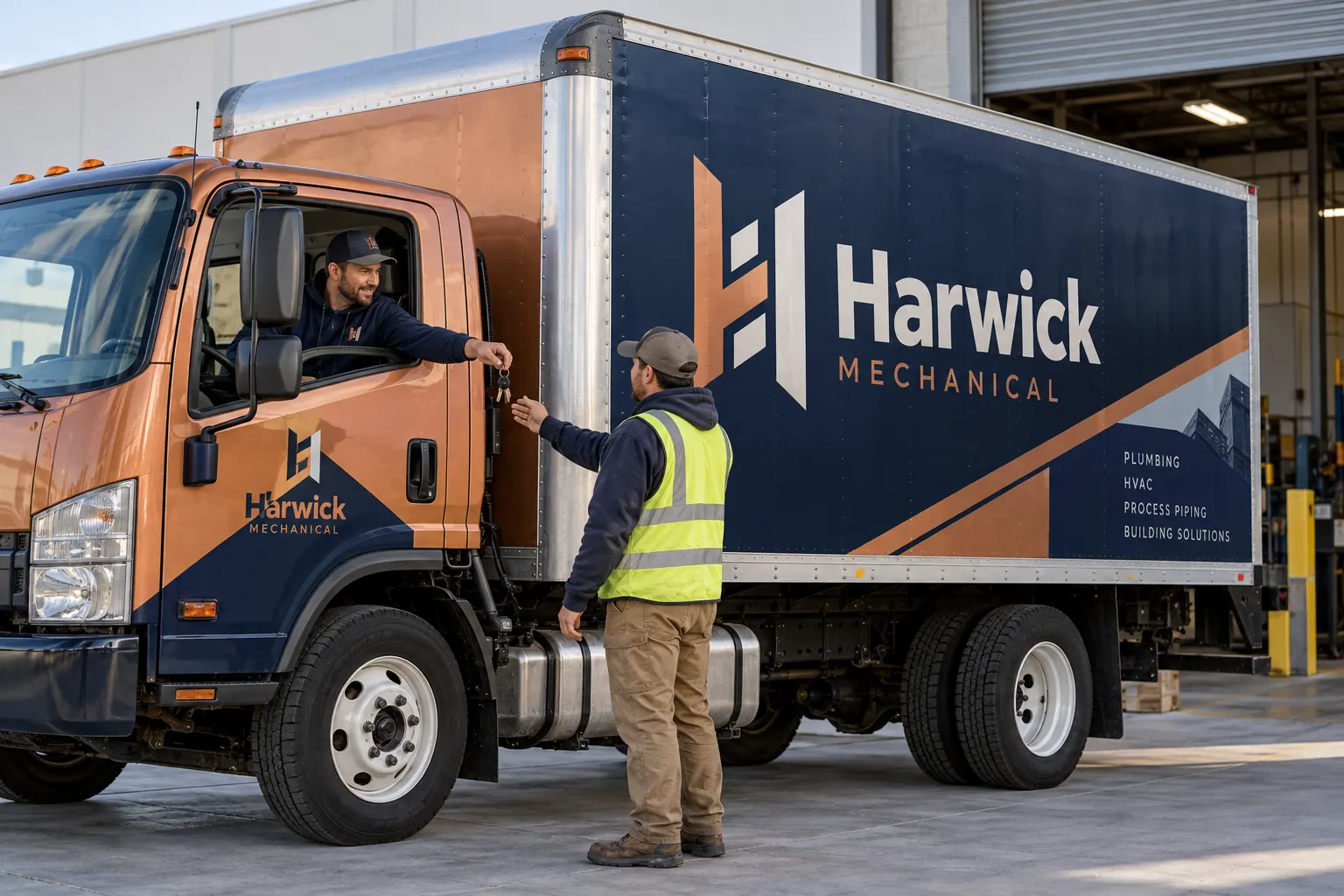
Original fictional commercial planning concept; not a completed customer installation.
Identify the exact unit being released
Record the internal unit reference, body description and the project or work order reference. Confirm that the current photographs and approved artwork apply to this vehicle. A dispatch message saying “send a white van” is not enough when several vans have different doors, roof heights or graphics versions.
Identify the person who can authorize the vehicle’s release from service. If a driver is collecting or delivering it for another department, write the role clearly. Keep the unit reference consistent across the installation plan, key handoff and completion record so the project can be reconciled afterward.
Confirm the actual arrangement with the supplier
Record the agreed delivery location, contact, date and practical arrival arrangement. Use confirmed information rather than a preferred window written only in your internal plan. Pelican Wraps is based in Harvey, Louisiana; work elsewhere requires the actual project arrangement to be discussed rather than inferred from a regional service page.
Ask what the supplier needs before the vehicle arrives, including any project-specific preparation or information. If the location, access or timing changes, update the supplier and dispatch contact. An internal release form should not create an appointment or field-work commitment that the supplier has not actually confirmed.
Check the prerequisites that apply to this job
Connect the release to the agreed scope, applicable approved proof and any outstanding purchasing or project decisions. Record whether removal or surface-condition questions remain. A vehicle can be available for delivery while still needing an assessment; do not label it production-ready when the required review is incomplete.
Keep vehicle preparation tied to the supplier’s instructions. Ask about the actual condition and any relevant coatings, repairs or accessories. Do not use a generic checklist to invent universal preparation rules or tell drivers to apply a product that has not been reviewed for the project.
Plan dispatch and operational coverage
Identify the dispatch owner and who will cover the vehicle’s normal work while it is unavailable. Record the intended release window and the person who must be contacted if that window changes. Keep a practical contingency for the equipment returning to service later than your preferred internal plan.
For a fictional Harwick Mechanical box truck, the dispatch owner might reassign the scheduled deliveries before releasing the truck. The graphics project record names the driver and the supplier contact without promising a universal one-day turnaround. Your actual work scope and confirmed arrangement should determine the release plan.
Prepare contents and access through normal company procedures
Ask the responsible vehicle owner how tools, cargo, personal items and sensitive documents should be handled before delivery. Follow your company’s normal process and the supplier’s applicable instructions. Record any equipment that must remain with the vehicle or any access constraint the project contact needs to know.
Do not put passwords, security codes or unnecessary personal information in a public worksheet or broadly shared file. Arrange any required access through the approved project channel. The release record can identify the responsible contact and the handoff method without storing sensitive credentials in the downloaded text.
Record keys and driver handoff separately from artwork decisions
Identify who will deliver the keys, who is authorized to receive them and where the handoff will be recorded. Keep the actual key transfer within the agreed vehicle and site process. A typed name in this worksheet is not a verified signature or proof that a physical handoff occurred.
Make clear whether the driver can discuss scope changes or only deliver and collect the vehicle. If the supplier raises a condition or artwork question, the driver should know which project owner to contact. That boundary prevents an informal collection conversation from creating an unclear instruction.
Use a release status that exposes unresolved items
Mark the unit ready for the agreed handoff only when the applicable prerequisites are confirmed. Otherwise use a status such as awaiting artwork decision, awaiting condition review or delivery arrangement unconfirmed. Assign an owner and next action to each open item rather than leaving the whole form blank.
When a vehicle is substituted, verify its body, condition and artwork applicability before treating it as an equivalent replacement. Tell the supplier which unit changed. A dispatch convenience should not silently change the physical equipment described in the approved project record.
Close the release loop after collection
Record the actual delivery and collection references through your company’s process. Connect the unit to its completion photographs, care information and any open handoff questions. Tell dispatch when the vehicle’s real return-to-service status is known rather than assuming the preferred collection window became the actual outcome.
For a new Pelican Wraps inquiry, provide the vehicle list, current photographs, desired coverage and release constraints. For an active project, use the agreed reference and confirm the actual handoff arrangement with the project contact. Download the working form before leaving and retain it with the project’s current records.
Draft and Download Your Working Record
Draft your entry, then download a copy before leaving. Send any project decision through the communication process agreed with your supplier.
Frequently Asked Questions
Take the Next Step with a Clear Project Brief
Continue with the resource that matches your next decision:
- Fleet Wrap Rollout Planner
- Fleet Wrap Installation Scheduling Guide
- How to Prepare a Vehicle for Wrap Installation
- Request a Quote
- Fleet Graphics Management
Send the actual vehicle or surface photographs, quantities, approved brand files, requested coverage and timing constraints. Identify open questions so the project review can address your equipment and business needs.
