
Food Truck and Enclosed Trailer Wrap Planning: Design for the Serving Position
A food-business graphic needs to identify the operator while the vehicle is working, parked or moving between locations. Plan the serving and closed configurations before approving the layout, and keep the exterior identity distinct from changing menus and operational requirements.
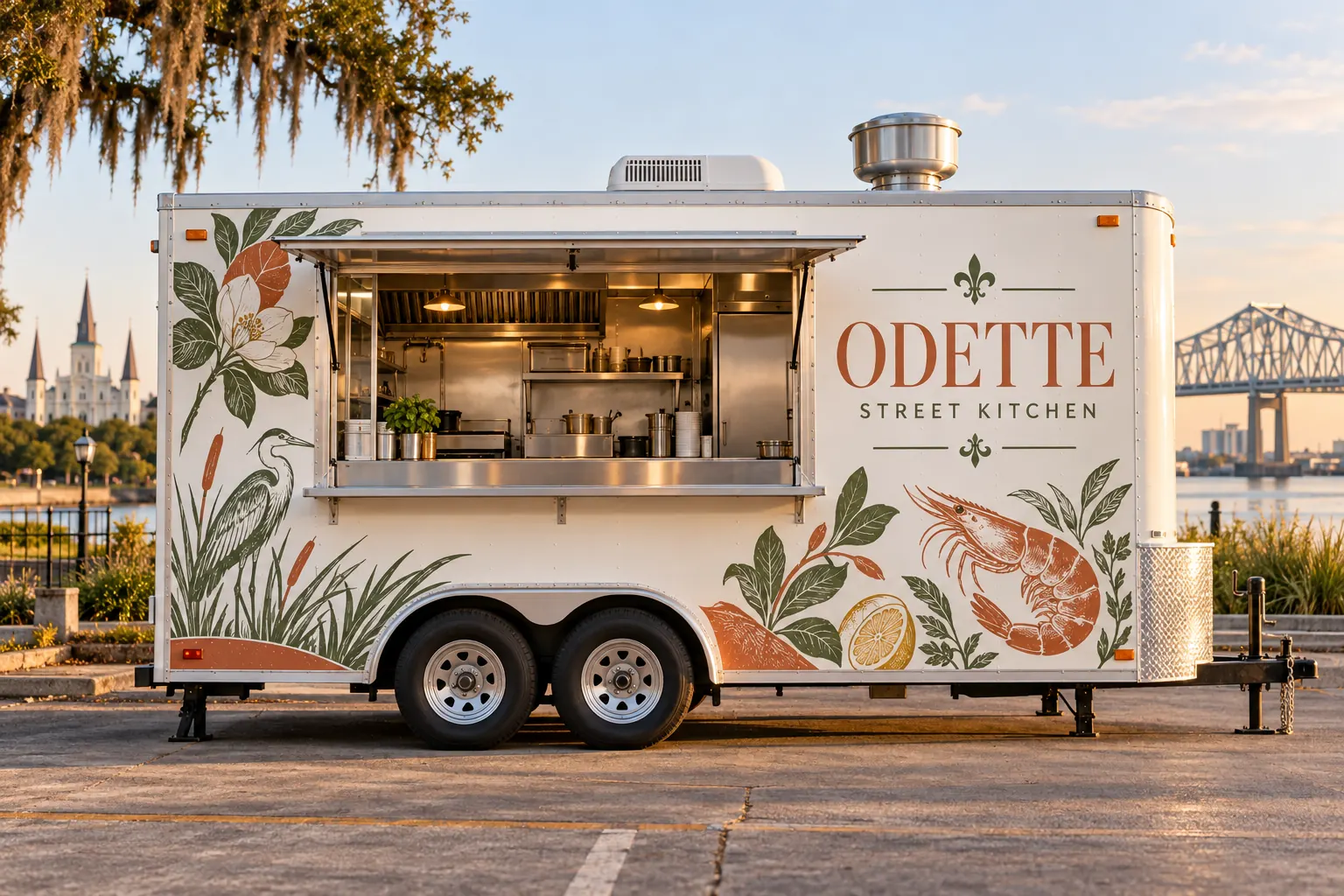
Fictional commercial design concept; not a completed customer installation.
Begin with the operator identity and actual customer approach
Choose the approved business name and short food or service context the exterior should communicate. Describe how a first-time visitor normally approaches the serving area and what they should recognize before reaching the window. A mobile kitchen has more than one viewing condition, so the brief should describe the actual working arrangement rather than only a clean side profile.
The fictional Odette Street Kitchen illustration shows a visual direction, not a real food operator, permitted site, installed product or measured business result. Supply your own approved identity and wording. Do not invent awards, health ratings, affiliations or service claims to make a concept look established. Clear business recognition can be planned without adding unsupported evidence of quality or customer experience.
Photograph the serving and closed configurations separately
Provide overall photographs with the serving window closed and the normal service arrangement documented safely through the operator process. Identify hatches, awnings, counters, doors, vents, access panels, lighting and other equipment. Show the opposite side and rear rather than assume the serving-side artwork defines the whole vehicle.
Use the survey guide to connect close details with actual dimensions and label estimates. Record which parts move and which areas remain visible when the business is operating. A name placed entirely on a raised hatch can have a different role from a fixed side identity. The proof should reflect those decisions without pretending that a generated illustration verifies the equipment geometry.
Keep permanent identity separate from a changing menu
Decide which information is stable enough to become part of the main exterior and which is expected to change. The business name and identity may remain consistent while menu items, prices, event details or ordering instructions change through the operator own process. Describe those differences before making every available panel part of a long-term printed menu.
Choose the contact or ordering destination deliberately and confirm the actual supplied route. If a code or link is proposed, review where it will be viewed and test the destination as part of the real artwork approval. The exterior can introduce the business while separate menu or ordering items carry changing detail. Neither the concept image nor this guide establishes an ordering system, price list or booking service.
Choose coverage around actual surfaces and working equipment
Describe the faces and boundaries intended for graphics and provide current finish and old-graphic information. Identify heat-related equipment, exhaust areas, access points and protected information for the responsible technical and operational review. A decorative graphic is not an equipment modification, food-safety approval or substitute for the operator requirements.
Explore food-truck graphics for the service route and commercial trailer graphics where the asset needs a broader trailer discussion. Ask the actual proposal to identify the selected system and relevant application assumptions. Do not infer suitability for every working surface from a general vehicle-film category or a convincing placement image.
Fit the identity to both the service face and the rear
Give each face a specific job. The serving side can establish the operator and help visitors recognize the window, while the rear or opposite side may identify the business when the service face is not visible. Keep critical wording in useful clear areas and account for seams, hardware and normal equipment positions.
Use rear-face planning for interrupted areas and the artwork guide for source-file handoff. Review the exact text and placement separately. A large readable name can still be on the wrong moving panel, and a well-fitted rendering can still contain an outdated destination. Retain the accepted version and actual fit responsibilities.
Build a scope that separates identity work from operating arrangements
List the asset, quantities, faces, design development, removal, preparation, production and installation requested. Identify optional menu boards, window items or event displays as separate deliverables where relevant. Record the person controlling vehicle access and proposed availability and ask the supplier to confirm actual arrangements.
Use the quotation checklist to keep included work and exclusions visible. The operator remains responsible for identifying the actual property, operating and other approvals relevant to its business. A graphics enquiry does not establish permission to trade at a site or a confirmed installation date. The accepted commercial scope should describe what the graphics project actually supplies.
Retain the identity record for changes and the next asset
Keep current source artwork, fitted layouts, approved wording, relevant product information and installed photographs. Record which menu or contact items can change independently and who approves updates. If a new truck or trailer is added, survey its actual configuration before repeating a file designed for different hatches and equipment.
To begin, send the food-business graphics brief with service-position photographs, identity files, intended faces, starting condition and timing. Explore event graphics when separate temporary items support the same identity. The next discussion can then address the real asset and scope without claiming a fictional installation, operating approval, guaranteed durability or measured increase in orders.
Frequently Asked Questions
Turn Your Vehicle Details Into a Clear Project Brief
Send current photographs, vehicle quantities, logo files, coverage preferences and timing. Identify old graphics and paint concerns so the project review can address the actual equipment.
Explore planning resources or request your commercial wrap quote.
