
Build Your RFQ Readiness Record
Your entries stay in this page and are not saved or sent. Download your record before leaving. Use the quote form separately when you are ready to share information.
Check a box when you have recorded the item or deliberately assigned its review. The count is an organizational prompt, not technical approval, a bid score or permission to begin production.
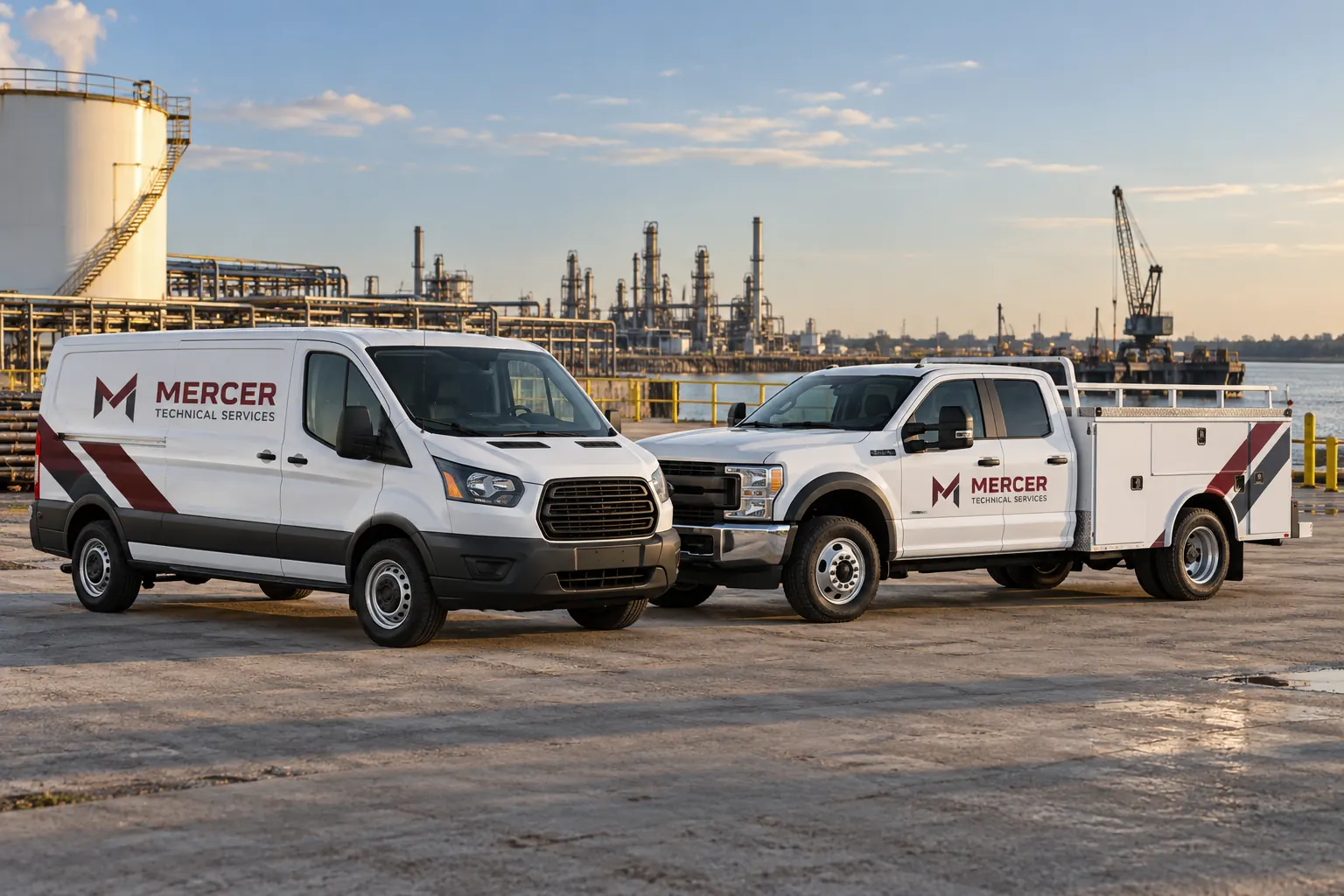
Fictional commercial wrap design concept; not a completed customer installation.
Start with a defined scope and an accountable buyer
Identify the project owner, decision contact and reason for requesting the quotation. Explain what is already decided and what needs the supplier review. A defined identity and coverage can support an RFQ, but unresolved design strategy or a major rollout approach may need a broader proposal discussion first.
Use the editable RFP template when you need that fuller response structure. This checklist serves a different purpose: it records whether the core facts and responsibilities have been supplied or deliberately assigned. Checking every box is not a technical approval or a supplier qualification. It creates a practical record of what the buyer has prepared and which questions remain open.
Check the inventory against actual configurations
Provide the unit references and quantities that the requested amount should cover. Separate cargo vans, service bodies, pickups, box trucks and trailers when they require different layouts or work. Within each group, record meaningful differences in body, wheelbase, doors and accessories rather than assume all vehicles with the same model name are interchangeable.
Attach labeled photographs and relevant dimensions, with estimates clearly identified. Use the inventory worksheet to organize the source record. The supplier can then state which units repeat and which need fit or condition review. A total fleet count without configuration detail can hide enough variation to make two otherwise reasonable quotations describe different work.
Describe the starting condition and required earlier work
Record old graphics and whether removal is part of the enquiry. Provide visible paint and body concerns, known repairs and any relevant finish information. Keep uncertain condition marked as uncertain and identify who can provide further inspection access. A quotation based on photographs should not silently become a guarantee that every concealed surface is ready.
Separate removal, repair, preparation and graphics work in the requested response. Use preparation planning to organize readiness questions. If a unit needs other vehicle work first, identify that dependency and the responsible owner. The RFQ should make those tasks visible so one supplier does not include them while another reasonably excludes them from the comparison.
Make coverage and variable information explicit
Describe the faces, intended boundaries and key message for the requested graphics. Supply current logo files and identify what design work is expected. Full coverage, partial coverage and lettering do not define an identical set of deliverables across every vehicle. Ask the response to identify assumptions rather than leave those category labels to carry the whole specification.
List unit references, branch wording and operator-approved carrier information separately from fixed identity elements. Name the person who approves the variable data and the protected equipment or required markings. Use the coverage worksheet if alternatives remain under review, and retain a separate scope record for each option you ask respondents to price.
Request a commercial response that explains its boundaries
Ask for quantities, relevant unit amounts and one-time costs, with design, removal, preparation, production and installation distinguished where applicable. Identify access equipment, transport, taxes and other items the buyer needs clarified. Ask whether each line is included, excluded, provisional or still dependent on further information.
Review the proposed material and construction alongside the amount, rather than compare only a total. Record any product or application questions that need resolution before release. When two responses differ, use the same clarification questions for the actual difference in scope. An unexplained low number is not automatically the same work, and a detailed response should not be penalized for making previously hidden tasks visible.
Confirm release, approval and acceptance responsibilities
State the proposed unit release windows and installation location arrangements and ask the supplier to confirm what is available. Identify who controls transport, access, artwork review and final production release. A requested date is a planning input until the relevant parties accept the actual scope and schedule.
Ask what records will be supplied at handover, including accepted artwork, relevant product information, care guidance and any applicable written warranty terms. Define the buyer inspection and issue-report route. These decisions help connect the purchasing conversation to installation and later maintenance, instead of leave the vehicle operator to reconstruct important responsibilities from an isolated quote attachment.
Export the readiness record and resolve open items
Check an item when you have recorded it or deliberately assigned its review, then use the notes area for the remaining questions, owners and actions. Export the CSV before leaving. Entries remain in the browser page and are not stored or sent; the readiness count is an organizational prompt rather than a pass certificate.
For the next conversation, submit the actual quotation brief with the inventory, photographs and selected coverage. Keep the exported record with the request and response so assumptions can be checked consistently. When a scope changes, update the underlying facts and accepted version rather than simply tick the same boxes on an outdated vehicle schedule.
Frequently Asked Questions
Turn Your Vehicle Details Into a Clear Project Brief
Send current photographs, vehicle quantities, logo files, coverage preferences and timing. Identify old graphics and paint concerns so the project review can address the actual equipment.
Explore planning resources or request your commercial wrap quote.
Explore Related Project Guides
- Fleet Graphics Bid Comparison Worksheet
- Fleet Graphics Delivery Damage Reporting Brief
- Fleet Graphics Invoice Line Item Checklist
- Fleet Graphics Material Submittal Review
- Fleet Graphics Multi-Year Refresh Budget Worksheet
- Fleet Graphics Retention and Closeout Record
- Fleet Graphics Sample Approval Record
- Fleet Graphics Scope Exclusions Checklist
- Fleet Graphics Subcontractor Responsibility Map
- Fleet Graphics Vendor Question Log
