
Generator Enclosure Graphics Planning
Generator enclosure graphics planning starts with the actual equipment enclosure and the business message the owner wants assessed. A clean side in a concept picture does not establish which surfaces are suitable or which features must remain separate from a proposed graphic. This guide creates a bounded inquiry with unit evidence, current documentation contacts, requested branding areas and open assessment questions. Equipment operation and technical decisions remain with the responsible equipment sources while the graphics provider evaluates the proposed work.
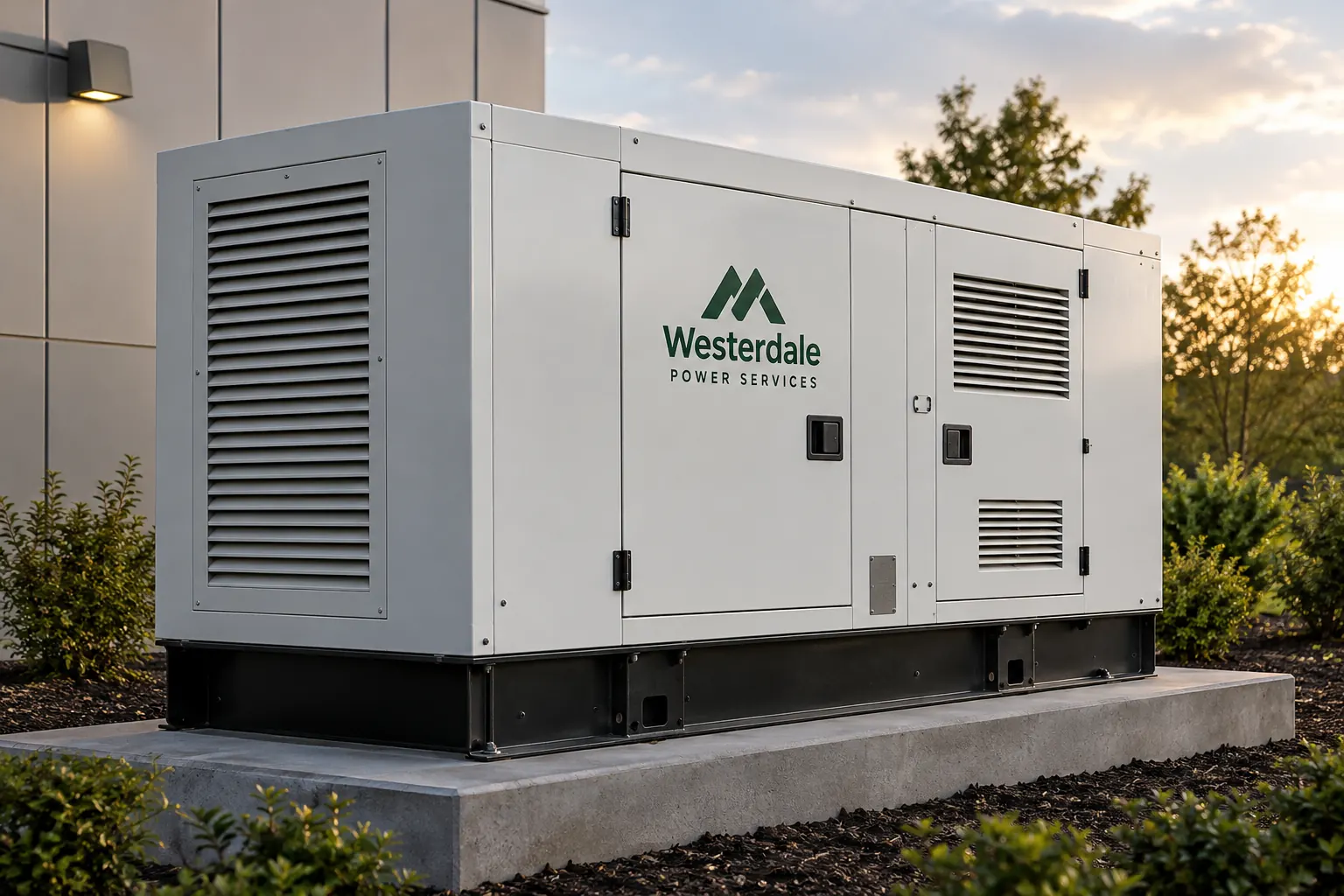
Original fictional commercial planning concept; not a completed customer installation.
Identify the enclosure actually included in the request
Record the business unit identifier, actual equipment description and owner contact. Supply current overall views obtained through the owner’s normal authorized process. If several generators are included, make a unit list and identify which evidence belongs to each enclosure. A shared model description should not conceal differences in the actual requested units.
State whether the inquiry concerns an existing enclosure graphic, new company identification or another defined scope. Keep the generator and any separate trailer or surrounding structure distinguishable in the record. A request to brand the enclosure does not automatically include every surface visible in a yard photograph. This first mapping gives the provider a clear object to assess and prevents a general fleet image from becoming the assumed project scope.
Describe the business identification task
Provide the exact current company identity and approved contact or unit copy, with its source owner. Explain who should recognize the message and the actual project context. A rental identity, a contractor’s company name and a service contact instruction have different purposes, even when they share the same logo.
An illustrative brief might request a company identity on one enclosure panel and a separate business unit number. The actual business must confirm both values and requested instances. Keep optional marketing language separate from the essential identification task. Do not add performance claims, operating instructions or manufacturer affiliation statements merely to make a large blank-looking area feel more complete. The message should remain something the business can verify and maintain.
Provide actual feature and surface evidence
Include proposed-area views with surrounding vents, doors, handles, panel seams, plates and other visible features. Connect closer photographs to the overall enclosure reference. Record available surface and existing graphic history from actual sources, marking unknowns as questions rather than inventing a finish or prior product.
Ask the responsible equipment source to identify information and functions that the proposed work needs to preserve. Retain supplied instructions and their scope. Ask the graphics provider what additional survey or assessment is needed for the actual enclosure and treatment. The photograph index should make technical questions easy to locate, without expecting the person collecting images to decide the function of unfamiliar openings, panels or original information.
Bring operating-context questions to the appropriate owners
Ask the equipment owner which actual documentation and relevant operating-context information should be supplied for the proposed graphics assessment. Identify the contact who can answer equipment questions. Keep a supplied statement connected to the unit and source that support it, rather than turning one response into a universal product-selection rule.
Do not infer material suitability, temperature limits, ventilation requirements or access arrangements from another installation picture. The inquiry should identify those as questions for the responsible sources where relevant. A graphics appearance review can proceed around a defined proposed area while the project team resolves missing technical inputs. Mark unresolved portions pending so a presentation image does not imply that the actual enclosure has already been assessed.
Define the requested instances and coordination scope
List the actual panel or area references proposed for each unit and identify the requested copy on each instance. Distinguish new application, replacement and other work explicitly. If a proposal needs alternatives, keep the same unit evidence and identification task in both requests so the buyer can understand what changed.
Record equipment availability and the business contact coordinating assessment or work. Keep desired timing separate from confirmed arrangements. Ask the provider to define the actual treatment and work included, with any dependencies or exclusions. A general instruction to make the generator match the fleet should not hide unanswered questions about old graphics, the specific enclosure surfaces or which units the company can make available.
Review the proof with the equipment evidence attached
Compare exact company and unit copy against current sources. Match the layout to the correct enclosure and requested area references. Review the supplied preservation instructions and unresolved assessment items with their owners. Consolidate appearance comments into one proof version rather than circulating independent markups without a current decision record.
If the proposed area changes, identify which evidence or source response needs review again. Keep the provider’s actual proposal connected to the selected design. An earlier comment about a different panel should not silently stand in for assessment of the revised location. The decision record should explain what was reviewed and what remains pending, with a clear distinction between visual approval and the other project inputs still required.
Send a defined generator graphics inquiry
The worksheet below organizes the unit list, business copy, proposed areas, equipment-source instructions, assessment questions and coordination owner. Retain actual photographs and documentation references through the business’s normal process. After actual work, add the project reference and current evidence rather than treating an inquiry or concept as a completed installation record.
For Pelican Wraps, provide the real enclosure views, current artwork, requested instances, known history and responsible equipment contact. Identify unresolved inputs and timing needs. Use equipment graphics for the broader service proposal, and the plate preservation guide to organize original information near proposed areas. A useful result is an inquiry that can be assessed against the actual enclosure, with the business message and technical questions clearly connected to their respective sources.
Draft and Download Your Working Record
Draft your entry, then download a copy before leaving. Send any project decision through the communication process agreed with your supplier.
Frequently Asked Questions
Take the Next Step with a Clear Project Brief
Continue with the resource that matches your next decision:
- Equipment & Machinery Graphics
- Equipment Brand Plate Preservation Guide
- Equipment Service Contact Decal Planning
- Request a Quote
Send the actual vehicle or surface photographs, quantities, approved brand files, requested coverage and timing constraints. Identify open questions so the project review can address your equipment and business needs.
