
Mobile Office Trailer Identification Graphics
Mobile office trailer identification graphics should help the intended reader recognize the correct current business or office unit. This guide prepares the actual trailer evidence, approved message, proposed areas and source owners for a defined graphics inquiry. It focuses on identification of a mobile office, rather than a general road-trailer advertising design or a facility route plan. The useful output is a unit-specific brief that remains understandable when an office trailer is relocated, reassigned or given a new business identity.
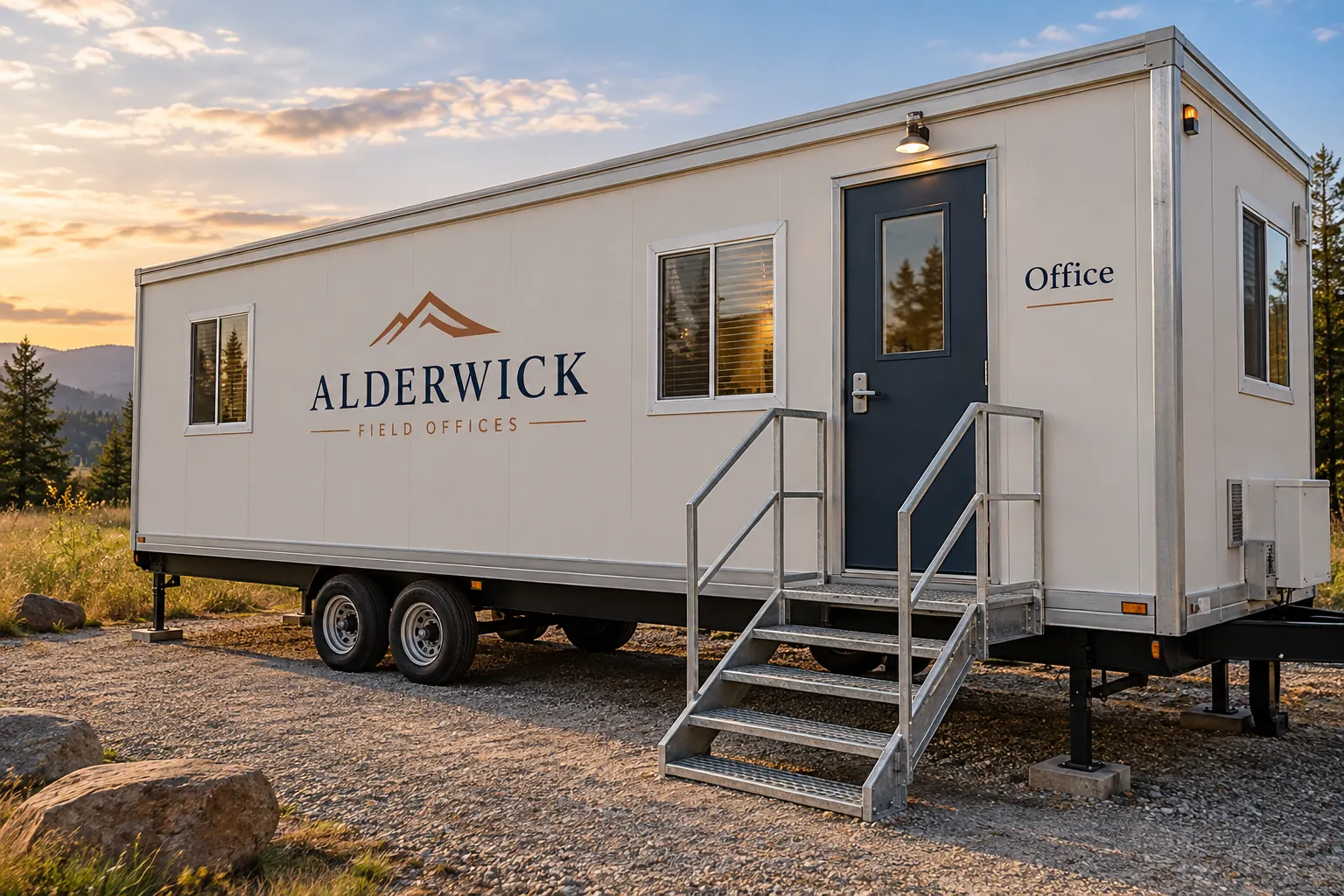
Original fictional commercial planning concept; not a completed customer installation.
Identify the office unit and its current assignment
Record the business unit identifier, actual trailer description and contact confirming its current assignment. Supply current overall photographs through the owner’s normal process. Keep historical site pictures identifiable as history, especially when the trailer has been moved or used by another team. An old view may show a valid former identity that is no longer the current instruction.
State whether the request concerns the trailer owner’s identity, the current office occupant or another approved message. Identify the responsible source for each role. A familiar logo on a nearby vehicle does not settle what should identify the office trailer. The record should let another coordinator explain which actual unit the graphics request concerns and who has supplied its current business assignment.
Define what the reader needs to recognize
Write the actual identification task in plain language. The business may want a reader to recognize a company office, a named project office or a particular unit within an approved site arrangement. Obtain exact wording from the responsible business contact. Keep a general business identity and a specific office label distinguishable in the copy source.
For example, an illustrative brief could include the current company name on one side and the word Office near an intended entrance. Those are example fields, not instructions for every trailer. The real business must confirm the message and any relevant site sources. Do not invent a visitor route, access instruction or public opening claim merely because the proposed design includes an office label.
Map the actual sides, doors and proposed areas
Connect each requested graphic instance to current overall and closer views. Show relevant windows, doors, handles, seams and existing information in context. Identify which side or entrance reference is intended through the business’s actual unit record. Keep a cropped blank panel view connected to its wider location so the provider can understand the proposed treatment area.
Ask what further survey or assessment the provider needs. Do not turn the apparent size of a concept trailer into a production measurement. Similar office units can have different configurations, and a relocated trailer may present a different physical context to its intended readers. The brief should describe actual current evidence rather than assume a previous placement remains suitable because the same company still uses the unit.
Keep owner, site and graphics decisions identifiable
Record the actual trailer owner contact and the business person supplying the identification instruction. Retain any supplied site or property instructions relevant to the requested work, including their source and status. If a decision is still pending, identify it rather than treating possession of artwork as proof that all relevant project arrangements are settled.
Keep questions about original labels, access features and other existing information with the responsible sources. This graphics worksheet organizes inputs without determining the trailer’s operating, accessibility or required-signage arrangements. Where the proposed message affects a wider arrival or visitor process, connect it to the facility team’s actual plan. The office identification design should not silently become the source of a new site instruction.
Describe the exact requested work and coordination
List requested instances by unit and area, with current copy and photographs. State whether the inquiry concerns new graphics, replacement of an existing identity or another defined task. Provide known surface and graphics history and identify unknowns. Ask the proposal to define assessment and actual work rather than assuming an appearance change includes every existing treatment issue.
Name the person coordinating the trailer’s availability and location. Keep desired timing separate from confirmed arrangements. If relocation or reassignment is planned, describe the actual dependency and owner. The provider should know whether the evidence shows the current assessed configuration or an earlier location that the business expects to change before work. Carry updates into the request through the normal project process.
Review the identification proof against current sources
Compare exact company and office wording with the approved source. Match each layout to the actual unit and area reference. Review the proposed appearance with the provider using current views and supplied instructions. Consolidate comments into one current proof version, keeping business copy decisions distinguishable from pending physical or site questions.
If the office assignment changes during review, identify the affected copy and instances. If the trailer or location changes, obtain the relevant evidence and review instead of assuming the previous appearance approval transfers automatically. Retain prior versions as history. The decision record should explain the actual office identity selected for this unit and the project information on which that selection and proposed treatment depend.
Retain a relocation-aware office identity record
Use the worksheet below for unit assignment, reader task, area mapping, owner and site sources, proof decisions and availability. Retain actual photographs and approved file references through the business’s normal process. After actual work, add current project evidence and identify the owner who should review the record when an office assignment or location changes.
For Pelican Wraps, send the real trailer views, approved identity and office copy, requested instances, supplied source instructions and coordinator. State pending location or assignment decisions. Use equipment graphics for the buying discussion and the facility visitor-route guide when the broader arrival process needs documenting. A useful outcome is a clear office identification inquiry, supported by current unit evidence and an owner for the next reassignment.
Draft and Download Your Working Record
Draft your entry, then download a copy before leaving. Send any project decision through the communication process agreed with your supplier.
Frequently Asked Questions
Take the Next Step with a Clear Project Brief
Continue with the resource that matches your next decision:
- Equipment & Machinery Graphics
- Facility Visitor Route Graphics Planning
- Equipment Owner vs Operator Branding Checklist
- Trailer Wraps
- Request a Quote
Send the actual vehicle or surface photographs, quantities, approved brand files, requested coverage and timing constraints. Identify open questions so the project review can address your equipment and business needs.
