
Delivery Fleet Rollout: A Planning Example for Mixed Vehicles and Dispatch
This fictional delivery scenario coordinates a step van and cargo van within one identity program. It follows configuration decisions, dispatch-owned release windows and the unit records needed to keep a rollout connected to working vehicles.
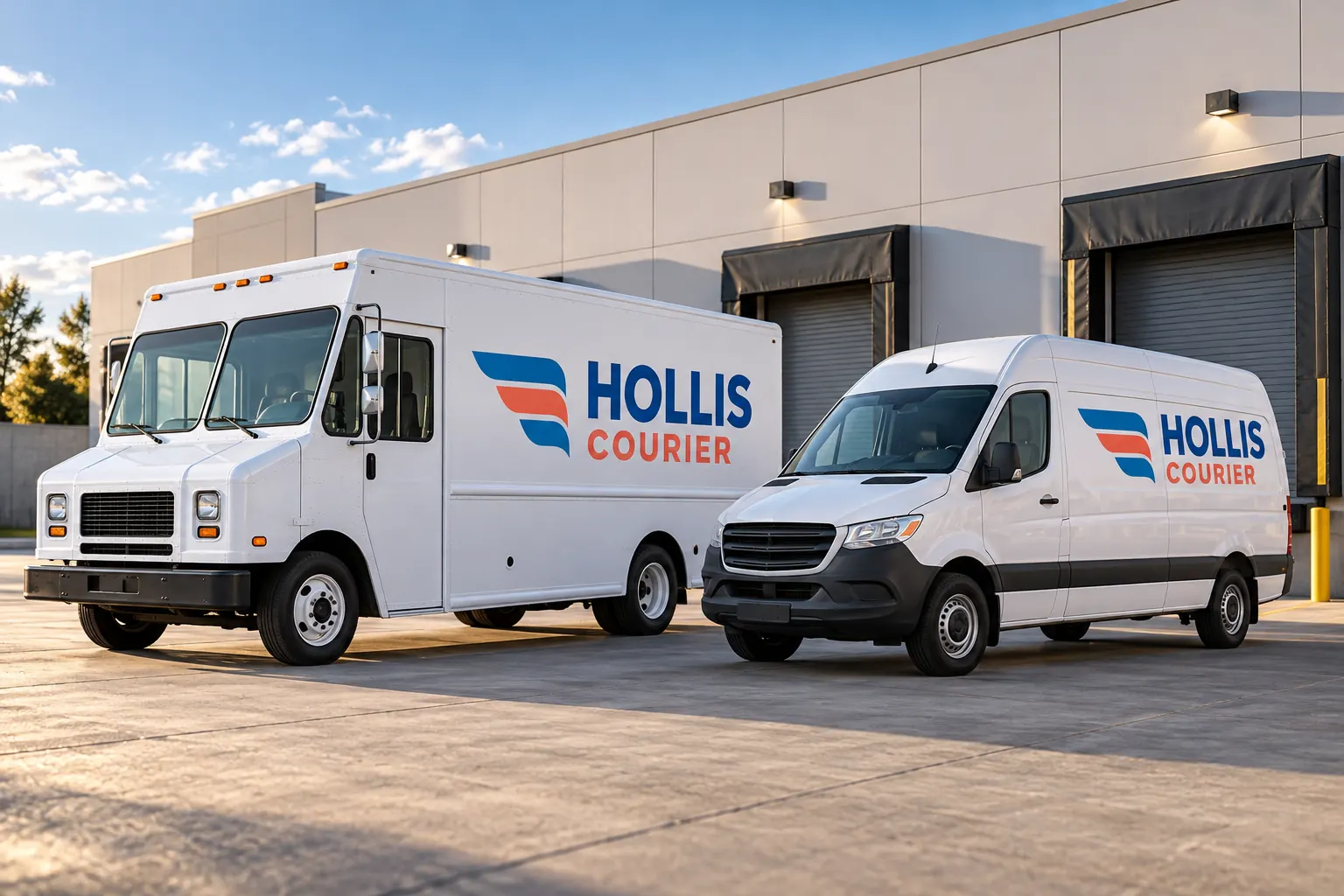
Fictional project-planning illustration; not a completed customer installation or measured project result.
Scenario: a shared identity across different delivery bodies
Consider a delivery buyer introducing a consistent identity across step vans and cargo vans. The fictional Hollis Courier illustration shows related blue and coral graphics on different bodies. The buying problem combines recognition with the practical task of releasing actual working units, rather than selecting one production file and assuming it fits the entire fleet.
Start with the operator inventory and dispatch responsibilities. Identify who knows the vehicle roles, who controls release and who approves the current business message. Do not infer service areas, contract relationships, delivery performance or customer results from the concept. The scenario is an example of scope decisions and handoffs, not a documented rollout or a promise of operational gains.
| Decision | Record to retain | Purpose |
|---|---|---|
| Dispatch constraints | Unit roles, substitutes and release owner | Plan from actual availability rather than a generic batch size. |
| Configuration grouping | Step-van and cargo-van body and door details | Match each unit to an appropriate placement sheet. |
| Readiness status | Artwork, variable data, condition and access | Keep readiness separate from being present in the yard. |
| Release dependencies | Proposed windows and unresolved decisions with owners | Update the affected rows when a dependency changes. |
| Unit handover | Accepted layout, installed photographs and care reference | Support later panel and replacement-vehicle enquiries. |
Group configurations by the faces that need different layouts
Record body type, relevant dimensions, side and rear doors, equipment and current condition. Step vans and cargo vans may offer different broad areas and interruptions. Within each type, identify actual repeat groups and exceptions rather than rely only on a general vehicle category or exterior color.
Use the inventory worksheet to connect unit references with labeled photographs and fit questions. Mark estimates and assign final measurement responsibility. The configuration map should explain why a particular sheet applies to a unit, so a dispatch substitution does not accidentally send different equipment against artwork prepared for another body.
Choose a concise delivery identity for each face
Set the lead business name, relevant service context and a deliberate contact route. Retain the approved identity proportions while fitting the side and rear to their actual usable areas. A step-van side and cargo-van door arrangement may need different spacing and supporting graphics even when the main message is shared.
Compare partial coverage and lettering against the intended scope. Keep required information and equipment clear under the operator review. Avoid adding service promises, delivery statistics or contract badges that have not been supplied and verified. A fictional fleet can illustrate a design direction without claiming a real operator performance standard.
Keep readiness separate from dispatch availability
Record old graphics, known repairs, finish concerns and any previous treatments that need review. Link those notes to the actual unit, not merely its body group. The same appearance and dispatch role do not establish the same starting surface. Identify removal and preparation tasks and their owners in the commercial scope.
Use preparation planning to organize the outstanding questions. A unit can be available in the yard while still needing a condition or artwork decision. Conversely, an approved layout does not guarantee the vehicle will return from work in the proposed window. The rollout needs both sets of facts before a release is treated as ready.
Let dispatch supply the release assumptions
Ask the responsible operator which units can be substituted, which proposed windows are realistic and who arranges movement and access. Record the unit or batch, configuration, proposed start and end and outstanding dependency in the rollout planner. Review overlapping windows against actual vehicle roles and available substitutes.
The worksheet does not reserve supplier capacity or make a dispatch commitment. Confirm the actual schedule through the project process and update affected rows when a dependency changes. If a vehicle is delayed, identify whether the substitute genuinely matches the accepted configuration and data. A clear current release record is more useful than an early fleet-wide completion date with no unit-level handoff.
Use a release checklist that identifies the exact unit
Before work, connect the unit reference to the accepted layout, approved variable data, relevant surface review and agreed access arrangements. After work, review the supplied faces and wording against that record and retain photographs. Record issues for follow-up through the agreed process rather than let the driver reconstruct the scope from memory.
Give the responsible fleet contact product references and care guidance for the actual system. Keep the original master identity available while maintaining fitted configuration sheets. The handover should support a later question about one cargo-van panel or step-van face without requiring the business to repeat the entire rollout story or guess which file was originally used.
Build the next delivery unit into the same controlled process
When a new vehicle joins, add its actual configuration and condition to the inventory. Review whether it matches a retained group or needs another placement sheet. When an asset leaves, update the record rather than assume its graphics and data should automatically transfer to a replacement. Keep current operator-approved information with each production release.
For a similar enquiry, send the delivery fleet brief with unit details, photographs, identity files, desired coverage and dispatch constraints. Explore other planning scenarios if the main issue is a different fleet type. This example explains a repeatable approach without claiming a completed Hollis rollout, installation duration, uninterrupted service or measured return.
Frequently Asked Questions
Plan a Similar Project with Your Actual Equipment
Send current photographs, vehicle quantities, logo files, coverage preferences and timing. Identify old graphics and paint concerns so the project review can address the actual equipment.
Explore planning resources or request your commercial wrap quote.
