
Fleet Graphics Reorder Specification Sheet
A fleet graphics reorder specification sheet helps identify what the buyer is asking to repeat and what must be checked again. Use it for a new matching vehicle, a replacement panel or a repeat graphics set. Connect the request to the actual unit, approved file reference, current photographs and desired scope. The sheet improves identification while leaving condition, material, color and production questions available for the relevant project review.
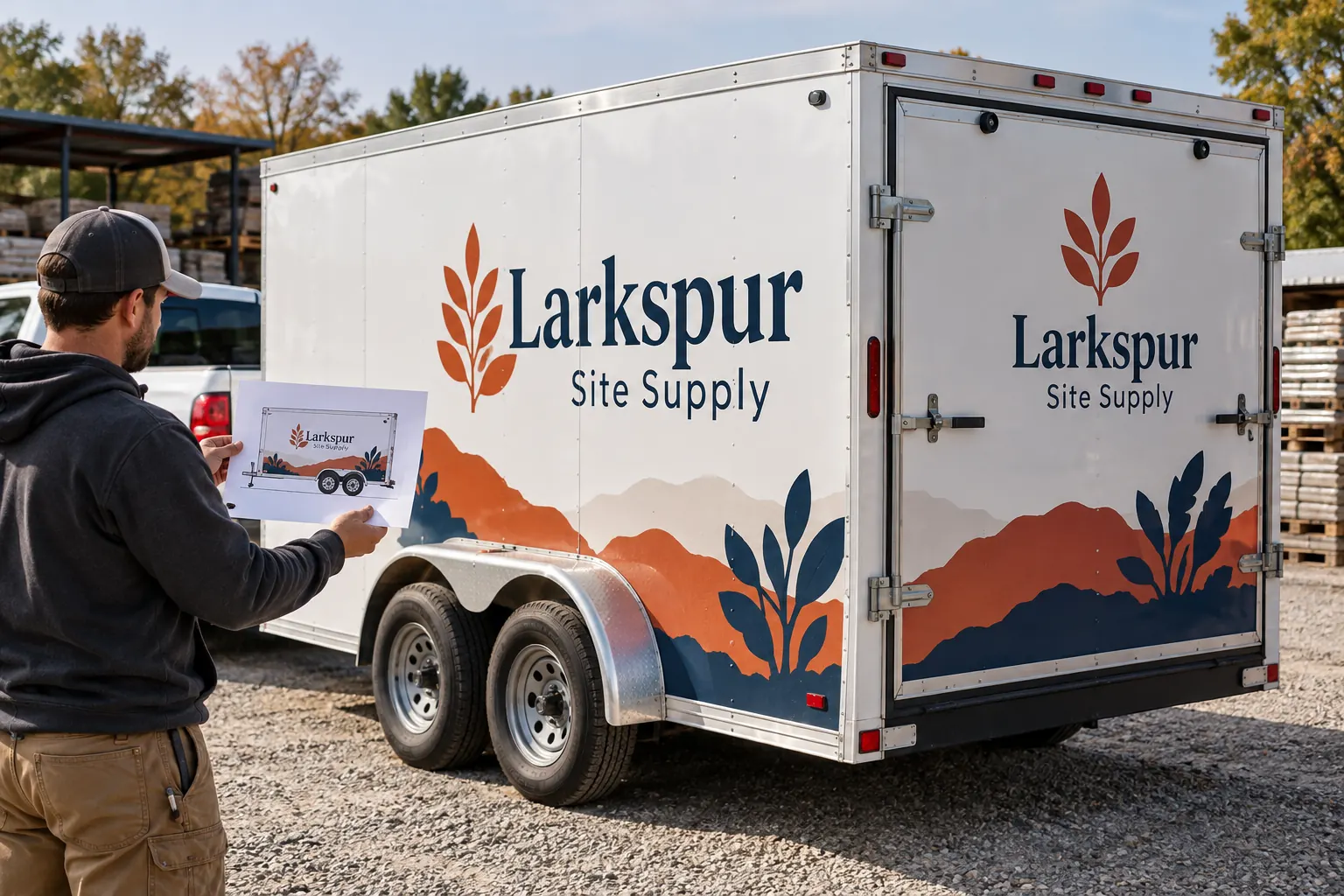
Original fictional commercial planning concept; not a completed customer installation.
Identify the type of reorder
State whether you need graphics for another vehicle, a specific replacement panel or a repeat set for a known unit. Record the original project reference if available and the exact current request. “Same as last time” can describe several different jobs when the fleet has accumulated body variations and revised contact information.
Use the stable unit reference and current body description. If the request concerns a new vehicle, identify it as new rather than reusing the previous unit row. If a damaged or repaired panel is involved, provide the actual current condition and ask what assessment is needed before a replacement scope is confirmed.
Locate the approved file without assuming it is current
Provide the proof, artwork or production reference associated with the intended design. Include the relevant revision and the original approval record where it is available. Tell the supplier if you only have a screenshot, an old photograph or an uncertain file name so the identification work can be planned honestly.
Check the business wording, telephone number, web address and branch variation against current approved information. An old file can be correctly identified and still contain details the business no longer wants to print. Record any requested update as part of the new brief rather than silently describing it as an exact repeat.
Verify the physical equipment and requested surfaces
Supply current photographs of the actual vehicle or trailer, including the relevant doors, hardware and panel boundaries. Identify repairs, replacement body parts or added accessories since the original work. Ask whether updated measurements or a survey are needed for the requested adaptation.
For a fictional Larkspur Site Supply trailer, a reorder could concern one side panel while retaining the existing rear layout. The sheet identifies that exact surface and the trailer unit. The illustration shows a planning concept only; it does not establish a real installed color match or the correct replacement method for an actual aged graphic.
Separate a visual match request from a guaranteed match
Describe the result you want and provide the original material or color references if known. Ask the supplier how the current installed graphics and the proposed replacement should be reviewed. Exposure, condition and changed products can create questions that an archived proof alone cannot answer.
Keep screen references and actual physical review arrangements clear. Do not promise an exact match to aged graphics merely because the filename is the same. Record the supplier’s proposed assessment, sample discussion or other project-specific response and the buyer decision that follows.
State quantities and production scope precisely
List the units, panels and quantities requested. Identify whether artwork adaptation, removal, preparation, printing and installation are being requested or require separate clarification. A repeat print file and a complete installed replacement are different scopes, so make the desired service clear.
Include the current location and release constraints for the equipment. Ask for the actual project arrangement and timing review rather than assuming a reorder is automatically available on the same schedule as the original work. Retain the supplier response and any confirmed conditions in the reorder record.
Use the new approval to update the archive
When the reorder is reviewed, record the new applicable artwork reference, decision owner and unit list. Keep the previous installed version identifiable where it remains on other equipment. A revised phone number or body adaptation should not overwrite the history of units that still use the older layout.
Connect the completion record and photographs to the current unit after the work is done. If the reorder is postponed or declined, retain its status so another employee does not treat an old draft request as approved work. A controlled repeat process helps the next addition start with an accurate reference.
Prepare a useful supplier request
The working record below collects the original reference, current equipment, requested surfaces, known changes and open match questions. Complete the actual details and download the text. Keep supporting photographs and approved files in the project package rather than pasting unexplained images into an isolated message.
For Pelican Wraps, send the available project or artwork references, current vehicle photographs, desired coverage, quantities and timing constraints. Identify whether the request is an exact repeat, an adaptation or a replacement review. That makes the next commercial conversation specific and helps the supplier define the work that is actually needed.
Draft and Download Your Working Record
Draft your entry, then download a copy before leaving. Send any project decision through the communication process agreed with your supplier.
Frequently Asked Questions
Take the Next Step with a Clear Project Brief
Continue with the resource that matches your next decision:
- Fleet Damage & Panel Replacement
- Adding New Vehicle Models to a Branded Fleet
- Fleet Color Consistency Guide
- Request a Quote
- Fleet Graphics Management
Send the actual vehicle or surface photographs, quantities, approved brand files, requested coverage and timing constraints. Identify open questions so the project review can address your equipment and business needs.
