
Fleet Graphics Supplier File Access Checklist
A file handoff can fail even when the correct artwork exists: the intended recipient cannot open the package, a link points to a retired folder or nobody knows which assets were actually supplied. This checklist verifies access for a named supplier and a defined graphics task. Use the brand file handoff checklist to decide what belongs in the package, then use this record to confirm who received it, what they could retrieve and which access actions remain open.
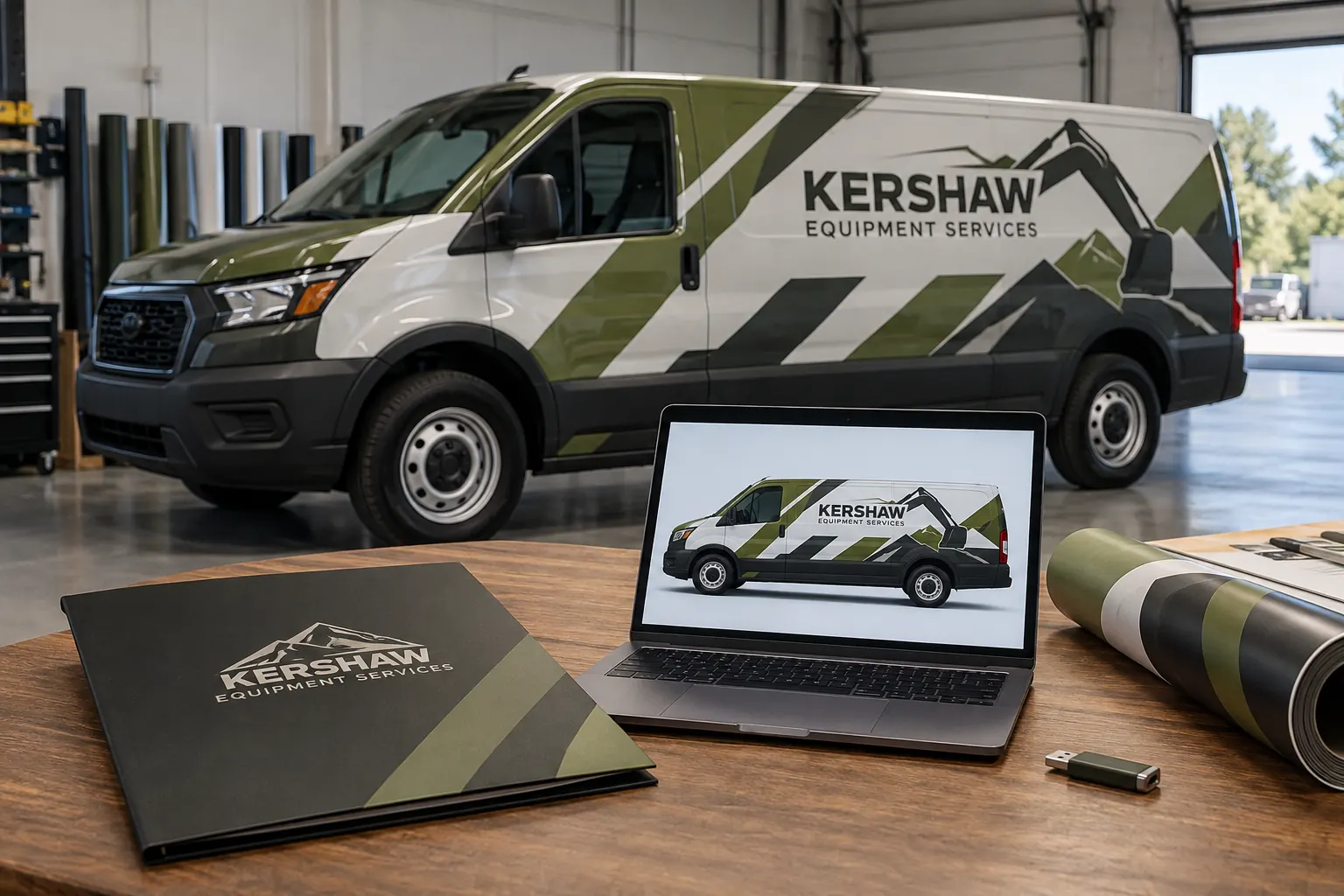
Original fictional commercial planning concept; not a completed customer installation.
Define the recipient and the actual task
Identify the supplier contact through the business’s normal project channel and state the requested task, such as reviewing current logo sources for a particular fleet inquiry. Record the project reference and business owner coordinating the handoff. Avoid an undefined instruction to give the supplier access to everything when only a current asset package is relevant.
Confirm the intended recipient before changing sharing arrangements. A person copied on an earlier quote may not be the current file recipient. Use the actual project contact and authorized business process. The record should make the purpose understandable to a later coordinator without including passwords, private account credentials or unrelated business files that the graphics task does not require.
Choose the controlled package from the manifest
Use the current brand file handoff manifest to identify the assets and references needed for this task. Record the package version and source owner. Keep the distinction between editable assets, viewing proofs and historical references visible. Access to a proof folder should not be described as delivery of a complete production package when the manifest says otherwise.
Check for unresolved source or usage questions with the responsible business owner. This access checklist does not settle ownership or licensing. It verifies delivery of the package that the business has actually chosen to supply. Keep source decisions with their appropriate records so a successful download does not become mistaken evidence that every asset question has been resolved.
Record the intended access route and scope
Identify the approved delivery route and what the recipient should be able to retrieve or do for the task. Use the business’s existing sharing and account process. Record the package reference rather than exposing private links broadly in public notes. If the supplier needs a different route, ask the coordinating contact to resolve it through that process.
Do not send account passwords as an improvised way to make a file available. The useful project question is whether the intended recipient can retrieve the intended package through the agreed route. Keep the scope specific enough that the business can later identify what was shared and why, without turning the graphics checklist into a substitute for its own access-management procedures.
Ask the recipient to verify a concrete retrieval
Request confirmation that the named contact can locate the package, identify its version and open the relevant representative files for the stated task. Record the actual result and any missing items. A message saying link sent only documents an attempted handoff; it does not establish that the recipient reached the correct source.
For the Kershaw Equipment Services concept, the folder and laptop illustrate a supplier file review. The scene is fictional and contains no actual shared assets or account information. Your record should use the real package and recipient response. If a file cannot be used as expected, ask for a specific description of the issue rather than assuming every access problem is a design-file defect.
Separate access failures from file-readiness questions
Classify the observed issue in plain language. The link may lead to the wrong package, the recipient may not have access, an expected asset may be absent or the available file may not suit the requested task. Assign each issue to the appropriate owner. A supplier cannot assess a source they cannot retrieve, while a successful retrieval does not make a viewing image editable.
Keep the correction tied to the current manifest and task. If the package changes, issue an identifiable revised reference and tell the recipient what supersedes the earlier one. Avoid a succession of unlabeled links that leaves both parties unsure which folder contains the current source. Record the response that closes the specific gap rather than marking the whole handoff complete after any new message is sent.
Define the project change and closing actions
Identify who maintains the shared package while the project is active and what happens when the task, supplier contact or current asset source changes. Use the business’s normal process for access reviews and closure. Record the responsible owner and relevant trigger; do not invent a retention or expiration rule unrelated to the actual arrangement.
Keep necessary project evidence and source references findable after the handoff closes. Closing an access task should not erase the business’s ability to identify what package was supplied for a particular proof. Likewise, a historical delivery record should not be presented as proof that a new recipient has current access. Recheck the actual person and package when a new task begins.
Complete a supplier-ready graphics inquiry
For Pelican Wraps, identify the project, actual vehicle references, intended graphics task, current asset package and coordinating contact. Use the agreed channel to supply the files and ask for confirmation of access and any file questions. State what remains pending so the provider can assess the request against available evidence.
The local worksheet records recipient and purpose, manifest, delivery scope, retrieval result, issue owners and closing actions. It complements the asset handoff and ownership records without duplicating their decisions. A useful result is a recipient who can find and explain the current package, plus a business record that shows which gaps remain. That gives artwork and quote discussions a practical starting point instead of relying on a link that nobody has actually checked.
Draft and Download Your Working Record
Draft your entry, then download a copy before leaving. Send any project decision through the communication process agreed with your supplier.
Frequently Asked Questions
Take the Next Step with a Clear Project Brief
Continue with the resource that matches your next decision:
- Fleet Brand File Handoff Checklist
- Fleet Logo File Ownership Checklist
- Artwork Guidelines
- Fleet Graphics Management
- Request a Quote
Send the actual vehicle or surface photographs, quantities, approved brand files, requested coverage and timing constraints. Identify open questions so the project review can address your equipment and business needs.
