
Fleet Graphics Unit ID Register
A fleet graphics unit ID register connects each physical asset to the right artwork, contact wording and completion record. Use it when vehicles look similar but differ in body, branch, unit marking or graphics version. The register is a controlled graphics cross-reference, not a replacement for your full fleet management system. Keep only the information needed for the graphics program and identify who maintains the current record.
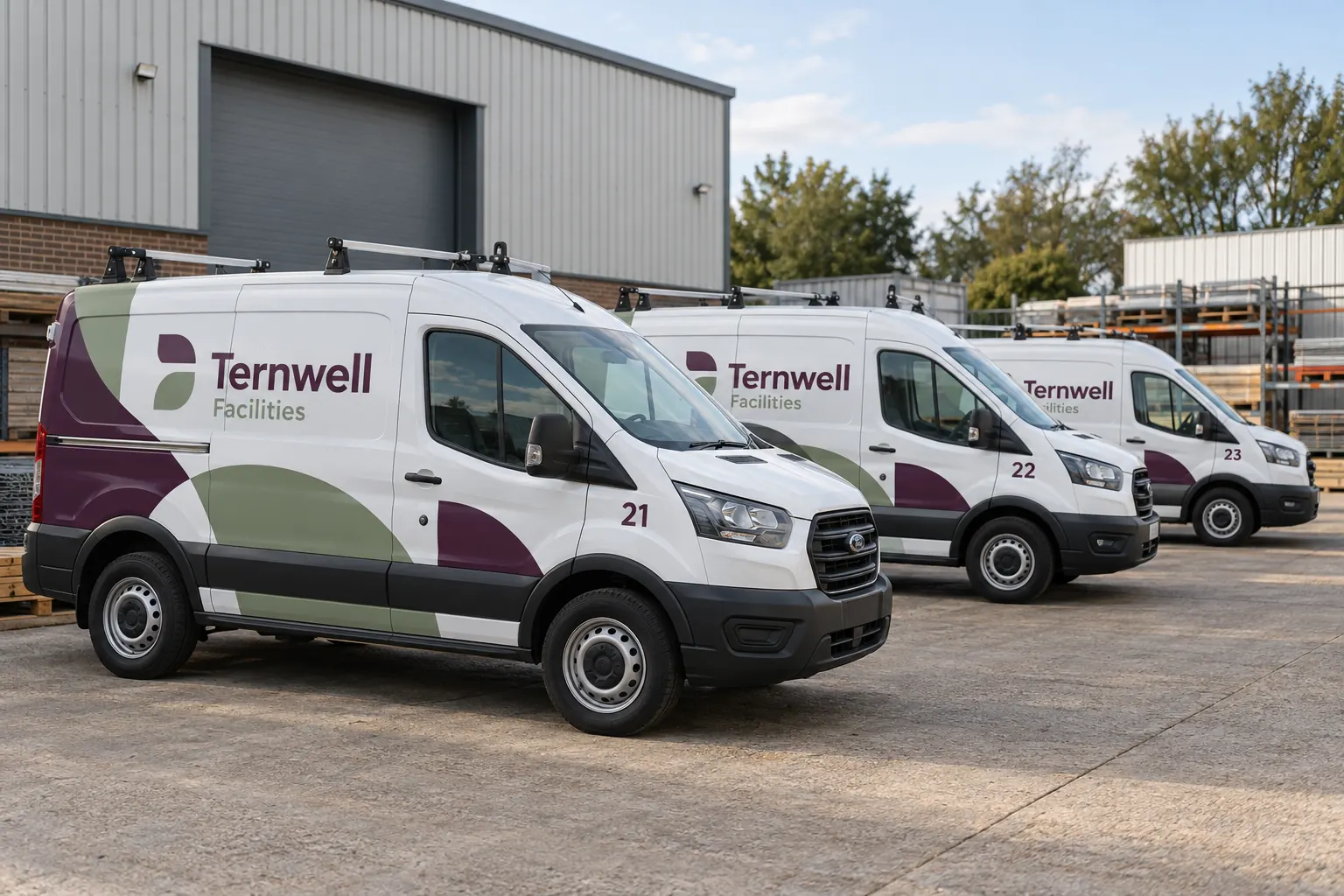
Original fictional commercial planning concept; not a completed customer installation.
Choose a stable internal unit key
Use an existing unique fleet reference when one is available. If branches reuse numbers, add a branch or asset prefix so each key remains distinct. Do not use a driver’s name as the only identifier because drivers can move between vehicles. Keep the selected key consistent in photographs, proofs, work orders and replacement requests.
Record the actual visible unit marking separately when it differs from the internal key. A register might use WEST-VAN-21 internally while the vehicle carries a simple 21. This distinction helps a supplier match the graphics record without assuming the visible number is unique across the whole company.
Describe the body that the graphics must fit
Include the body type and the project-relevant configuration: roof or body variation, door arrangement and major equipment differences where known. Link to the current survey photographs or measurement record. Do not fill uncertain dimensions by guessing from a vehicle model name or a concept rendering.
When a body or accessory changes, mark the graphics record for review. A stable unit key can remain useful even when the equipment has been repaired or modified, provided the register makes the changed physical condition visible. The key identifies the asset; it does not prove that the old artwork remains suitable.
Connect each unit to an approved artwork reference
Record the applicable proof or artwork version and the date or decision reference that released it. If the fleet uses several body-specific layouts, state which one belongs to each unit. Avoid a single generic note such as “uses standard logo” when the side and rear artwork are separate adaptations.
Keep the actual production or proof files in the approved archive and use the register as a pointer. Ask the supplier which references it needs for a reorder. A buyer’s internal filename may differ from the supplier’s production reference, so preserve the connection rather than assuming the names are interchangeable.
Track wording and branch variations explicitly
List the approved contact-information set or branch variation for each asset. Connect that set to a current approved source. If the business changes a number or service line, use the register to identify which units need review rather than relying on memory of the most recent vehicle ordered.
In a fictional Ternwell Facilities example, vans 21, 22 and 23 share a recognizable identity but retain individual unit references. The register links each to its actual layout and completion record. The illustration demonstrates a possible organization method; it does not represent real installed work or prove that visually matching vans use identical files.
Record lifecycle status without erasing history
Use statuses that support the actual program, such as survey pending, artwork review, approved for the defined work, completed record available or retired from the graphics program. Define the statuses for your team and avoid treating an artwork status as a statement about mechanical readiness or general vehicle condition.
When a vehicle leaves the fleet, mark the record retired and preserve the relevant history according to company policy. If a unit number is reassigned to a new asset, create a clear new physical-asset reference. Reusing the old graphics row without that distinction can connect a replacement truck to the previous vehicle’s dimensions and proof.
Give updates an owner and a reason
Assign one register owner and define who supplies changes from dispatch, brand management and the supplier. Record the date and reason for meaningful updates, including new hardware, a panel repair, revised contact wording or a replacement graphic. Keep the current record easy to find while retaining the decision history needed for reorders.
Use a review routine that fits the fleet’s actual rate of change. An update should be triggered by a relevant event, not only by a calendar reminder. A vehicle delivered with an altered body needs attention when the change occurs, even if the next scheduled internal review is months away.
Use the register to make a replacement request specific
When a panel needs review, provide the unit key, body view, current artwork reference and dated photographs of the actual condition. Tell the supplier whether the panel or paint has changed since the original work. Ask what additional information is required for a replacement proposal.
Do not assume that locating an old file guarantees a perfect match to aged installed graphics or establishes the correct repair method. The register improves identification; material, color, condition and replacement scope still need the relevant assessment. Record the response and any new approved version against the same unit.
Begin with a usable register rather than a complex database
The working form below lets you draft a unit entry and download it as text. For a larger fleet, use the same fields in your existing approved spreadsheet or fleet system. Keep the minimum useful information accurate before adding optional columns that nobody maintains.
For a Pelican Wraps inquiry, supply the current unit list, body photographs, available brand files, desired coverage and timing. If matching existing graphics is part of the request, include the relevant artwork or project reference and identify uncertain history. That creates a specific conversation about the actual equipment instead of an unexplained request to make another truck look the same.
Draft and Download Your Working Record
Draft your entry, then download a copy before leaving. Send any project decision through the communication process agreed with your supplier.
Frequently Asked Questions
Take the Next Step with a Clear Project Brief
Continue with the resource that matches your next decision:
- Fleet Vehicle Inventory Worksheet
- Adding New Vehicle Models to a Branded Fleet
- Fleet Graphics Management
- Fleet Damage & Panel Replacement
- Request a Quote
Send the actual vehicle or surface photographs, quantities, approved brand files, requested coverage and timing constraints. Identify open questions so the project review can address your equipment and business needs.
