
Last-Mile Delivery Fleet Graphics for Consistent Route Vehicles
A last-mile fleet can change quickly as vehicles, routes and operators are added. Create a recognizable identity that adapts to different van bodies, keeps contact and unit information accurate, and gives future additions a clear approved reference.
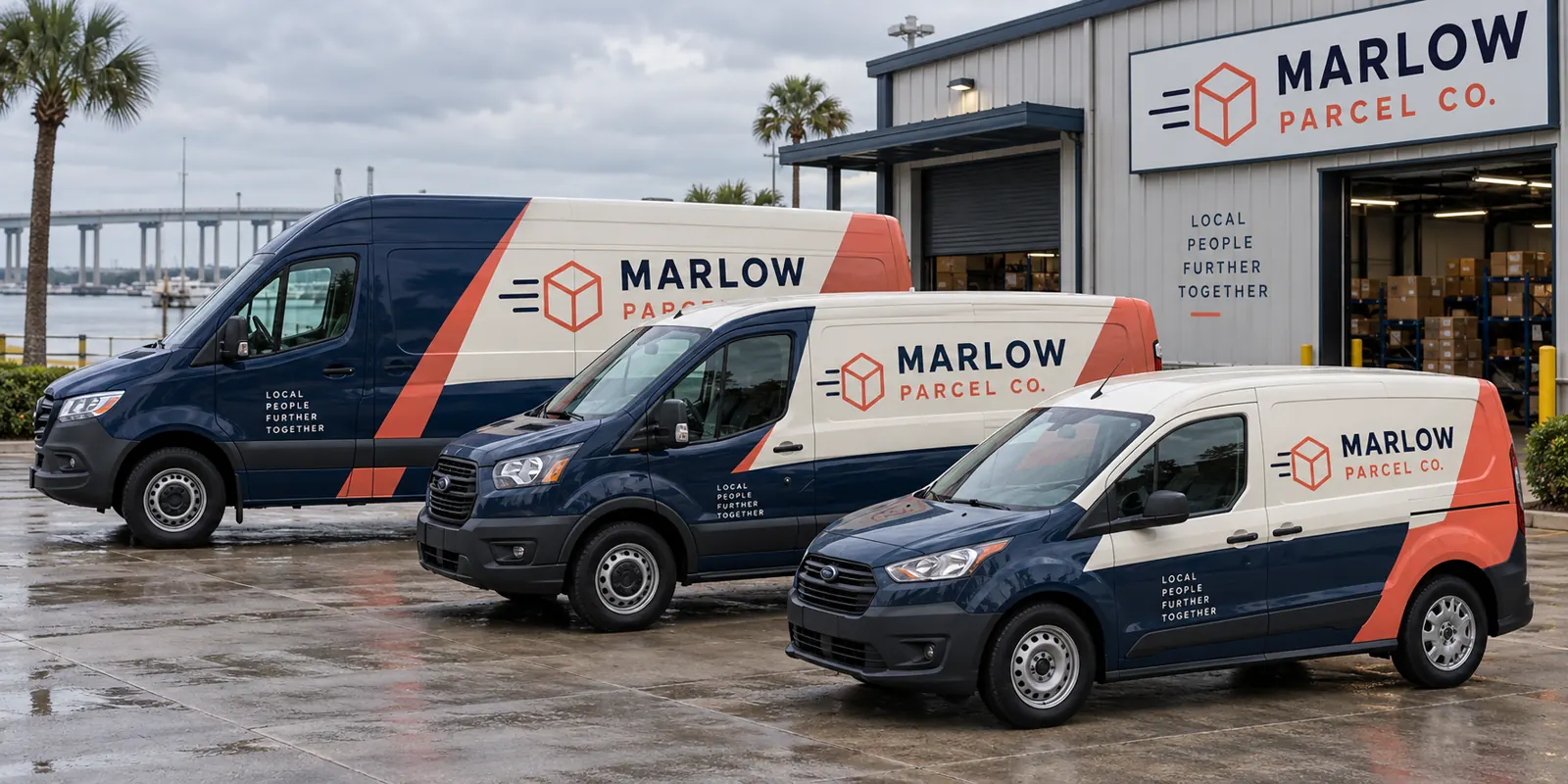
Fictional commercial wrap design concept; not a completed customer installation.
Make the operator identity clear across every route
Start with the company name and a concise description of the delivery business. A person seeing a vehicle should be able to recognize the operator without reading a dense list of capabilities. Decide which contact route matters most and how much information belongs on the vehicle rather than on the website.
Clarify whether the brief is for an independent operator, an approved partner identity or another defined arrangement. Supply the assets and permissions relevant to that role. Do not infer authorization from a familiar shipping style. The logistics and delivery overview covers the wider sector; this page focuses on repeatable branding across a changing last-mile fleet.
Build a vehicle inventory before approving a standard design
List each make, model, wheelbase, roof height and door configuration, with the quantity of each. Photograph both sides and rear of the actual vehicles. Include older units, replacements and unusual bodies rather than assuming all vans on the route use the same dimensions. Record existing graphics and whether new vehicles are already available for review.
Separate stable fleet versions from vehicles likely to change soon. A common identity can adapt, but a production file should not be treated as universal. The delivery-van page addresses the individual body decisions, while step vans provide a separate route when that equipment is part of the operation.
Define the fixed identity and the variable fleet details
Choose the brand elements that remain consistent: logo treatment, core colors, service description and contact hierarchy. Then decide where unit numbers, divisions or other variable details belong. Give each identifier a defined role so it supports fleet organization without competing with the main business identity.
Keep a verified source list for those details and assign an owner to update it. Do not rely on a driver remembering which number belongs to a replacement vehicle. Check the identifiers during proof approval and link the final reference to the actual unit. This creates a practical record for later repairs, transfers and additions.
Adapt layouts around doors and route-use realities
Sliding doors, rear splits, handles and windows can interrupt the design. Review the closed vehicle views and explain the normal delivery setup. Essential contact information should remain complete on a suitable panel, and the rear should be treated as its own communication surface rather than an unchecked smaller copy of the side.
A short van and a high-roof long van can look like the same operator without carrying identical placement. Preserve hierarchy while adapting the composition. The artwork guidelines help organize source files and proof feedback. Keep the approved version clearly dated so a later update does not accidentally use an earlier message.
Choose coverage around rollout and replacement needs
Lettering, partial graphics and fuller coverage offer different visual directions. Compare them using the same message and body list. Selected panels may provide a restrained identity; a larger color system may make the fleet more distinctive. Ask for the exact included surfaces and exclusions rather than treating package names as a complete scope.
Consider how the design will be recorded for later replacement work. A damaged area, contact-detail change or new body version needs its own review. Do not assume a small replacement will always match older material exactly. The fleet graphics management route connects those later changes with a maintained project record.
Coordinate a phased rollout with vehicle availability
Identify priority units and the number that can be released without disrupting routes. Clarify delivery, access and collection responsibilities. Explain any ownership or operating arrangements relevant to permissions before approval. Build the operational plan around the confirmed project schedule rather than a general statement about installation duration.
Disclose old graphics, residue, repairs and damaged finishes early. Preparation and removal should be explicit in the scope, and graphics should not be treated as a fix for a surface problem. The installation scheduling guide helps connect those details with vehicle release planning across a fleet.
Create an onboarding brief for every new route vehicle
Keep the approved identity, vehicle-version proofs and contact details in one maintained reference. When another unit joins the fleet, send its current photos and configuration, confirm the correct identifiers and identify the approval owner. A familiar model name should not bypass review of doors, roof height or aftermarket changes.
Use fleet solutions to define the wider program and request a last-mile fleet quote with your quantity breakdown. The parcel-company image on this page is a fictional concept showing a coordinated direction across different vans. It is not evidence of a customer installation, carrier partnership or measured delivery or sales performance.
Frequently Asked Questions
Turn Your Vehicle Details Into a Clear Project Brief
Send current photographs, vehicle quantities, logo files, coverage preferences and timing. Identify old graphics and paint concerns so the project review can address the actual equipment.
Explore planning resources or request your commercial wrap quote.
