
Service-Van Fleet Rollout: A Planning Example Built Around Release Windows
This fictional service-fleet scenario follows the handoff from shared identity to unit-by-unit release. It shows how a buyer can coordinate artwork, vehicle differences and dispatch constraints without treating an early target date as a confirmed installation booking.
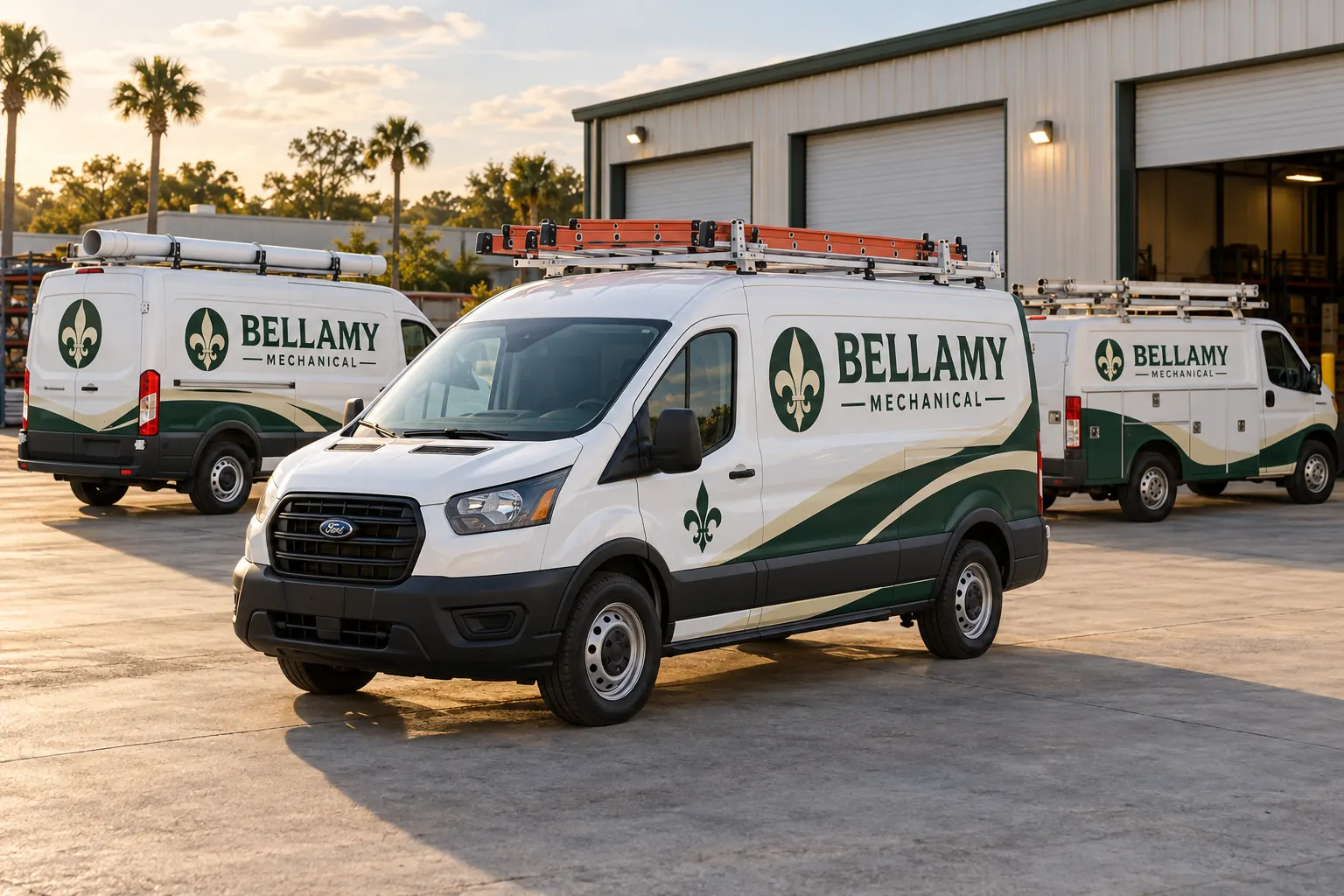
Fictional project-planning illustration; not a completed customer installation or measured project result.
Scenario: recognizable vans that still need to work
Imagine a service business updating the identity on vans that support daily appointments. The fictional Bellamy Mechanical image illustrates one coherent graphic family. The buying problem is not simply how the vans should look; it is how approved, suitably reviewed units can move through the work while the operator manages its service commitments.
Begin with the dispatch constraints and identify who can release each vehicle. Ask which units can substitute for one another and which carry equipment that makes a temporary swap harder. Record those answers as buyer operating information rather than invent a universal batch size or downtime promise. The graphics scope and proposed schedule need to respect the actual fleet arrangement.
| Decision | Record to retain | Purpose |
|---|---|---|
| Dispatch ownership | Release contact, unit role and substitute constraints | Build windows from the actual operating fleet. |
| Configuration map | Body length, roof, doors and fitted accessories | Separate genuine repeats from similar-looking vans. |
| Variable data | Current branch wording, contact destination and unit code | Keep the data approver separate from styling decisions. |
| Readiness gate | Accepted artwork, condition review and access arrangements | A free calendar window does not establish readiness. |
| Return-to-work record | Unit, layout version, photographs and care reference | Give drivers and fleet staff a useful handover. |
Separate real repeats from similar-looking vans
Record the relevant model, body length, roof height, side-door arrangement and fitted equipment. Photograph ladder racks, pipe carriers and other accessories that affect the usable faces. A recognizable identity can be shared across the fleet while the side and rear layouts need different placement sheets.
Use the inventory worksheet and survey guidance to connect each unit with its configuration. Clearly label provisional dimensions and assign final verification. This avoids the practical mistake of preparing a repeat file for a vehicle that has a different sliding-door arrangement or an accessory obscuring the intended service message.
Keep fixed identity and changing branch information separate
Choose the company name and lead service message as fixed elements. Identify branch wording, contact destinations and internal unit references as controlled variables where they genuinely differ. Have the business decide which contact action the viewer should take rather than place several competing numbers or destinations on every available panel.
Create a data schedule beside the placement sheets and name the person who approves it. A brand approver can accept the graphic style while an operations contact checks current unit or carrier information. Use the standards guide to keep these decisions together. The same green and cream palette does not establish that every branch detail in a proof is current.
Make readiness a gate before the release date
Photograph old graphics and visible finish concerns and record repairs, treatments and uncertain history. Identify any removal or other vehicle work that needs review before the proposed new graphics. Keep the readiness decision attached to the actual unit rather than assume every van in one configuration group has the same starting condition.
Use preparation planning to organize the handoff. A van with incomplete surface information can remain on the planning list while its review is assigned. It should not become ready merely because a dispatch window is available. The useful gate combines accepted artwork, resolved relevant condition questions and confirmed arrangements for the actual work.
Build proposed windows with named owners and dependencies
Create a row for each unit or sensible batch, showing the proposed start and end, release owner and open dependency. Use the release-window worksheet when building the record. Review overlaps against the operator substitute vehicles, transport and service needs.
Ask the supplier to confirm capacity and the actual schedule through the project process. An overlap notice is a prompt to review the plan, not evidence that the dates are feasible. If an artwork approval moves, update the affected windows and identify who must be told. This preserves a workable handoff instead of leave dispatch using a calendar that no longer matches production readiness.
Inspect each release against the accepted configuration
Use the actual approved sheet and unit data when reviewing a completed vehicle. Check the identity, contact wording, intended faces and the relevant clear areas. Record photographs and any issue requiring follow-up. Avoid using the first van as the only evidence that every later configuration and variable-data row is correct.
The handover should identify the unit, accepted version, supplied product information and applicable care guidance. Give the returning driver access to the issue-report route and the instructions relevant to that unit. A fleet rollout becomes easier to maintain when the operating record includes what was actually supplied, rather than only an attractive group photograph with no link to individual files.
Leave a repeat process for new vans and replacement panels
Assign an owner for the master identity, configuration sheets and unit history. When a replacement vehicle arrives, compare its body and equipment with the retained groups before ordering the nearest old file. When a panel is damaged, provide current photographs alongside the original record so the appropriate replacement scope can be reviewed.
For a similar project, send the service-van rollout brief with the unit schedule, current photographs, identity files and dispatch constraints. Explore fleet services for the ongoing program route. This scenario describes a planning method; it does not document a completed Bellamy fleet, guarantee uninterrupted service or claim a measured improvement in leads or operating costs.
Frequently Asked Questions
Plan a Similar Project with Your Actual Equipment
Send current photographs, vehicle quantities, logo files, coverage preferences and timing. Identify old graphics and paint concerns so the project review can address the actual equipment.
Explore planning resources or request your commercial wrap quote.
