
When to Remove or Replace Fleet Graphics: Use Condition and Business Triggers
Review the current graphic, message and asset plan together. Damage, outdated information, changed ownership or approaching vehicle handover can each create a replacement decision without relying on one universal age threshold.
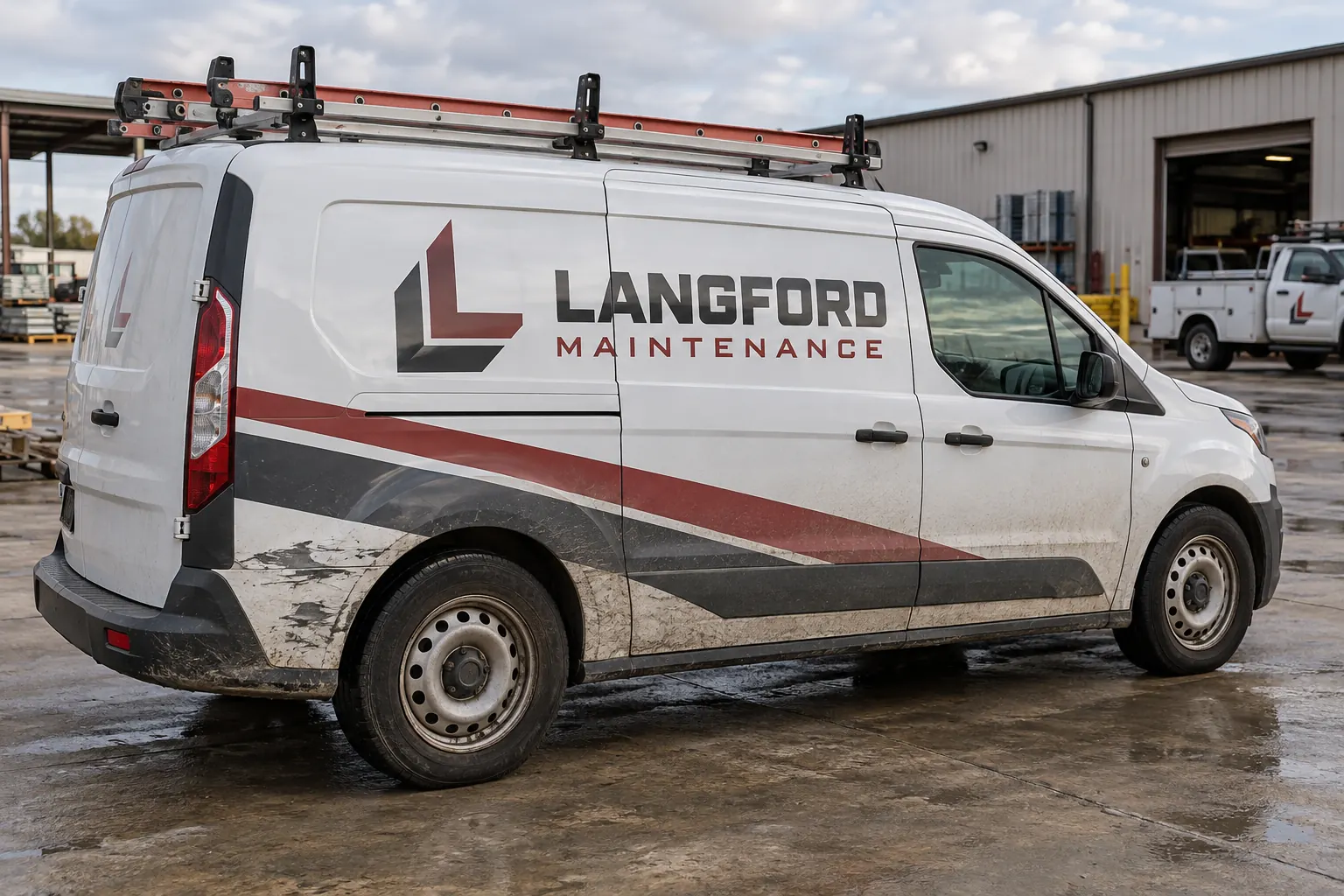
Illustrative planning concept; not a customer photograph, actual warranty record or documented company transaction.
Check whether the business message is still accurate
Verify the company identity, services, phone number, domain and any department or location wording. A graphic can remain physically present while its information no longer serves the business. That is a commercial trigger for review separate from the material age or an intended service period.
Record which units carry the outdated information and decide whether the change affects one field or the wider identity. Keep the master source updated before another repeat order is produced. The fleet standards guide helps connect the current decision to later work so an old vehicle does not silently become the reference for a new batch.
Inspect actual condition rather than wait for a fixed age
Document lifting, cracking, missing areas, scuffs and changed appearance through the fleet maintenance process. Include an overall face view and close details with the unit reference. A calendar plan is useful, but it should not replace attention to the condition while the vehicle is working.
Use service-life planning to distinguish the installed system and operating conditions from a universal replacement number. Do not retain a compromised graphic merely because a target period has not elapsed, or remove an otherwise relevant installation solely because a generic online estimate reached an anniversary. The actual concern needs review in context.
Separate graphic damage from vehicle and coating work
Identify impact, body repairs, repainting and changed equipment relevant to the affected area. New graphics do not repair the substrate or confirm that a repaired coating is ready. Keep the responsible vehicle work and graphic scope distinct, with the necessary records available before the next installation decision.
Use surface-condition review and paint-readiness planning where relevant. A damaged panel may need a clear repair-to-graphics handoff rather than a quick reorder from an old file. Update configuration photographs if hardware or body shape changed during the repair.
Compare a focused section, an affected face and a broader update
Define the possible boundaries rather than choose repair or replacement from a cropped photograph. A limited defect may interrupt a central identity element; a wider worn area may coincide with outdated contact details. Record the commercial reason and actual work included in each option.
The repair versus replacement guide helps compare removal, preparation, artwork and installation scope. Provide original product and artwork records plus current surrounding photographs. Do not assume an available file guarantees an invisible match or that a small physical area automatically makes the smallest patch the appropriate outcome.
Replacement triggers have different purposes
| Trigger | Decision to review |
|---|---|
| Wrong contact or identity | Message update and affected units |
| Graphic damage | Condition and replacement boundary |
| Vehicle repair | Substrate readiness and changed fit |
| Asset transfer or return | Owner requirements and remaining use |
Review asset transfers, leases and retirement timing
A vehicle leaving the fleet may need identity removal rather than a fresh commercial layout. A transfer between operating locations may need a data change without a full rebrand. Define the actual asset plan and the responsible owner requirements before ordering work that does not fit the remaining use.
For leased assets, use lease and return planning to organize permission and handover questions under the actual agreement. For organization-wide changes, use the rebrand checklist. Keep graphic condition, ownership decisions and return acceptance distinct so one trigger does not silently answer every other question.
Plan the next stage and the operating release
Record old-graphic removal, exposed-condition review and any preparation or repairs required before replacement. Identify who can approve an unexpected condition or changed scope. Keep the vehicle release and collection arrangements clear so the graphics decision reflects actual business availability.
Use removal planning and the release planner to organize the sequence. The planner records proposed dates without booking work. Review targets with the project team and update them when the asset or condition changes rather than assume every replacement follows the same uninterrupted path.
Keep a decision record the fleet can use later
Record the trigger, current evidence, selected scope, accepted artwork and material references. Photograph the finished arrangement and identify any older graphics that remain. Update the master identity and unit history so another team knows whether the work was a limited repair, a face replacement or a deliberate wider rebrand.
For a current concern, send a replacement review brief with the unit details, overall and close images, known history and intended asset plan. A useful decision considers the message, condition and remaining business use together. It should leave traceable reasons for the chosen work instead of a vague note that the wrap was getting old.
Frequently Asked Questions
Turn Your Vehicle Details Into a Clear Project Brief
Send current photographs, vehicle quantities, logo files, coverage preferences and timing. Identify old graphics and paint concerns so the project review can address the actual equipment.
Explore planning resources or request your commercial wrap quote.
