
Fleet Graphics Panel Replacement File Request
A fleet graphics panel replacement file request identifies which actual installed instance and source version a provider needs to locate for a defined replacement inquiry. It is useful when the buyer has several similar fleet files or only a partial record of an earlier project. The request connects the real unit and panel, current evidence, selected artwork history and authorized source custodian. It supports the replacement proposal without treating an old preview or an unreviewed crop as the current production instruction.
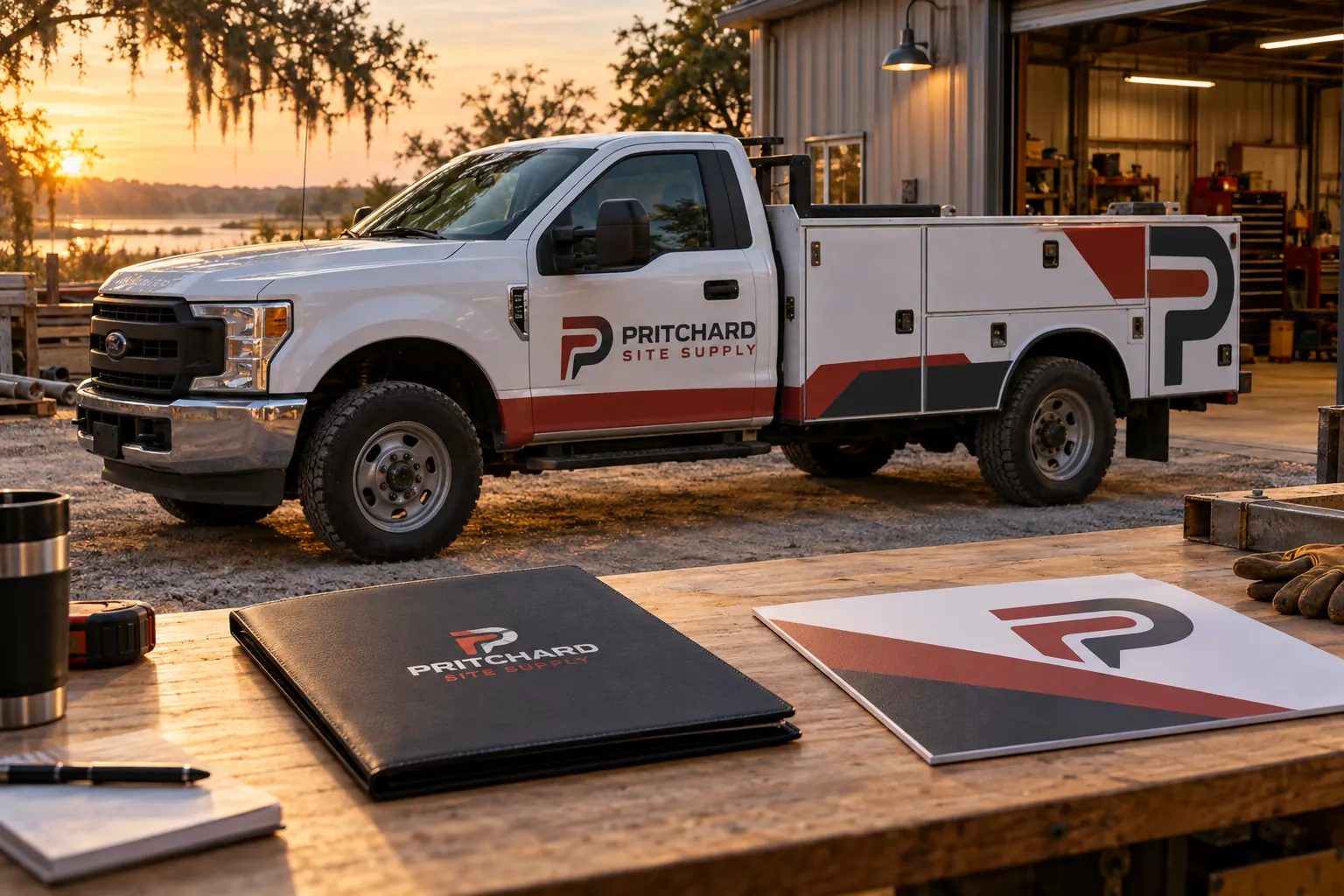
Original fictional commercial planning concept; not a completed customer installation.
Identify the actual replacement instance
Record the fleet unit and earlier project reference where available. Name the physical area or panel the business wants assessed and connect it to current overall and detail photographs. Keep the request specific enough that a source custodian can distinguish it from other sides or instances using the same company identity.
An illustrative request might identify unit F27, left service-body door instance and selected proof reference r3. Those values show the structure rather than prescribe a production file name. Use the actual sources for the real unit. A general instruction to send the truck logo may return a useful brand file while leaving the provider without the particular layout and physical reference needed for the replacement discussion.
Locate the relevant artwork and project custodian
Identify the business or supplier source responsible for the earlier artwork package. Use the actual file handoff and access records to find the appropriate contact and current source status. Keep missing ownership or access questions with their responsible business process. The replacement request should identify the authorized route for the needed project information.
Retain the actual earlier project, proof or file references available, including their version or status. Treat ambiguous filenames as questions. Several files can carry the same business name while representing different units, revisions or areas. The useful request gives the custodian enough context to find the right source without expecting it to guess the current selected layout from a folder full of similar preview images.
Compare current copy and unit evidence with the history
Have the business copy owner identify the current public wording and relevant source. Record whether the replacement inquiry asks for the earlier selected message or includes a changed contact or identity. Keep that decision explicit. An old artwork file can locate history while still needing review against the current business instruction.
Provide current configuration and area views to the graphics provider. Identify known repairs, changed components or other actual context relevant to the requested instance, with their sources. The file request supports assessment of a real replacement. It should not imply that an earlier layout automatically fits a changed panel or that the business has selected every historic value simply because it asks the supplier to locate the old project.
Ask which actual file package the provider needs
Use the provider’s current assessment or production-stage request to identify the needed file information. Retain the actual format, version or source-package instructions it supplies. Keep a public preview distinguishable from a file selected for the relevant work stage. The custodian and provider can then discuss the same defined request.
Do not create an unreviewed panel crop or invent print settings to fill a missing source. If the whole selected layout is the available reference, identify it and ask how the provider wants the actual instance assessed. The goal is a clear request for the right project package rather than a coordinator’s improvised production instruction based on what seems visible in a small screenshot.
Track requested, supplied and reviewed files separately
Record the actual request reference, source contact, file items supplied and their status. Keep a pending item visible with an action owner. A source reply can acknowledge the request while the needed package remains outstanding. Likewise, receiving a file does not establish that the provider has reviewed it for the current unit and proposed work.
When a different version is supplied, identify its source and relationship to the earlier selected project. Ask the relevant custodian or reviewer to clarify the current status. Preserve earlier references as history. The record should let another coordinator understand exactly what was requested and received without searching several attachments or assuming the most recently downloaded file is automatically the approved replacement source.
Connect the selected package to proof and proposal
Have the relevant provider and business reviewers identify the actual source package used for the replacement discussion. Link the current proof, public-copy source, unit-area mapping and proposal reference. Keep any comparison sample or other physical question identifiable through its own record. The file request is one input to a defined work assessment.
If the selected layout or unit changes, identify the affected source and obtain the relevant review. Keep the current decision and unresolved questions clear. After actual work, retain the project and current evidence references through the normal process. A useful archive should support a later inquiry while preserving what this particular replacement actually concerned and which source package was selected for its review.
Send a source-resolved panel replacement inquiry
Use the local worksheet for the actual replacement instance, current evidence, earlier artwork references, custodian, requested package and status. Keep the business’s normal file naming and access process as the source system. The Pritchard Site Supply image is a fictional file-request concept; it is not a measured panel drawing, real customer project or production specification.
For Pelican Wraps, provide the real unit and area views, earlier project or file references, current approved copy and exact requested change. Identify known history, missing package items and the coordinating contact. Use fleet damage and panel replacement for the commercial discussion and the reorder specification record for broader order inputs. A useful lead gives the provider both historical context and a current physical question, allowing the next assessment or proposal stage to be defined against the correct actual instance.
Draft and Download Your Working Record
Draft your entry, then download a copy before leaving. Send any project decision through the communication process agreed with your supplier.
Frequently Asked Questions
Take the Next Step with a Clear Project Brief
Continue with the resource that matches your next decision:
- Wrap Care & Maintenance
- Fleet Damage & Panel Replacement
- Fleet Graphics Reorder Specification Sheet
- Fleet Brand File Handoff Checklist
- Request a Quote
Send the actual vehicle or surface photographs, quantities, approved brand files, requested coverage and timing constraints. Identify open questions so the project review can address your equipment and business needs.
