
State and Local Government Graphics: Prepare the Request Around the Actual Assets
Give an authorized state or local buyer a clear description of the graphics, asset differences and response requirements. Keep department identity, operational review and the actual purchasing process connected without assuming every public body uses one identical vendor or approval route.
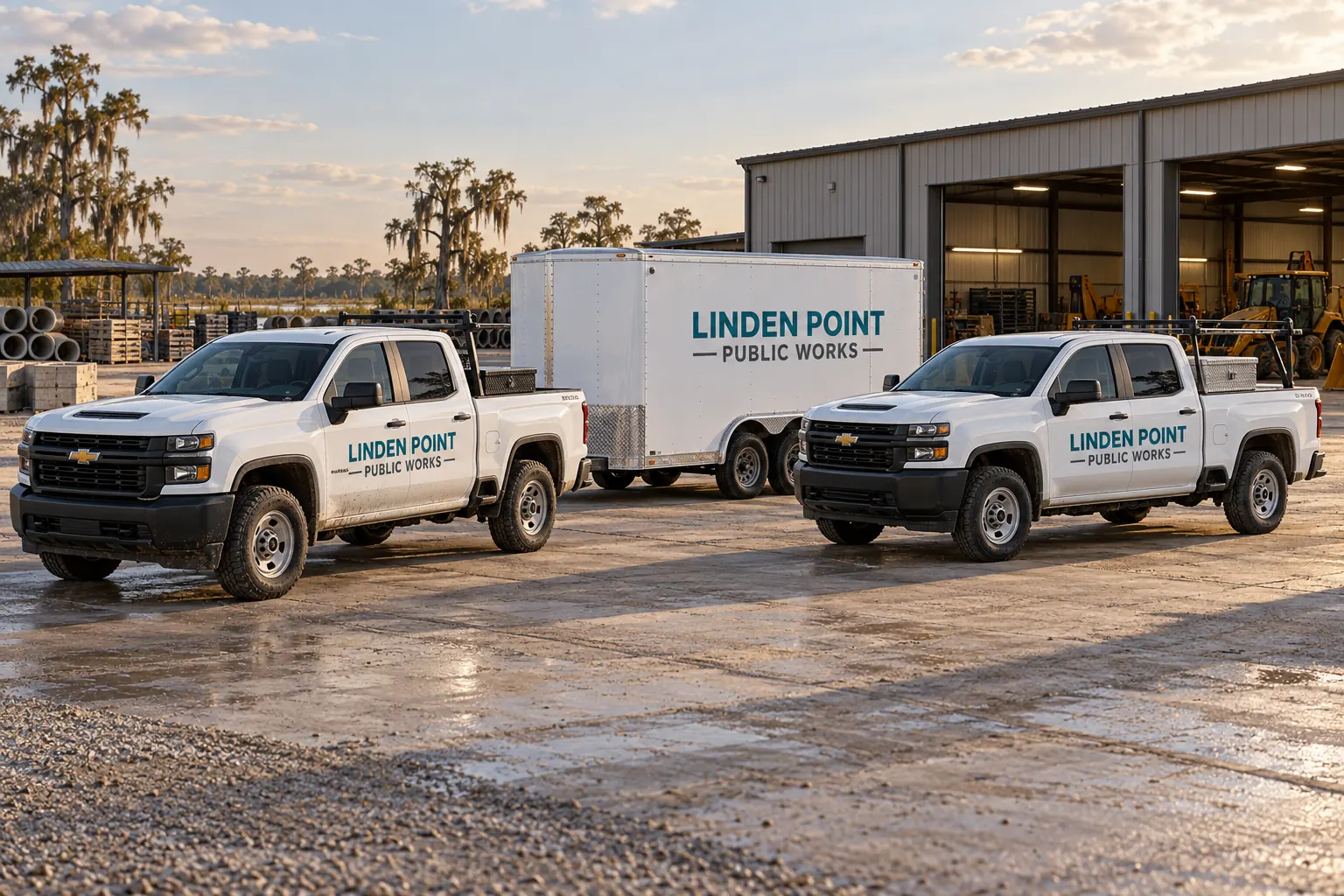
Illustrative planning concept; not an actual agency customer, completed installation, official document or contract award.
Identify the buyer process before choosing a response format
Provide the actual requesting agency or public body, reference and stage of the discussion. Identify its response instructions and the contact authorized to answer scope questions. A city department, parish, school organization or state office may have a different actual request and approval arrangement; the supplier should not infer one universal process from the fact that the assets are publicly operated.
Use government RFQ preparation to organize the information behind the request. Follow the actual buyer documents for the formal response. This page supports a graphics enquiry; it does not establish purchasing authority, issue a solicitation or determine that any particular vendor registration or contract arrangement is sufficient for the buyer.
| Review item | Actual record to retain |
|---|---|
| Buyer process | Actual public body, request format and clarification route |
| Asset schedule | Genuine repeats, configuration exceptions and current photographs |
| Commercial boundaries | Included work, exclusions and provisional condition questions |
| Release record | Operational owner, proposed window and accepted access arrangements |
Use official Louisiana sources for Louisiana notice questions
The LaPAC public menu provides Louisiana solicitation searches by categories, departments and other criteria. The Office of State Procurement registration page links the official vendor-registration resources. Use those sources and the actual notice rather than treat a supplier website as a live state bid record.
For another state or a local body, identify its actual official portal and instructions. Keep search and enrollment questions separate from the graphics scope and current vendor verification. This page does not claim Pelican Wraps is enrolled, awarded work or qualified for every public-body purchase. The real request and relevant current records must establish what applies.
Build the unit and item schedule from actual equipment
List vehicles, trailers, equipment or property items receiving graphics and describe the intended identity or information purpose. Separate configurations that need different fitted layouts. Provide overall and close photographs, relevant dimensions and measurement status, with old graphics, repairs and uncertain history identified.
Use the inventory worksheet for initial organization. A shared department name does not establish identical service-body compartments, van doors or trailer rears. The schedule should identify genuine repeats and exceptions so the commercial response can describe the actual work rather than assume every asset is a clean, ready version of the first photograph.
Keep permitted identity and protected information in separate fields
Have the authorized buyer supply actual department wording, approved identity assets and changing unit information. The responsible operator should identify required markings, warnings, lights and equipment that must remain clear. Do not invent official seals, issued identifiers or affiliations for a realistic proof.
Use the fictional public-works scenario for a decision-record example and the marking-data guide for the distinction between internal codes and regulated information. The Linden Point illustration is an invented planning concept. It does not establish a real municipality, customer relationship, compliant marking arrangement or permission to use another agency identity.
Compare equivalent work and make condition questions explicit
Describe quantities, faces, coverage and the expected artwork scope. Ask the response to identify the proposed system and distinguish relevant removal, preparation, production, installation, access and transport. Label optional items, excluded work and information that still requires inspection or confirmation.
Use the readiness checklist to organize the facts. A total for lettering on one ready pickup is not automatically comparable with a response including design and removal across a mixed fleet. Preserve the clarification answers that explain the difference. The purchasing record should show the work accepted, not only a figure disconnected from the actual assets and assumptions.
Coordinate release through the actual operational authority
Identify who approves identity, changing data, fit information and asset release. Describe proposed windows, unit roles, access and movement arrangements and ask the supplier to confirm actual availability. A buyer contact may coordinate a request without controlling the dispatch or property-access decisions needed for installation.
Use the rollout planner to record the dependencies where useful. Pelican Wraps uses its Harvey business base; this page does not imply extra government-site offices or on-site capacity everywhere. Keep the accepted arrangements with the actual unit schedule and update them when condition, artwork or operating constraints change.
Leave a record that supports acceptance and later replacement
Retain the actual request, accepted response, clarifications, approved layouts and variable data. Connect completed units or items with installed photographs, relevant product references and care guidance. Record buyer acceptance and unresolved follow-up through the actual process. A later department transfer or equipment change may need a current fit and identity review.
For an enquiry, send the state or local graphics brief with the actual reference, asset information, approved identity and timing. Explore the government information hub for related procurement questions. The goal is a defined traceable scope without claiming an awarded public contract, universal eligibility, installation duration or measured service outcome.
Frequently Asked Questions
Prepare the Actual Government Graphics Request
Send current photographs, vehicle quantities, logo files, coverage preferences and timing. Identify old graphics and paint concerns so the project review can address the actual equipment.
Explore planning resources or request your commercial wrap quote.
