
Logistics & Delivery Fleet Graphics
Delivery branding has to stay consistent while equipment, drivers and routes change. Pelican Wraps helps organize the graphics side of that problem: a clear identity, equipment-specific artwork and a practical rollout record. Plan the program around the vans, box trucks, tractors and trailers your operation actually uses.
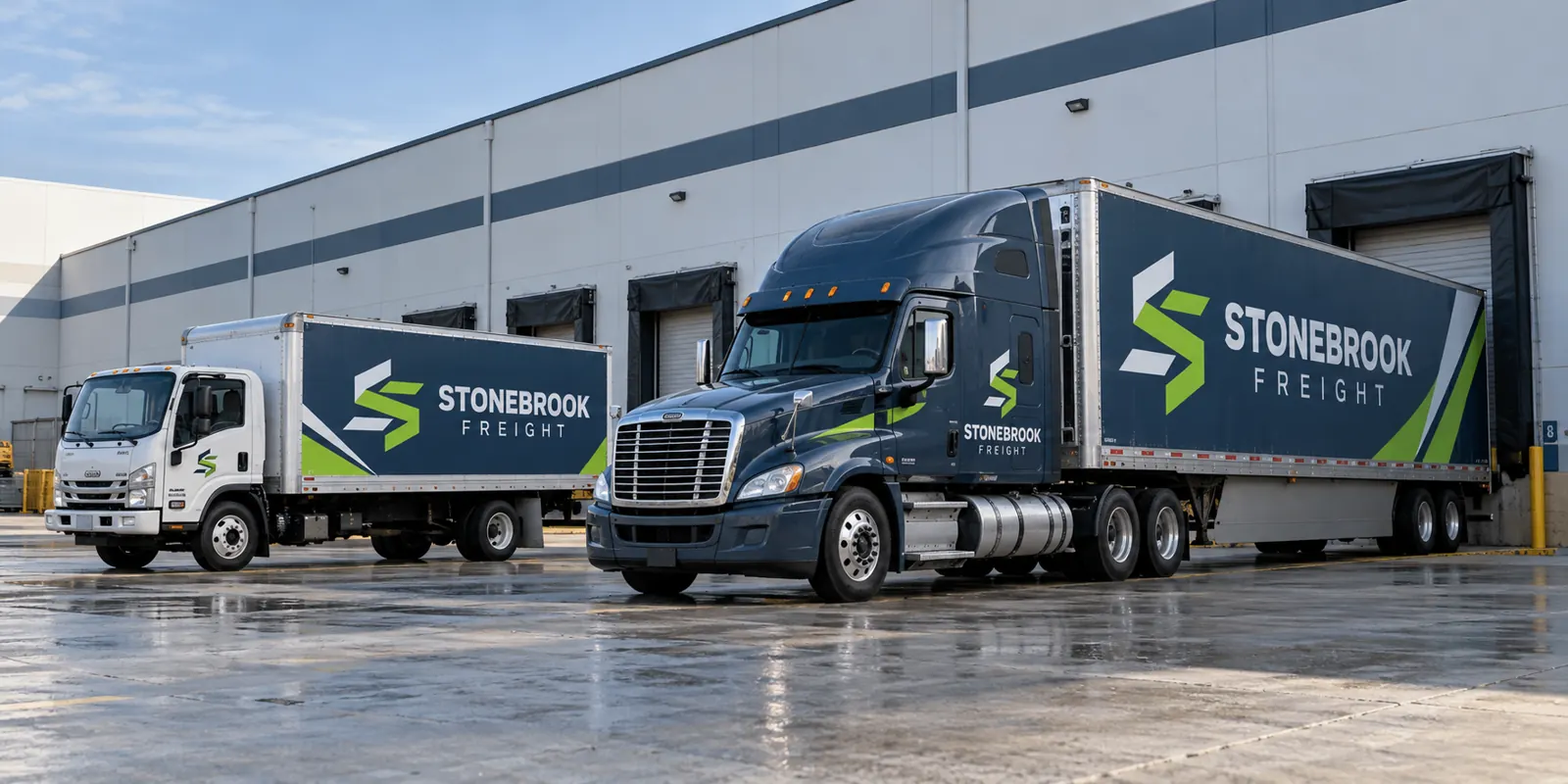
Fictional commercial wrap design concept; not a completed customer installation.
Define a brand system that works without matched equipment
Distribution equipment may operate in different combinations from one day to the next. A trailer should identify the business when it is parked without its usual tractor, and a delivery van should remain recognizable alongside a larger box truck. Establish the shared identity before deciding where each individual panel will go.
Document the name, logo treatment, color references, type hierarchy and approved service message. Assign a clear role to contact details and recruiting information. The standard should explain what remains fixed and what can change to accommodate a different body, route group or operating division.
Build a vehicle inventory that production can actually use
A total fleet count is not enough to estimate a mixed rollout. Record unit number, body type, model or body manufacturer, approximate dimensions, location, existing graphics and known condition concerns. Group units that genuinely share a body rather than assuming all vehicles sold under the same general description are interchangeable.
Add straight-on side and rear photographs, with close views of hardware and damaged areas. Mark refrigeration units, liftgates, sliding doors and replacement panels. This inventory turns an abstract fleet request into a scope that can distinguish standard repetitions from units needing new measurement or artwork adaptation.
Organize the message around delivery work
People see delivery vehicles at loading bays, customer properties and in traffic. The main identity should read clearly without requiring a long look. Give each surface a defined message priority instead of placing every contact detail, service region and recruiting statement at the same visual weight.
For a mixed program, review a representative van, truck and trailer together. Look for consistent name recognition and service wording, even when the layout differs. If branches use different contact details or trading names, establish which version belongs on each group before the designer creates the final production files.
Separate the design approval from the rollout release
Choose a primary approver and a clear method for recording corrections. Confirm spelling, business wording, unit identification and branch differences before releasing a print file. For procurement teams, identify which contact approves appearance and which confirms equipment availability and preparation responsibilities.
A pilot installation can expose body differences or operating details that a screen proof misses. Review the actual unit before releasing the next group. Keep approved changes in the master record so later vehicles receive the revised standard rather than an older file saved under a similar name.
Phase installation around available units
Provide realistic release windows and identify which equipment can be substituted while a unit is unavailable. Separate removal, repair review, production and installation in the schedule. A vehicle with failing paint or unknown old adhesive may need a different preparation decision from a clean new delivery van.
For equipment located away from Harvey, discuss transport and installation arrangements during the scope review. A service-area page is not evidence of a branch office. Confirm how the actual work will be delivered before assuming that every yard or distribution location has the same installation access.
Maintain the standard after the launch
A fleet program continues when equipment is purchased, sold, repaired or transferred. Keep a unit-level record showing artwork version, installation date, coverage and material references. Give purchasing and operations teams a simple way to identify whether a request is a repeat, a body adaptation or a brand change.
For damage, photograph the full vehicle surface as well as the affected panel. Surrounding graphics may have aged, and a replacement body panel can change the fit. A repair quote should reflect those conditions rather than assume any small damaged section can be reproduced invisibly from the original file.
Scope the program before comparing supplier totals
Ask proposals to identify covered units, body versions, artwork adaptations, removal, preparation assumptions, materials and scheduling arrangements. A single headline fleet price can hide different scopes. Identify exclusions and the process for unexpected conditions so the comparison reflects the work the operation actually needs.
Explore van wraps, box truck graphics and tractor-trailer graphics for equipment-specific planning. Use the fleet inventory worksheet to organize the first brief, then send the project details through the quote form. Pelican Wraps can review a single distribution vehicle or a defined multi-unit program.
Frequently Asked Questions
Turn Your Vehicle Details Into a Clear Project Brief
Send current photographs, vehicle quantities, logo files, coverage preferences and timing. Identify old graphics and paint concerns so the project review can address the actual equipment.
Explore planning resources or request your commercial wrap quote.
Explore Related Project Guides
- Delivery Fleet Driver Handoff Graphics Checklist
- Delivery Vehicle Language and Audience Planning Brief
- Liftgate Delivery Truck Branding Layout
- Multi-Temperature Delivery Vehicle Graphics
- Owner Operator Fleet Branding Permission Checklist
- Rental Return Vehicle Graphics Removal Brief
- Reusable Delivery Tote Graphics
- Route Vehicle Contact Information Standards
- Seasonal Delivery Fleet Graphics Plan
- Swap Body Delivery Graphics Planning
