
Baton Rouge Vehicle Wraps: Plan a Fleet Release That Keeps Work Moving
Build a practical Baton Rouge commercial wrap brief around the vehicles your business can release, the identity customers need to recognize and the people who approve each stage. Pelican Wraps is based in Harvey; confirm the actual work arrangement before scheduling movement.
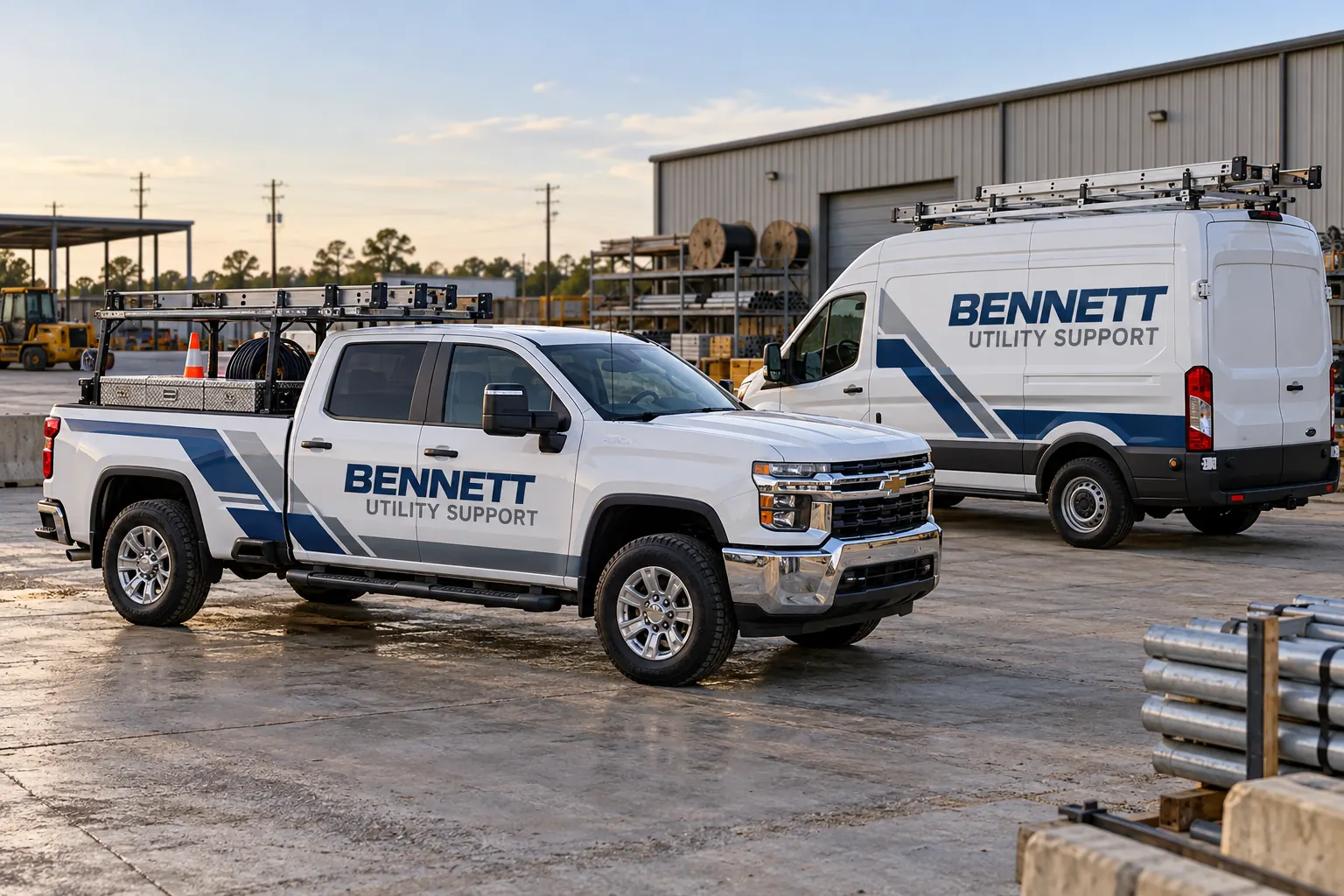
Fictional commercial design concept; not a local customer installation or a photograph of Pelican Wraps premises.
Start with the operating fleet rather than a single total
Write down what each vehicle does during a normal working day. A service van carrying specialist stock may be harder to release than a spare pickup, even if their graphics cover similar areas. Separate the vehicles that can move first from those dependent on another unit returning. Identify the actual dispatch contact and the person authorized to approve the expenditure.
The fleet inventory worksheet gives this discussion a useful starting record. Add unit references, actual configurations and proposed availability. Pelican Wraps uses 1201 MacArthur Ave, Suite B, Harvey, LA 70058. This Baton Rouge route does not establish a second shop. Send the scope first so receiving, transport and work arrangements can be reviewed before a provisional date becomes an operational commitment.
| Record | Include in the brief |
|---|---|
| Operating batch | Actual unit role, substitute and release owner |
| Entry decision | Accepted fitted layout, data and relevant condition review |
| Handoff | Confirmed receiving location, movement responsibility and window |
| Repeat instruction | Current version and differences accepted after the first batch |
Give each release batch a clear entry and exit decision
A manageable batch contains vehicles with known fitted layouts, approved changing information and a realistic release owner. List the issues preventing each unit from entering that batch: missing photographs, unclear removal scope, an unapproved phone number or unresolved finish condition. A batch total alone hides those dependencies.
Use the rollout planner to record proposed windows and responsibilities. Treat a vehicle as ready only after the actual relevant decisions are accepted; the worksheet does not reserve installation capacity. Agree how the operating team will identify a returning unit and who confirms its return to use. This creates a handoff record the business can understand without promising that every vehicle requires the same elapsed time or that several units can always be worked on together.
Keep the identity consistent across different working bodies
Choose the approved business name, primary service description and one useful response route before comparing artwork. A pickup cab and service van can share these elements while requiring different proportions. Keep the logo recognizable, avoid cramming every service into a small face and identify which information a customer should notice first.
Review fleet design standards and service-body graphics where relevant. Provide current source artwork rather than relying on a small web screenshot. The Bennett Utility Support vehicles are fictional design concepts showing one identity adapted to working bodies. They do not represent a Baton Rouge customer, utility contract or inspected fleet. Actual equipment, protected markings and approved wording must come from your project.
Define coverage and preparation before comparing proposals
Describe the faces included in each option and identify areas deliberately left as original paint. A partial wrap should have a defined boundary; lettering should identify the actual logo, service and contact elements. Ask whether the comparison includes the same quantities, removal assumptions, design work and preparation tasks. Otherwise a lower total can describe a different project.
Use coverage comparison to organize your own figures and the cost guide for the questions behind a proposal. Photograph old graphics, repairs and finish concerns on each unit. One clean vehicle cannot establish the condition of the entire fleet. Keep unknowns visible so the commercial response can distinguish confirmed work from items needing inspection or separate asset repair.
Separate brand approval from operational information
Give the brand approver responsibility for identity, hierarchy and appearance. Give the business-data owner responsibility for destinations, contact wording and any changing unit fields. Ask the responsible operator to identify required markings and equipment areas that must remain clear. A visually attractive proof can still contain an obsolete destination or information that belongs to another vehicle.
Maintain an approval record with unit reference, layout version, date and the decision accepted. Use commercial marking planning when applicable, keeping optional branding separate from regulated information. If the operating team changes a unit after approval, reopen the affected instruction. Do not treat an email accepting the logo as automatic acceptance of every body detail, operational field and proposed release date.
Confirm the physical handoff before moving the first unit
Identify actual departure and receiving locations, the transport owner, vehicle dimensions and any equipment affecting access. Ask what must be removed from the vehicle, what documents accompany it and who receives completion questions. Keep necessary business operations in the operator’s plan rather than assuming the supplier can store or dispatch an entire fleet.
Use Harvey handoff planning and current Louisiana travel information where useful. A service-area page is not a fixed journey estimate or an accepted appointment. Confirm the actual work location and supplier availability against the final scope. For several batches, retain the same handoff checklist while allowing actual vehicle condition, quantity and operating constraints to change the arrangement.
Close the first batch before repeating its instructions
Keep installed photographs, accepted layouts, relevant product information and applicable care guidance with the vehicle record. Ask the operating contact to report any discrepancy against the agreed scope. Record what was changed during the first batch so later units use the accepted current instruction rather than an earlier draft.
Use fleet graphics management for continuing additions and replacements. To begin, send the Baton Rouge fleet brief with actual quantities, configurations, photographs, identity files, intended faces and proposed release windows. Name the brand and operational contacts and explain outstanding questions. This gives the enquiry a clear next decision: confirm the suitable scope and work arrangement, then agree the commercial and release details for the actual vehicles.
Frequently Asked Questions
Prepare Your Actual Vehicle Graphics Brief
Send current photographs, vehicle quantities, logo files, coverage preferences and timing. Identify old graphics and paint concerns so the project review can address the actual equipment.
Explore planning resources or request your commercial wrap quote.
