
Slidell Commercial Vehicle Wraps: Prepare the Fleet Before the Release Window
Plan commercial van, delivery and work-vehicle graphics for a Slidell business through Pelican Wraps in Harvey. Connect the actual unit list and approved identity with readiness and dispatch constraints before confirming the project handoff.
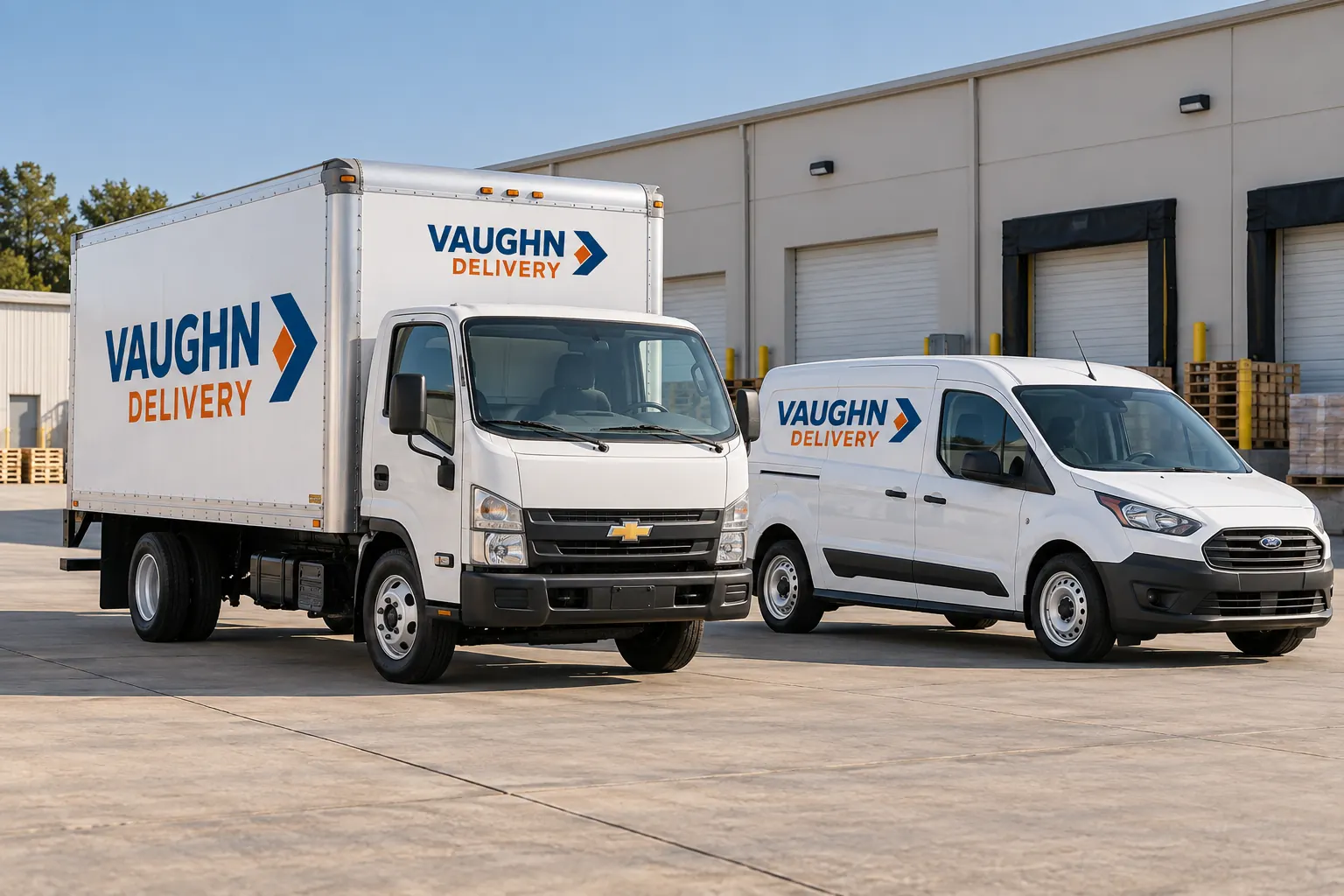
Fictional commercial design concept; not a local customer installation or a photograph of Pelican Wraps premises.
Start with the actual vehicles and the operating question
Identify the vans, delivery vehicles or work trucks receiving graphics and explain why the identity is changing. The enquiry may concern one new asset, several vehicles needing a consistent appearance or a phased update while units remain in service. Describe the business message and equipment before selecting a release calendar.
Explore delivery graphics, commercial vans and fleet programs for the relevant offer. Pelican Wraps uses 1201 MacArthur Ave, Suite B, Harvey, LA 70058. This Slidell page does not establish an additional office or a confirmed work arrangement at every operating location.
| Record | Include in the brief |
|---|---|
| Dispatch record | Actual unit role, release location, return location and owner |
| Ready configuration | Accepted fitted sheet, data and relevant condition review |
| Proposed window | Start, end, substitutes and unresolved dependencies |
| Current instruction | Unit-specific accepted work and confirmed receiving arrangement |
Give dispatch a clear unit and configuration record
List each actual unit or genuine repeat group with body, doors and relevant equipment. Attach labeled photographs and indicate where the vehicle can be released and returned. Identify the operating contact who can confirm its role, substitutes and proposed availability rather than rely on one total fleet quantity.
Use the inventory worksheet to connect those facts. A small cargo van and delivery box vehicle can share an identity while needing different fitted layouts. The fictional Vaughn Delivery image illustrates that idea, not a Slidell customer fleet or actual dispatch plan. Use your unit evidence to define repeats and exceptions.
Close the information questions that can block the handoff
Supply current logo and source files and approve the lead name, service context and contact route. Label internal unit, branch and any applicable operator-supplied carrier information separately. Name the people accepting those fields and final fit information. A style comment should not become assumed approval of every changing text line.
Use the artwork guide and the data guide for preparation. Keep accepted versions with the actual configurations. If the fleet is still deciding coverage or messaging, say so in the brief rather than present an early concept as a production release for every unit.
Resolve condition before treating an available van as ready
Photograph current graphics, repairs and finish concerns and disclose known treatments and uncertain history. Identify removal and separate vehicle work where relevant. A unit can be free in the operating schedule while its surface and preparation questions remain unresolved.
Use readiness planning to assign those questions. Ask the response to identify the actual proposed system and included tasks. A new graphic is not body or paint repair, and a general configuration match does not establish identical condition across all units. Keep readiness and availability distinct so the release decision is based on the actual asset.
Compare coverage and commercial scope before choosing a batch
Describe intended faces and boundaries for full, partial or lettering alternatives and retain the main message beside each option. Ask the response to distinguish relevant design, removal, preparation, production, installation and access or transport. A meaningful comparison explains the actual work behind the amount.
Use the comparison worksheet for a defined configuration group. It does not estimate area, supply rates or validate a release plan. If alternatives remain open, keep them as questions in the enquiry. A low entered subtotal cannot independently establish the best coverage, product suitability or ability to complete a working fleet within an early target window.
Confirm release with the operator and actual supplier arrangements
Record the unit or batch, proposed start and end, release owner and outstanding dependencies in the rollout planner. Review overlaps against the actual service roles, substitutes and movement arrangements. A planner row is a record, not supplier capacity confirmation or a dispatch commitment.
Confirm the work destination and receiving arrangement before travel and use Louisiana 511 for current route information. See Northshore project planning for the regional route. No fixed travel time, local on-site capacity or installation duration is promised by this page; the actual accepted scope and arrangements must establish the handoff.
Keep the next unit and later replacements within the standard
Retain accepted configuration sheets, approved data, relevant product information and installed photographs by unit. Provide care guidance to the responsible operating contact and record later equipment or wording changes. A new vehicle or substitute should be reviewed against the retained groups before an older file is reused.
To begin, send the Slidell fleet brief with inventory, photographs, identity files, desired coverage and proposed availability. Read the delivery rollout scenario for a worked decision structure. The next discussion should define real work and dependencies without inventing a local branch, completed customer rollout, uninterrupted service or measured operating result.
Frequently Asked Questions
Prepare Your Actual Vehicle Graphics Brief
Send current photographs, vehicle quantities, logo files, coverage preferences and timing. Identify old graphics and paint concerns so the project review can address the actual equipment.
Explore planning resources or request your commercial wrap quote.
