
Kenner Vehicle Wraps: Fit One Identity to Different Work Vehicles
Plan commercial van, truck and related graphics for your Kenner business through Pelican Wraps in Harvey. Build the scope around actual body configurations and approved information so a recognizable identity fits the equipment that does the work.
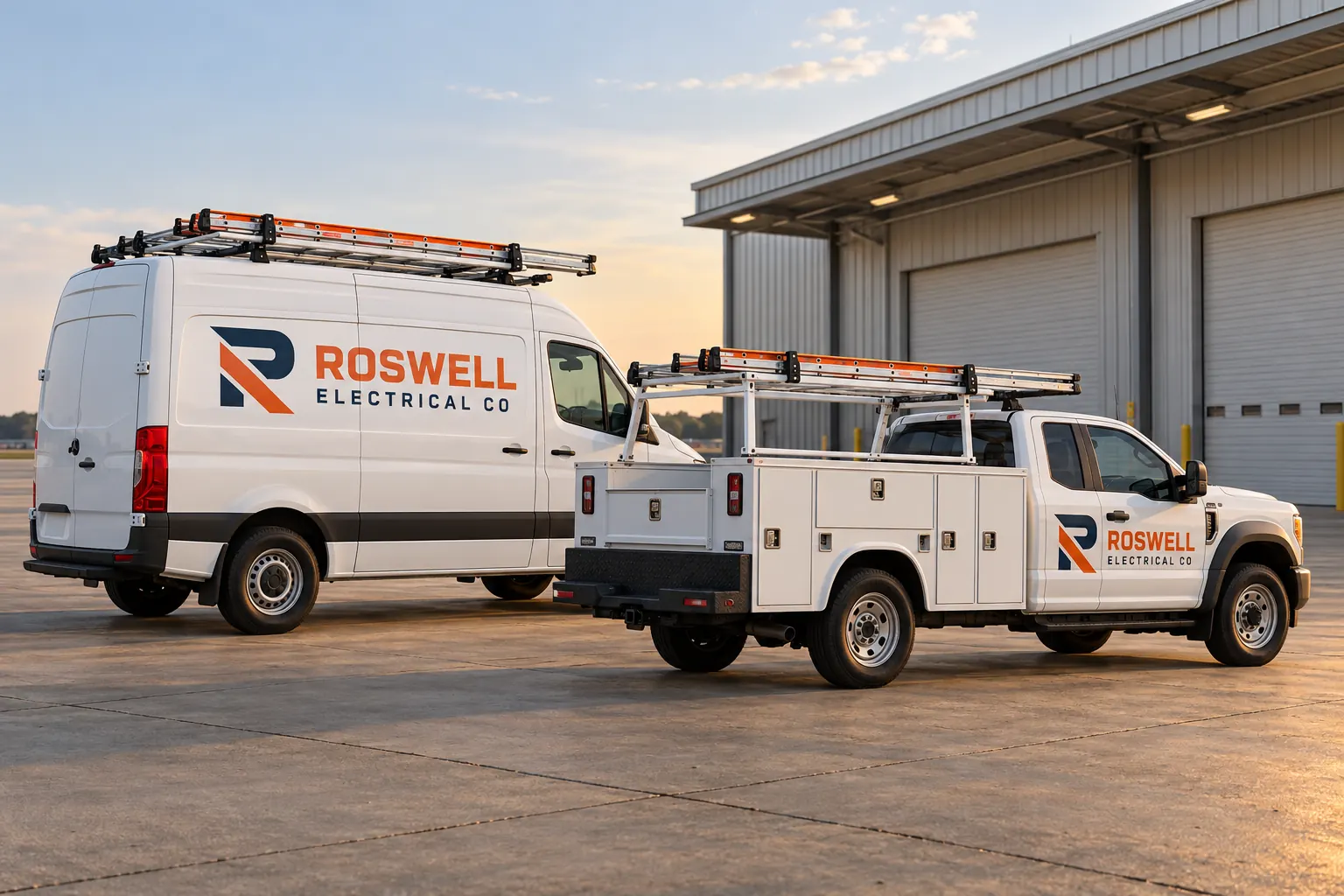
Fictional commercial design concept; not a local customer installation or a photograph of Pelican Wraps premises.
Begin with the working vehicles rather than one generic mockup
Identify the vans, pickups, service bodies or other assets receiving graphics and the approved business message. Explain whether this is a new identity, a repeat order or an update to an existing fleet. The first useful decision is which actual equipment and information belong in the scope.
Explore van graphics, service-body graphics and fleet support for the relevant offer. Pelican Wraps is based at 1201 MacArthur Ave, Suite B, Harvey, LA 70058. This Kenner planning route does not establish another office or confirm installation access at every commercial, controlled or customer site.
| Record | Include in the brief |
|---|---|
| Configuration group | Actual body, roof, doors and equipment that genuinely repeat |
| Exception | The different rack, compartment or face and affected units |
| Protected areas | Operator-identified requirements and working equipment |
| Release instruction | Correct unit, fitted sheet, data and confirmed arrangement |
Create a configuration map that explains what can repeat
Record the body length, roof, doors and equipment relevant to each intended face. A high-roof cargo van and compartmented service truck can share a company identity while needing different placement sheets. Within one vehicle category, identify racks, accessories or other details that make an otherwise similar unit an exception.
Use the inventory worksheet to connect each unit with its photographs and accepted group. Mark estimated dimensions and assign final verification. The fictional Roswell Electrical Co illustration shows a coordinated mixed configuration, not a local customer record or measured production drawing. Actual unit evidence should determine the repeat map rather than resemblance to a concept.
Place important wording around actual doors and compartments
Choose the lead name, supporting service context and useful contact action. Retain the approved logo proportions while adapting the composition to the actual clear areas. Review handles, hinges, latches, racks and equipment before deciding where complete important words should sit.
Use body-detail planning for the survey questions and rear layouts for interrupted faces. A technically covered panel is not automatically the clearest place for the message. Have the responsible operator identify required information and protected equipment and keep that review connected to the accepted appearance.
Separate shared branding from changing operational data
Supply the current business identity and identify branch wording, contact destinations and internal asset references separately. Any applicable carrier information should come from the responsible operator and have its own acceptance. A designer should not infer changing data from another unit or add qualifications for visual fullness.
Use the data guide for that distinction. If the project also includes a sign or property item, place it in a separate schedule with the actual surface and site contact. One identity can connect the items, but the vehicle configuration and property approval still need their own records and accepted layouts.
Compare coverage and starting condition by configuration
Describe the faces and boundaries for full, partial or lettering alternatives and retain the main message beside each option. Photograph old graphics, repairs and finish concerns on the actual units. Similar vehicle roles do not establish identical surfaces or the same amount of earlier preparation work.
Use the coverage worksheet for a defined group and readiness planning for the starting surface. Ask the response to identify proposed products, design, removal, preparation, production, installation and exclusions. Compare equivalent scope rather than assume one quoted unit amount covers every configuration and condition in the fleet.
Confirm which unit is released against which accepted sheet
Record the actual unit, configuration, approved data and proposed release window. Identify the person controlling transport and access and ask the supplier to confirm actual availability. If an operating change substitutes a service body for a van, review the file and scope before treating the replacement as an identical repeat.
Use the rollout planner to keep the handoff understandable. Check current travel information through Louisiana 511 where relevant. A location page, worksheet date or familiar logo does not establish work-site permission, a travel duration or a booked installation. Keep actual arrangements with the current instruction.
Leave a usable standard for the next work vehicle
Retain the master identity and separate accepted configuration sheets, with unit data, product references and installed photographs. Record care guidance and equipment changes. When a new model or body joins, compare it with the existing groups and review the actual fit before ordering a repeat.
To begin, send the Kenner vehicle graphics brief with photographs, configuration quantities, approved artwork, intended coverage and timing. For adjacent project planning, see the Metairie route where coordinated property items are central. The actual scope should connect recognizable identity with real equipment without inventing a local installation, certification or guaranteed outcome.
Frequently Asked Questions
Prepare Your Actual Vehicle Graphics Brief
Send current photographs, vehicle quantities, logo files, coverage preferences and timing. Identify old graphics and paint concerns so the project review can address the actual equipment.
Explore planning resources or request your commercial wrap quote.
